




 here!
I’m your shopping assistant for PC builds, upgrades, and everything tech.
Got questions? Ask away!
Start a conversation
here!
I’m your shopping assistant for PC builds, upgrades, and everything tech.
Got questions? Ask away!
Start a conversation




Any questions? Ask CelesteSM will help you find out quickly.
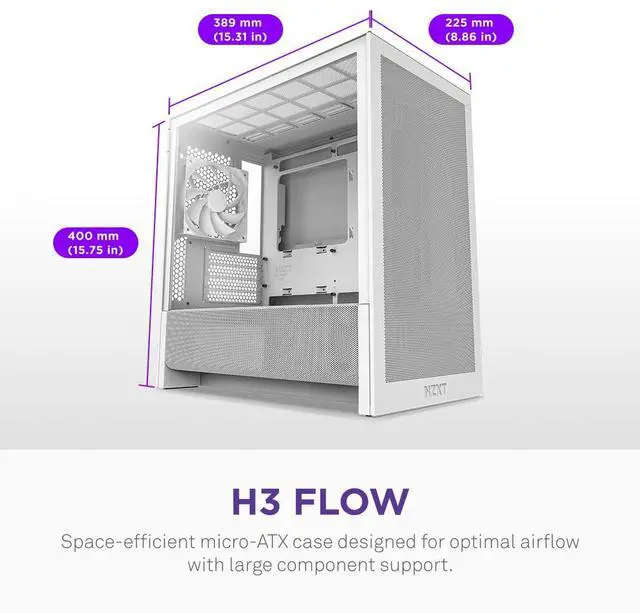
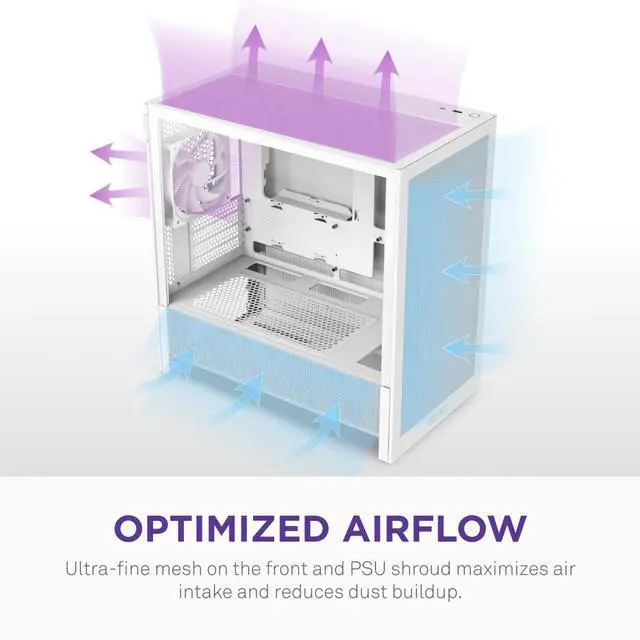
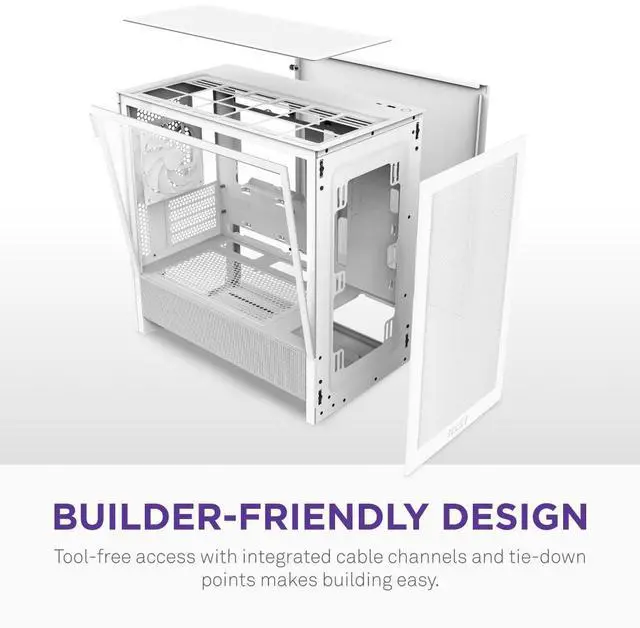
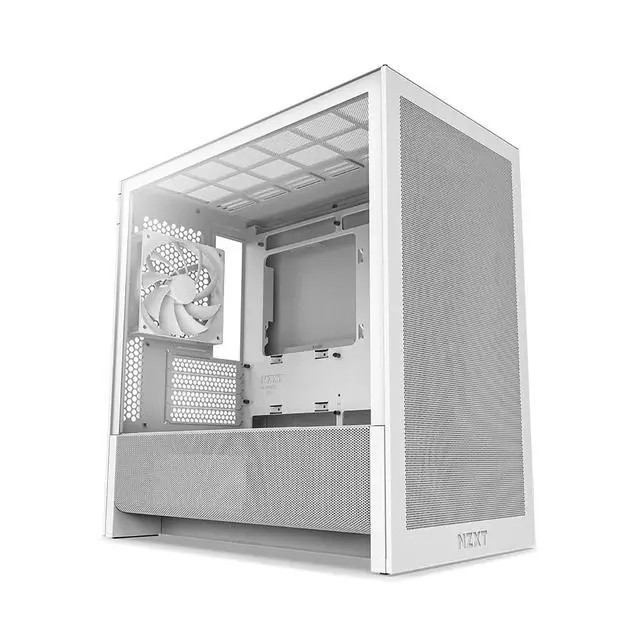
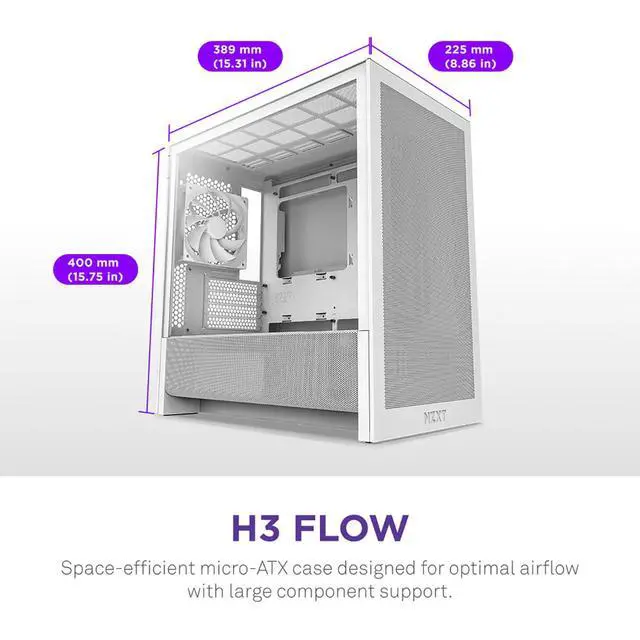
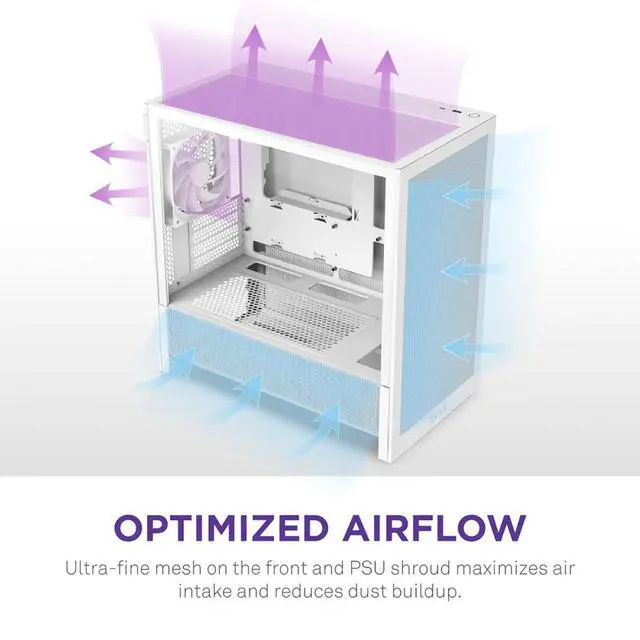
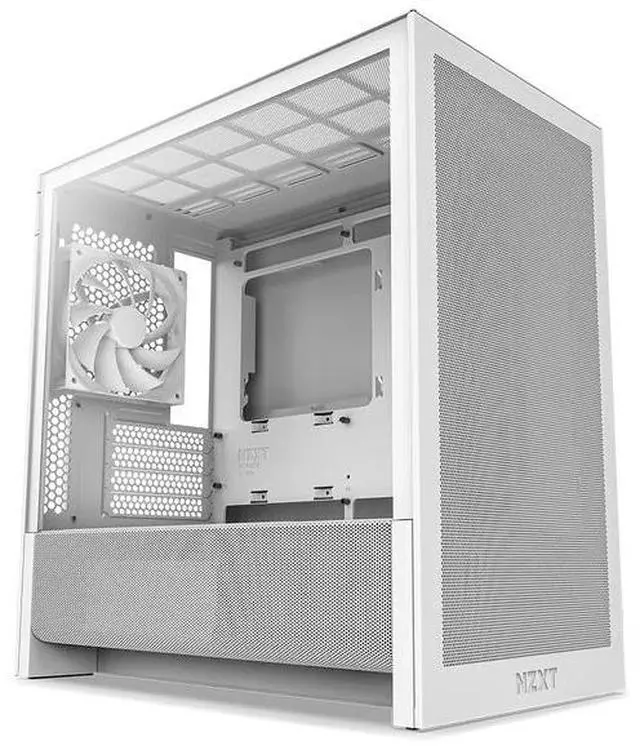
The white NZXT H3 Flow is a micro-ATX PC case for builders who want a space-efficient gaming or performance PC with strong airflow, support for full-sized GPUs, and room for front or top radiator cooling.
| Attribute | Value |
|---|---|
| Best For | Micro-ATX builds with full-sized GPUs and air- or radiator-based cooling components |
| Case Format And Compatibility | ATX mid-tower case with Micro-ATX motherboard support |
| Cooling And Fan Configuration | Air-cooling configuration with one non-RGB fan |
| Front I/O | 2 USB 3.0 ports |
| Storage Expansion | 3 internal bays |
| Power Supply Mounting | Bottom-mounted power supply |
| Access And Assembly | Tool-free access panels |
| Weight | 4.8 kg |
| Model Identifiers | NZXT H3, H3 Flow (2025); model CC-H31FW-01 |
Q: NZXT H3 Flow vs H5 Flow: which should I choose for a micro-ATX build?
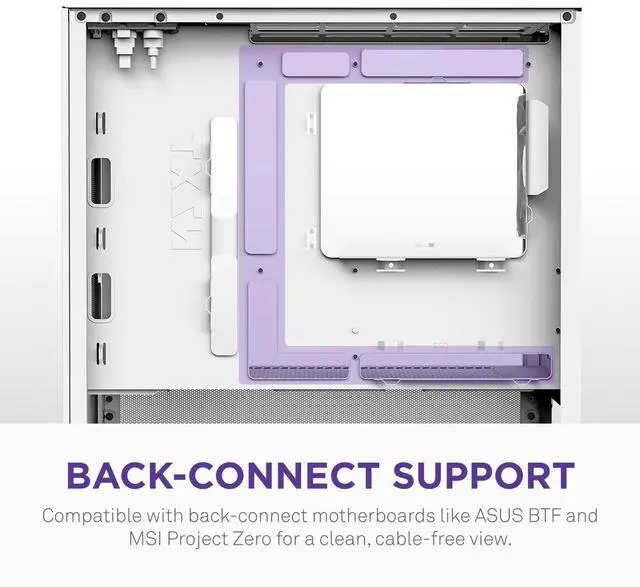
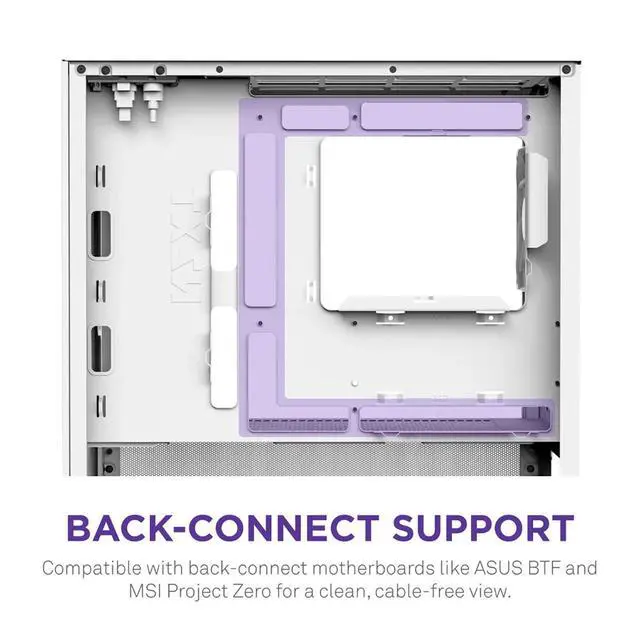
A: Choose the H3 Flow for a smaller 35-liter build with a micro-ATX or Mini-ITX motherboard, including a compatible back-connect board. Choose the H5 Flow if your build needs ATX or E-ATX support, more GPU length clearance, or a 360 mm front radiator. ([nzxt.com](https://nzxt.com/en-intl/blogs/news/the-new-h3-flow-micro-atx-pc-case?market=intl&utm_source=openai))
Q: NZXT H3 Flow vs H6 Flow: which offers more room for an ATX build and cooling?
A: Choose the H3 Flow for a more space-efficient micro-ATX or Mini-ITX build and support for compatible back-connect motherboards. Choose the H6 Flow for ATX motherboard support, a dual-chamber layout, three included front-right fans, and support for a top-mounted 360 mm radiator. ([nzxt.com](https://nzxt.com/en-intl/products/h3-flow?bt=1&utm_source=openai))
Q: NZXT H3 Flow vs H2 Flow: which is better for a compact PC build?
A: Choose the H3 Flow for a micro-ATX build with a conventional tower layout, ATX power supply support, and up to 377 mm of GPU clearance when no front fans are installed. Choose the H2 Flow for a smaller 20.7-liter Mini-ITX build with a vertical GPU layout and an included PCIe 5.0 riser cable. ([support.nzxt.com](https://support.nzxt.com/hc/en-us/articles/45685050702235-H2-Flow-2026-Specs?utm_source=openai))
Q: Will a full-size graphics card fit in this case?
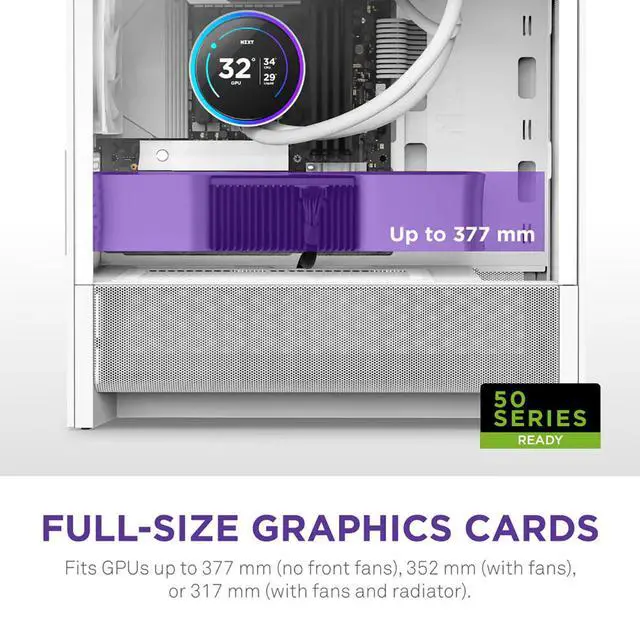
A: The H3 Flow supports graphics cards up to 377 mm long without front fans, 352 mm with front fans, or 317 mm with a front radiator and fans. Check your GPU’s length against the clearance for your planned front-cooling setup before buying.
Q: What size radiator can I install?
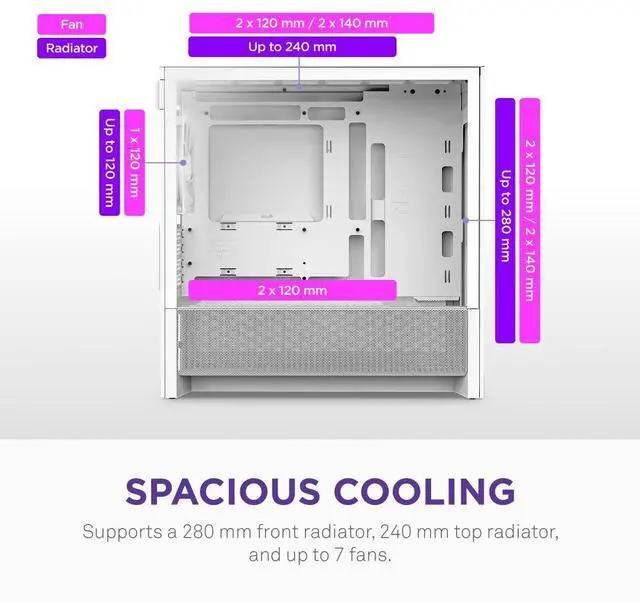
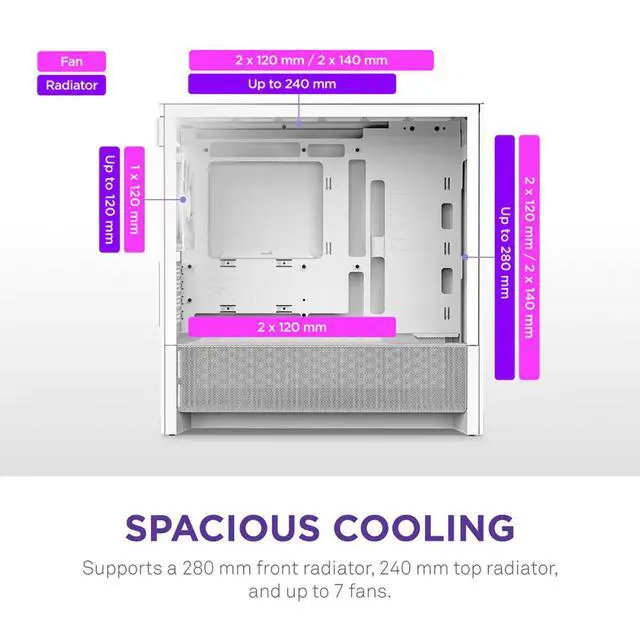
A: The H3 Flow supports a radiator up to 280 mm at the front or 240 mm at the top. Front radiator and fan thickness can affect graphics-card clearance, so check both components’ dimensions before choosing a layout.
Q: How many fans come with the case, and can I add more?
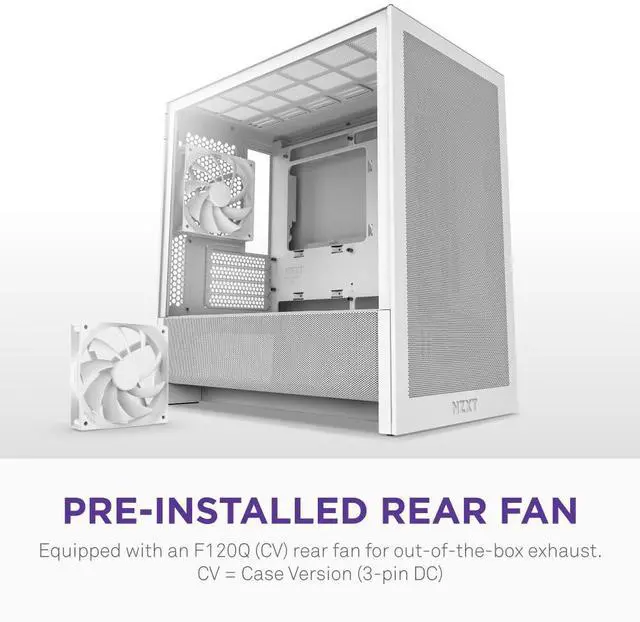
A: One 120 mm F120Q fan is included at the rear. The case supports up to seven fans total, so additional fans must be purchased separately if you want to populate more positions.
Q: Which motherboard sizes fit, and does the case come with PC components?
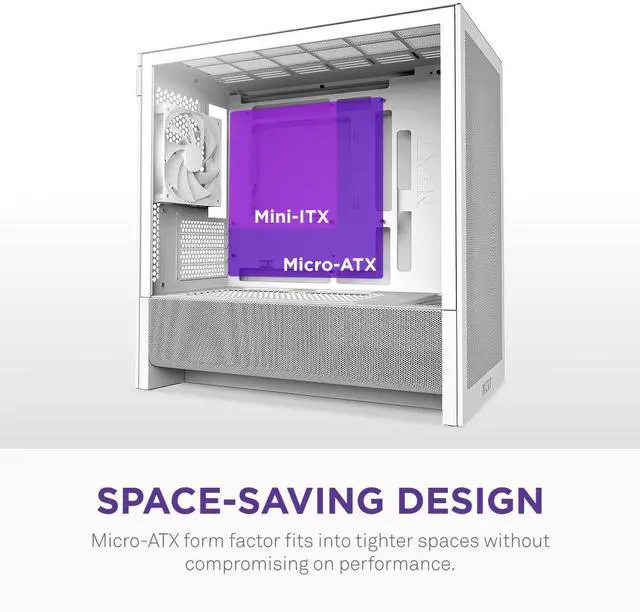
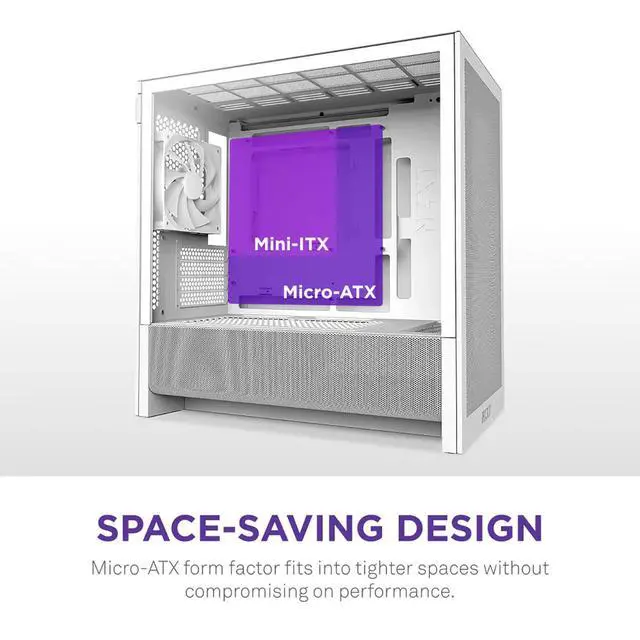
A: The H3 Flow supports Micro-ATX and Mini-ITX motherboards, not standard ATX boards. It is a case, not a complete computer; the included item is one rear fan, so the other PC components must be supplied separately.
Q: Will my graphics card fit if I install a front radiator?
A: Check the card’s length against the full front-cooling setup: the H3 Flow supports GPUs up to 317 mm with front fans and a radiator, 352 mm with front fans only, or 377 mm without front fans. Reddit users have raised GPU-fit questions about this case, so verify your exact card and cooling configuration before buying.
Q: Is the PSU layout a concern in the H3 Flow?
A: It can be a trade-off: Reddit discussions note that the PSU fan generally faces upward because the case bottom is solid, and users differ on whether this causes practical airflow or temperature problems. Check your PSU’s fit and airflow needs, and don’t assume it can draw air from beneath the case.
Q: Can I use the H3 Flow without buying extra case fans?
A: It includes one rear 120 mm exhaust fan. If your build needs additional intake or radiator fans, plan to buy them separately; the case supports up to seven fans. A YouTube build review discusses fan setup and cooling in practice.
Q: Is the H3 Flow worth considering for a micro-ATX build?
A: It may suit a build that prioritizes a compact micro-ATX case, mesh airflow, large-GPU support, and back-connect motherboard compatibility. Trade-offs raised in Reddit and YouTube discussions include the PSU orientation and the need to budget for any extra fans or cooling hardware your build requires.


