

Your Browsing History

- Free 30-day Returns
$58.99

Meet Your Seller


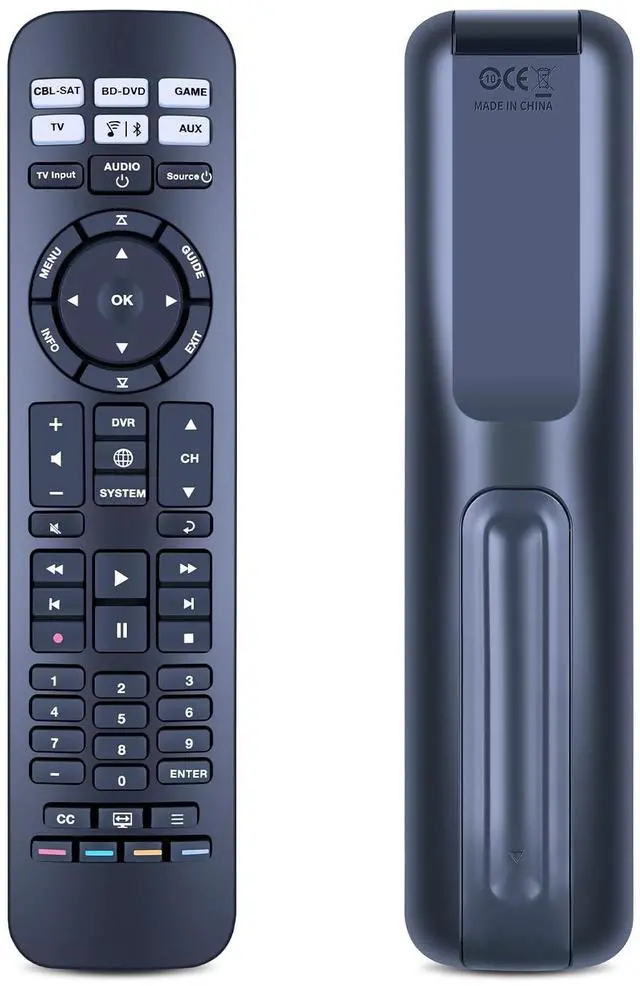
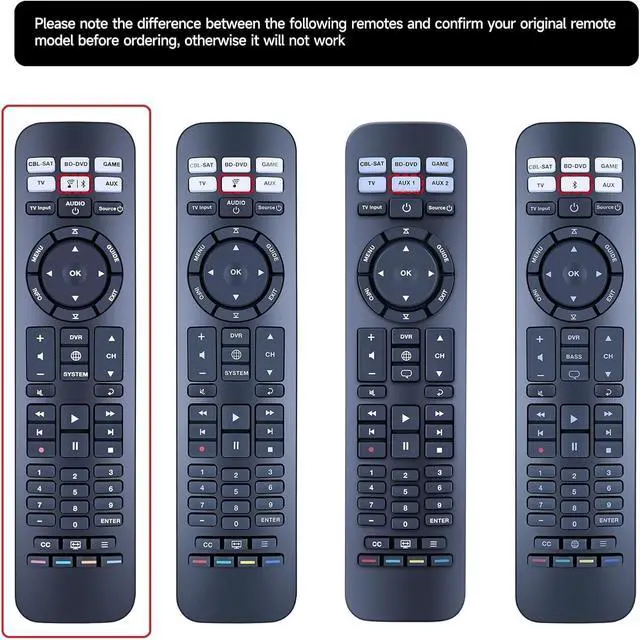
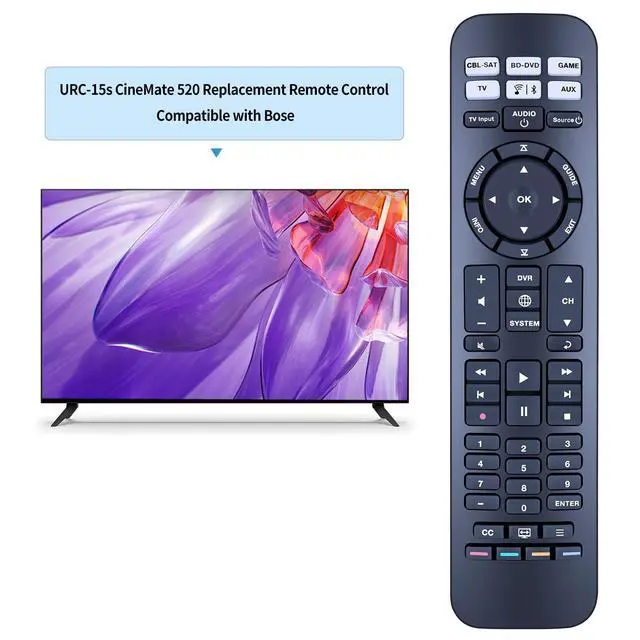


New Replacement URC-15s Remote Control Compatible with Bose CineMate 520, 220, 130 & 120 SoundTouch
- Compatibiltythis URC-15s Replacement Remote Control Compatible with Bose CineMate 520 , 220 , 130 & 120 SoundTouch.
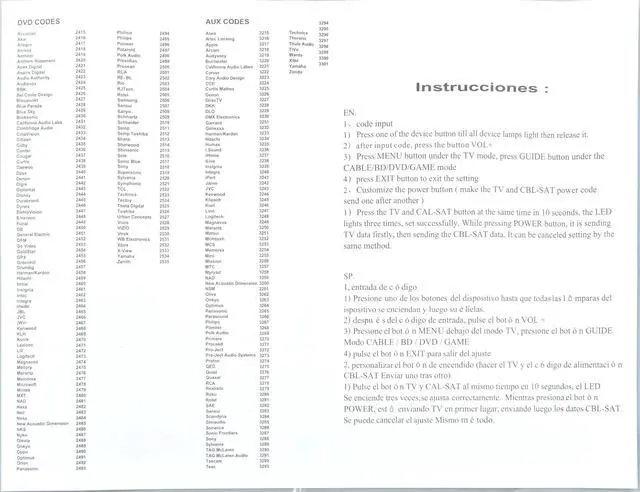
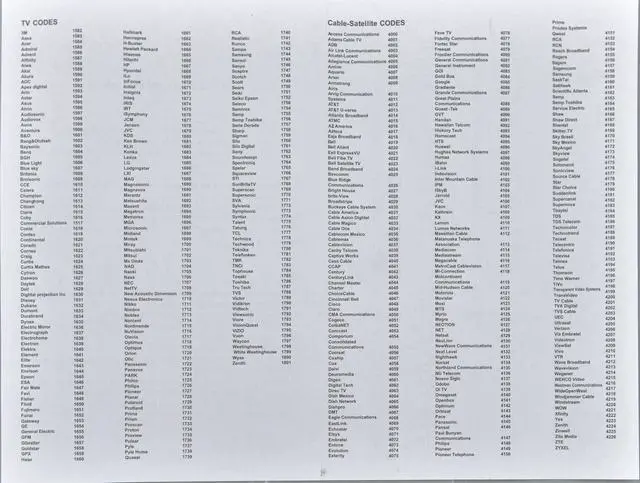
- Easy To Pairing1. Code input : 1) Press one of the device button till all device lamps light then release it. 2) after input code, press the button VOL+. 3) Press MENU button under the TV mode, press GUIDE button under the CABLE/BD/DVD/GAME mode. 4) press EXIT button to exit the settingwarm note: you can find the code of the corresponding brand of equipment according to the accompanying manual
- Customize the power buttonmake the TV and CBL- SAT power code send one after another1) press the TV and CAL-SAT button at the same time in 10 seconds, the LED lights three times, set successfully. While pressing Power button, it is sending TV data firstly, then sending the CBL-SAT data. IT can be setting by the same method.
- What's in the Box1 * Remote Control Use Manual (AA batteries are not included
- Excellent After-Sales Service If you encounter any issues, please d
+
+
Overview
Specs
Reviews

Any questions? Our AI mode will help you find out quickly.
Try me now
Compatibiltythis URC-15s Replacement Remote Control Compatible with Bose CineMate 520, 220, 130 & 120 SoundTouch. ^^ Easy To Pairing1.
Code input: 1) Press one of the device button till all device lamps light then release it. 2) after input code, press the button VOL+. 3) Press MENU button under the TV mode, press GUIDE button under the CABLE/BD/DVD/GAME mode. 4) press EXIT button to exit the settingwarm note: you can find the code of the corresponding brand of equipment according to the accompanying manual ^^ Customize the power buttonmake the TV and CBL- SAT power code send one after another1) press the TV and CAL-SAT button at the same time in 10 seconds, the LED lights three times, set successfully. While pressing Power button, it is sending TV data firstly, then sending the CBL-SAT data. IT can be setting by the same method. ^^ What's in the Box1 * Remote Control Use Manual (AA batteries are not included ^^ Excellent After-Sales Service If you encounter any issues, please don't hesitate to contact us. We will provide solutions within 24 hours to help you, thank you!
Code input: 1) Press one of the device button till all device lamps light then release it. 2) after input code, press the button VOL+. 3) Press MENU button under the TV mode, press GUIDE button under the CABLE/BD/DVD/GAME mode. 4) press EXIT button to exit the settingwarm note: you can find the code of the corresponding brand of equipment according to the accompanying manual ^^ Customize the power buttonmake the TV and CBL- SAT power code send one after another1) press the TV and CAL-SAT button at the same time in 10 seconds, the LED lights three times, set successfully. While pressing Power button, it is sending TV data firstly, then sending the CBL-SAT data. IT can be setting by the same method. ^^ What's in the Box1 * Remote Control Use Manual (AA batteries are not included ^^ Excellent After-Sales Service If you encounter any issues, please don't hesitate to contact us. We will provide solutions within 24 hours to help you, thank you!
Warranty & Returns
Warranty, Returns, And Additional Information
Warranty
- Please contact the Seller directly for warranty information. Warranty information may also be found on the Manufacturer's website.
- CONTACT
Return Policies
- Return for refund within: 30 days
- Return for replacement within: non-replaceable
- This item is covered by SIMPLIZED Return Policy
Manufacturer Contact Info
- For a directory of all our manufacturers, please click below.
- Manufacturers Directory
LOADING...