




 here!
I’m your shopping assistant for PC builds, upgrades, and everything tech.
Got questions? Ask away!
Start a conversation
here!
I’m your shopping assistant for PC builds, upgrades, and everything tech.
Got questions? Ask away!
Start a conversation


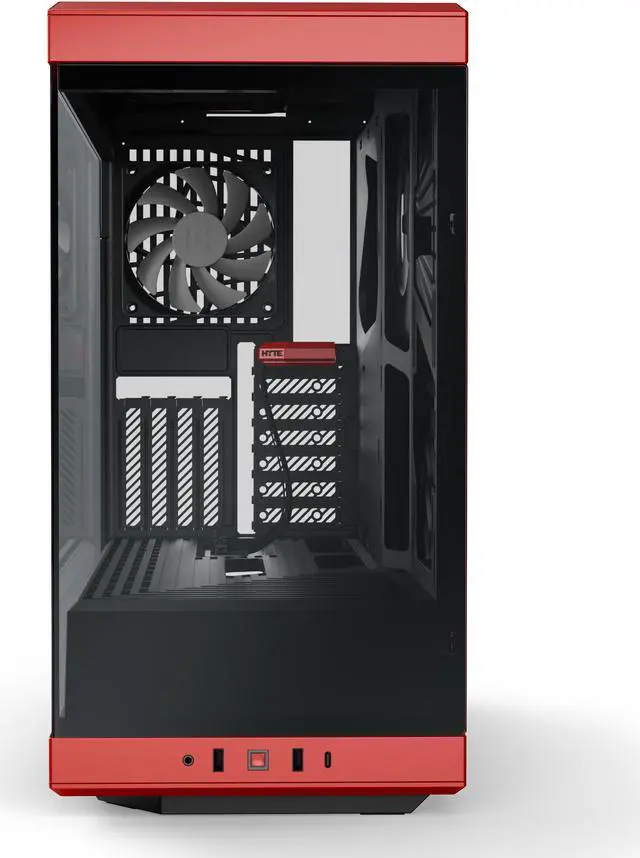
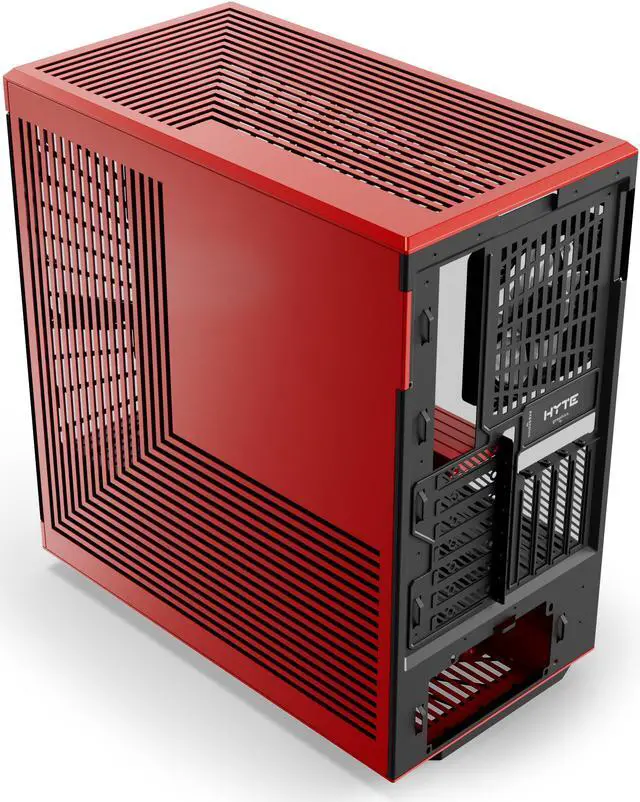
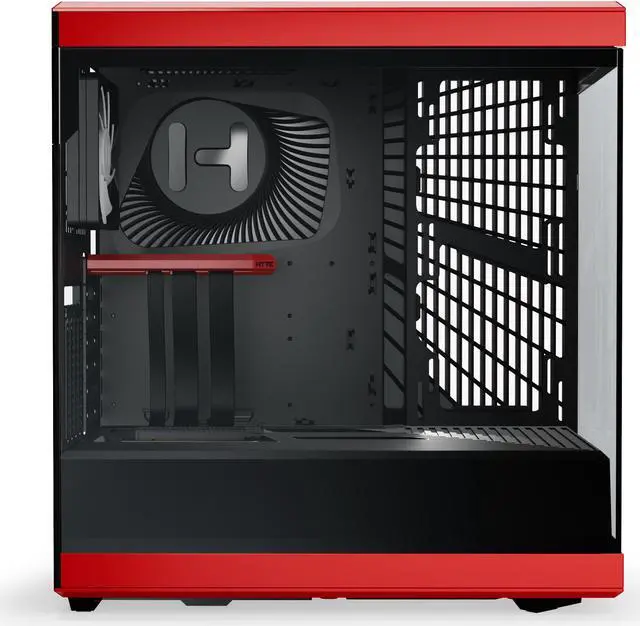
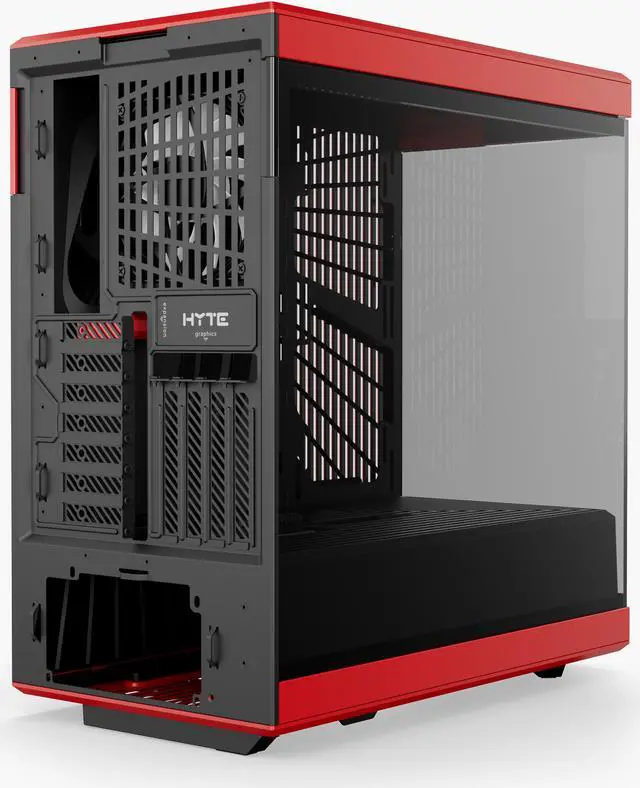



Any questions? Ask CelesteSM will help you find out quickly.
| Attribute | Value |
|---|---|
| Best For | ATX, Micro-ATX, and Mini-ITX gaming builds with vertical graphics card mounting and an included PCIe 4.0 riser cable |
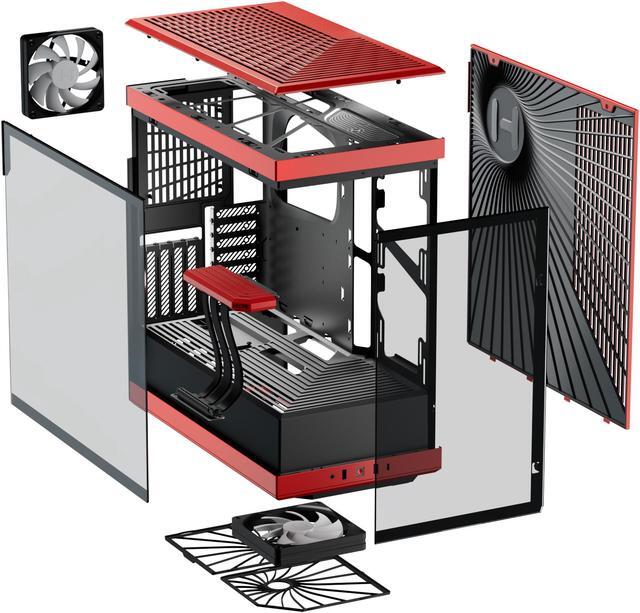
| Case Design And Compatibility | ATX mid-tower made from ABS, steel, and tempered glass, with tempered-glass panels on both sides and top, side, and bottom dust filters |
| Storage And Expansion | One 3.5-inch HDD or two 2.5-inch SSDs; four full-height and six half-height expansion slots |
| Graphics Card And Component Fit | Graphics cards up to 422 mm long and 94 mm high; 80 mm height or less is recommended for cooling. Supports up to four full-slot graphics cards, CPU coolers up to 183 mm tall, and ATX power supplies up to 224 mm long |
| Cooling Support | Two pre-installed fans: one 120 mm bottom fan and one 120 mm rear fan. Fan options include one 120 or 140 mm bottom fan, one 120 mm rear fan, two 120 or 140 mm side fans, and three 120 mm top fans. Radiator support: side 120, 140, 240, or 280 mm up to 120 mm thick; top 120, 240, or 360 mm; rear 120 mm |
| Front Panel Connectivity | Two USB 3.0 ports, one USB 3.2 Type-C port, and one audio port |
| Power Supply Mounting | Rear-mounted ATX power supply |
| Dimensions And Weight | 21.15 × 12.88 × 20.67 inches; 22.91 lb |
| Model Identifiers | HYTE Y40; model CS-HYTE-Y40-BR |
Q: HYTE Y40 vs Y50 RGB: which is better for a vertical GPU build?
A: Choose the HYTE Y40 if you want vertical GPU mounting with a PCIe 4.0 riser included. Choose the Y50 RGB if you prefer its four included RGB fans, horizontal GPU layout, and native support for rear-connect motherboards.
Q: HYTE Y40 vs Y60: which fits a thicker graphics card better?
A: The Y40 is the better fit when graphics-card thickness is a priority: HYTE lists clearance up to 94 mm for the Y40 and 75 mm for the Y60. The Y60 is a better match if you want support for E-ATX motherboards and more pre-installed fans.
Q: Should I get the HYTE Y40 or step up to the Y70 Touch Infinite?
A: Choose the Y40 for a vertical-GPU showcase build with an included PCIe 4.0 riser and a more compact 50-liter case. Choose the Y70 Touch Infinite for its integrated 14.9-inch 2.5K touchscreen, four-slot vertical GPU support, and larger 70.7-liter interior.
Q: Will a full-size graphics card fit in the HYTE Y40?
A: The case supports graphics cards up to 422 mm long and 94 mm high. For better airflow, cards 80 mm high or less are recommended. Check your card’s dimensions before buying.
Q: Which motherboard sizes are compatible with the HYTE Y40?
A: The Y40 supports ATX, Micro-ATX, and Mini-ITX motherboards.
Q: Does the HYTE Y40 include a riser cable and case fans?
A: Yes. The product listing specifies an included PCIe 4.0 x16 riser cable and two pre-installed 120 mm fans: one at the bottom and one at the rear.
Q: Can the HYTE Y40 fit a liquid-cooling radiator?
A: Yes. The listed radiator options are up to 280 mm on the side, 360 mm at the top, and 120 mm at the rear. Confirm radiator and component clearances for your specific build.
Q: How much internal drive storage does the HYTE Y40 support?
A: The listed drive bay can hold one 3.5-inch hard drive or two 2.5-inch SSDs.
Q: Is the HYTE Y40 a good choice for an air-cooled build?
A: It can work with an air-cooled GPU, but cooling is a trade-off to consider. A Reddit discussion describes it as less suited to optimized air cooling, while a Gamers Nexus review reports thermal concerns. The case includes two fans, and the best results may depend on the component choices and airflow setup.
Q: Will a large graphics card fit in the Y40?
A: Check the exact card dimensions before buying. The provided specifications list a maximum GPU length of 422 mm and height of 94 mm, with 80 mm or less recommended for best cooling. Reddit build discussions also raise questions about card fit and clearance, so length alone may not settle compatibility.
Q: Should I plan to add case fans to the Y40?
A: Possibly, depending on your components and cooling goals. The Y40 includes one bottom and one rear 120 mm fan, and supports additional fans on the side and top. Reddit discussion suggests the included setup may be adequate for some less demanding builds, but the case’s airflow performance has also been criticized; there is no single fan setup that guarantees the same temperatures for every build.


