

Your Browsing History
- In Stock
- Sold by Newegg
- Make an Offer
- New
- Combo Deals Only
Quick View
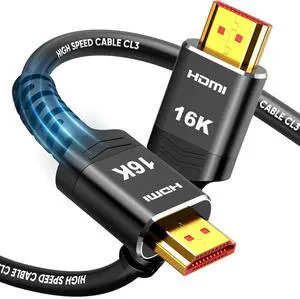
16K 8K HDMI Cable 3.3 FT, 8K@120Hz 144Hz HDMI CL3 2.2 Cord 96Gbps
- Model #: C5Z9--LSY-820057
- $32.99 –
- Free Shipping
![Thermal Pad 13W/mK [0.5~3mm], 120x120x2mm Silicone Cooling Pad GPU Non Conductive Heat Resistance Soft Sticky Cover with Dual Self-Adhesive Films for PC Macbook Laptop SSD/RAM/PS5/Game Console](https://c1.neweggimages.com/productimage/nb300/C863D2608180EZV56C0.jpg "Thermal Pad 13W/mK [0.5~3mm], 120x120x2mm Silicone Cooling Pad GPU Non Conductive Heat Resistance Soft Sticky Cover with Dual Self-Adhesive Films for PC Macbook Laptop SSD/RAM/PS5/Game Console")
Quick View
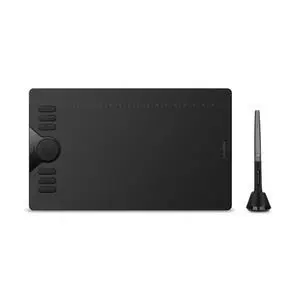
HS610 10x6.25 inch Drawing Tablet 8192 Pen Pressure
- Brand: Huion
- Series: HS610
- Interface: USB
- Pressure Levels: 8192 levels
- Model #: 197140608072
- $79.99 –
- Free Shipping
Quick View
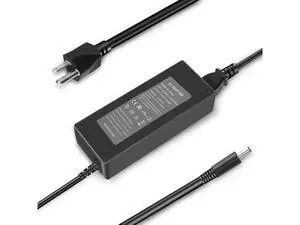
90W AC Adapter for Dell Optiplex Micro 9020 7050 7010 7020 7040 3050 7060 5050 5060 7070 Micro Desktop Power Supply-for Dell Optiplex Micro PC- for Optiplex 3060 3070 3080
Limited time offer, ends 08/29
- Model #: C6T1813-XMHMYA092
- $33.45 –
- Free Shipping
Quick View
90W AC Adapter for Dell Optiplex Micro 9020 7050 7010 7020 7040 3050 7060 5050 5060 7070 Micro Desktop Power Supply-for Dell Optiplex Micro PC- for Optiplex 3060 3070 3080
Limited time offer, ends 08/29
- Model #: C6T1813-XMHMYA052
- $43.78 –
- Free Shipping
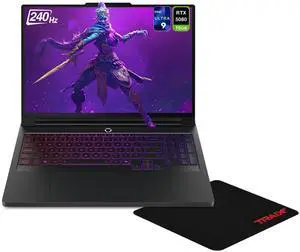
Quick View

- Processor Name: 275HX
- SSD: SSD
- GPU/VPU: Nvidia GeForce RTX5080
- Brand: Lenovo
- Model #: 83F50052US505
- $3,659.00 –
- Free Shipping
Quick View
- Processor Name: 275HX
- SSD: SSD
- GPU/VPU: Nvidia GeForce RTX5080
- Brand: Lenovo
- Model #: 83F50052US
- $3,679.00 –
- Free Shipping
Quick View
- Processor Name: 275HX
- SSD: SSD
- GPU/VPU: Nvidia GeForce RTX5080
- Brand: Lenovo
- Model #: 83F50052US508
- $4,449.00 –
- Free Shipping
Quick View
- Processor Name: 275HX
- SSD: SSD
- GPU/VPU: Nvidia GeForce RTX5080
- Brand: Lenovo
- Model #: 83F50052US506
- $3,939.00 –
- Free Shipping
Quick View
- Processor Name: 275HX
- SSD: SSD
- GPU/VPU: Nvidia GeForce RTX5080
- Brand: Lenovo
- Model #: 83F50052US500
- $3,939.00 –
- Free Shipping
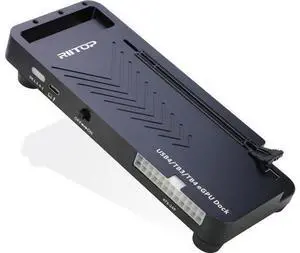
Quick View
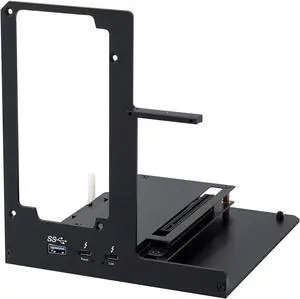
External GPU Docking Station, 40Gpbs eGPU Enclosure USB4.0 Compatible with Thunderbolt 4/3 External GPU Dock for PCIe 4.0 X16 Graphics Card
Limited time offer, ends 08/30
- Model #: C75J*OYJ*G1*0716-538
- $198.96 –
- Free Shipping
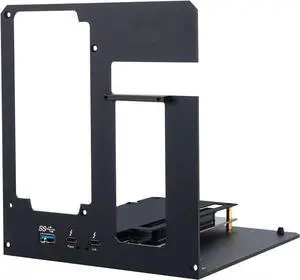
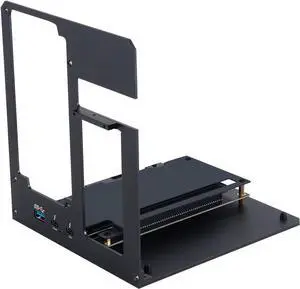
![DisplayPort 2.1 Cable Fiber Optic 50ft[16K@60Hz,8K@120Hz,4K@240Hz]40Gbps Gaming Monitor DP 2.1 Cable Compatible with NVIDIA GeForce RTX 4090 & AMD Radeon RX 7900 XTX - FreeSync G-Sync Support](https://c1.neweggimages.com/productimage/nb300/C0XPD2602090989YMEF.jpg "DisplayPort 2.1 Cable Fiber Optic 50ft[16K@60Hz,8K@120Hz,4K@240Hz]40Gbps Gaming Monitor DP 2.1 Cable Compatible with NVIDIA GeForce RTX 4090 & AMD Radeon RX 7900 XTX - FreeSync G-Sync Support")
Quick View
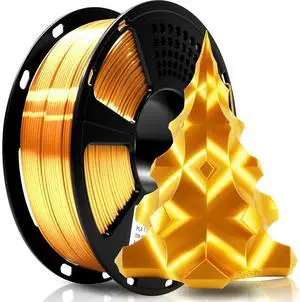
Geeetech Silk PLA Filament 1.75mm for 3D Printer, Metal-Like Shiny Consumables 1kg (2.2lbs) 1 Spool, Dimensional Accuracy +/- 0.02 mm, Metallic Gold Silk Filament
- Model #: 433330053901ComputerzoneGANG
- $33.89 –
- Free Shipping
Quick View
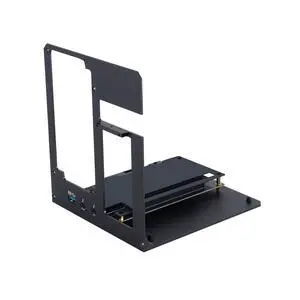
External GPU Enclosure Dock Compatible with Thunderbolt 3/4 40Gbps PD 85W Charging, eGPU Dock for Laptops and Gaming Handhelds, Compatible with NVIDIA/AMD PCIe,ATX Power Supply
Limited time offer, ends 09/14
- Model #: 853729873314
- $319.99
- See price in cart
- Free Shipping
Quick View
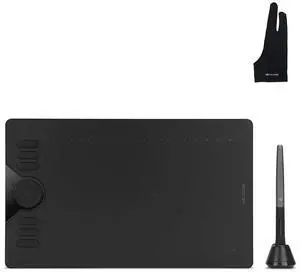
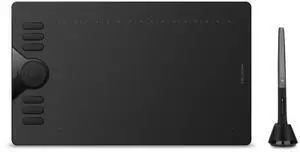
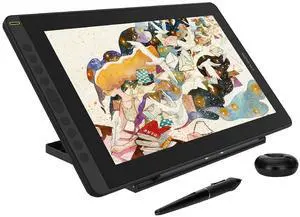
Inspiroy HS610 Drawing Tablet and Palm Rejection Artist Glove
- Model #: 26-6CXY16103
- $156.69 –
- Free Shipping
Quick View
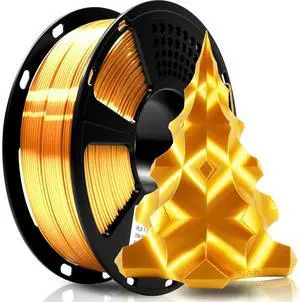
Geeetech Silk PLA Filament 1.75mm for 3D Printer, Metal-Like Shiny Consumables 1kg (2.2lbs) 1 Spool, Dimensional Accuracy +/- 0.02 mm, Metallic Gold Silk Filament
- Model #: STARWELL426253763996Lan
- $41.98 –
- Free Shipping
Quick View
Geeetech Silk PLA Filament 1.75mm for 3D Printer, Metal-Like Shiny Consumables 1kg (2.2lbs) 1 Spool, Dimensional Accuracy +/- 0.02 mm, Metallic Gold Silk Filament
- Model #: C0A852465010412289
- $33.13 –
- Free Shipping
Quick View
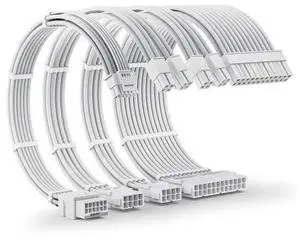
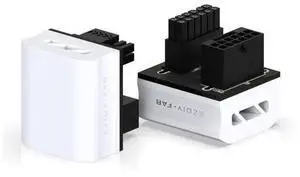
12VHPWR PSU Extension Cable Kit for RTX 50/40 Series, 16AWG Pcie 5.0 Cable Extension Kit Soft Braided 16PIN to 16PIN Cable Kit, 24pin ATX /4+4pin EPS /12+4pin 30CM
Limited time offer, ends 08/30
- Model #: C43K-0420-15
- $60.78 –
- Free Shipping
Quick View
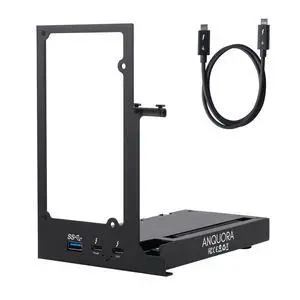
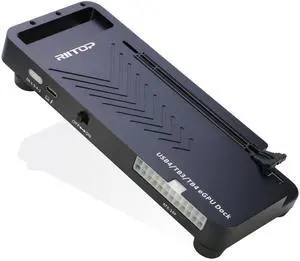
RIITOP 40Gpbs eGPU Enclosure USB4.0 Compatible with Thunderbolt 4 External GPU Dock for PCIe 4.0 X16 Graphics Card
- Model #: 677658533527
- $293.99 –
- $5.99 Shipping
Quick View
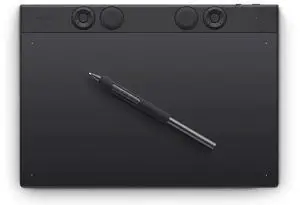
Wacom Intuos Pro Intuos Pro Medium 10.4 in x 5.8 in Active Area USB + Bluetooth Drawing Tablet
- Brand: Wacom
- Series: Intuos Pro
- Active Area: 10.4 in x 5.8 in
- Interface: USB + Bluetooth
- Model #: PTK670K0A
- $379.95
- $299.95 –
- Save: $80.00 (21%)
- More options from $299.95 - $379.99
Quick View
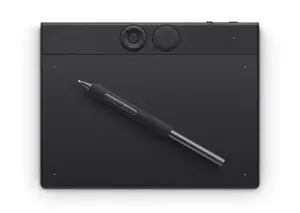
Wacom Intuos Pro Wacom Intuos Pro Small 7.4 x 4.1 inch Active Area USB + Bluetooth Drawing Tablet
- Brand: Wacom
- Series: Intuos Pro
- Active Area: 7.4 x 4.1 inch
- Interface: USB + Bluetooth
- Model #: PTK470K0A
- $249.95 –
- More options from $249.95 - $297.87
Quick View
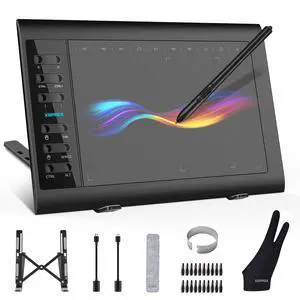
Graphics Drawing Tablet, 10×6 Inch Large Active Area with Battery-Free Stylus, 8192 Levels of Pen Pressure and 12 Hot Keys, Compatible with PC/Mac/Android for Painting, Design & Online Teaching
- Brand: XOPPOX
- Series: VIN1060Plus
- Interface: USB
- Pressure Levels: 8192 levels
- Model #: 501226049199
- $75.99 –
- Free Shipping
Quick View
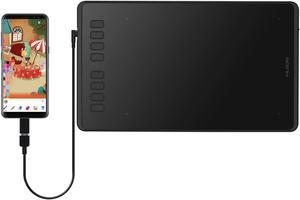
Refurbished HUION Inspiroy H950P 8.7 x 5.4inch Drawing Pen Tablets Digital Drawing Pad Graphic Tablet, Tilt Feature Battery-Free Pen 8192 Pressure Sensitivity and 8 Programmable Press Keys
Limited time offer, ends 08/31
- Pressure Levels: 8192Levels
- Max. Data Rate: >220PPS
- Tablet Dimensions: 320.8 x 188.8 x 8mm
- Resolution: 5080 LPI
- Model #: NEUS-H950P-OTG-99-SHC01



Quick View
Refurbished Huion Inspiroy H640P 6.3 x 3.9inch Graphics Drawing Pen Tablet Android Support with Battery-Free Stylus PW100 and 6 Programmable Press Keys
Limited time offer, ends 08/31
- Pressure Levels: 8192Levels
- Max. Data Rate: 233 pps
- Tablet Dimensions: 260 x 147.7 x 8mm
- Resolution: 5080 LPI
- Model #: NEUS-H640P-OTG-99-SHC01
Quick View
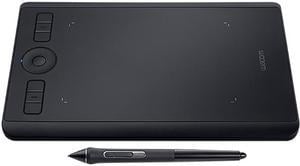
Wacom Intuos Pro Small Bluetooth Graphics Drawing Tablet, 6 Customizable ExpressKeys, 8192 Pressure Sensitive Pro Pen 2 Included, Compatible with Mac OS and Windows
- Pressure Levels: 8192
- Tablet Dimensions: 0.30" x 10.60" x 6.70"
- Resolution: 5080 lpi
- Tilt Range: +/- 60 levels
- Model #: PTH460K0A
- $199.95 –
- Free Shipping
Quick View
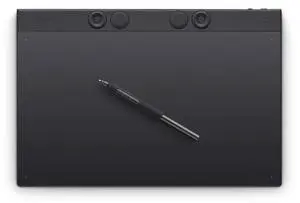
Wacom Intuos Pro Wacom Intuos Pro Large 13.7 x7.7 in Active Area USB + Bluetooth Drawing Tablet
- Brand: Wacom
- Series: Intuos Pro
- Active Area: 13.7 x7.7 in
- Interface: USB + Bluetooth
- Model #: PTK870K0A
- $499.95 –
- More options from $499.95 - $548.34
Quick View
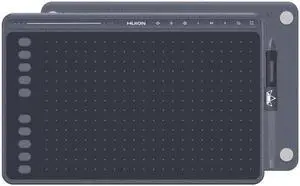
Refurbished Huion HS611 Space Grey Graphics Drawing Tablet 10X6 inch Battery-Free Pen, 8 Multimedia Keys and 10 Press Keys, Support Android,
Limited time offer, ends 08/31
- Pressure Levels: 8192Levels
- Max. Data Rate: >233PPS
- Tablet Dimensions: 333.4 x 218.4 x 7.3mm
- Resolution: 5080 LPI
- Model #: NEUS-HS611-Grey-99-SHC01

Any questions? Our AI mode will help you find out quickly.
Try me now
NVIDIA RTX 50 Series GPU Guide: Features and Performance
Graphics cards shape how we game and create content. NVIDIA's RTX 50 Series GPUs bring major upgrades with the new Blackwell architecture. These cards pack more power for gaming and content creation, with better AI features and faster speeds. Let's look at what makes these GPUs special and how they can improve your computing experience.
What Makes the RTX 50 Series Different?
The RTX 50 Series comes with key improvements that boost performance:
-
New Blackwell Architecture
- Fourth-gen RT Cores with 2.5x ray tracing performance on RTX 5080
- Fifth-gen Tensor Cores provide 3x AI processing speed on RTX 5080
- Better power efficiency with advanced 3nm process node
- Enhanced cache architecture optimized for RTX 5080
-
Faster Memory
- GDDR7 memory with 16GB on RTX 5080
- Memory bandwidth reaching 1.2TB/s for the RTX 5080
- Efficient 4K video editing capabilities
- Advanced memory compression for improved performance
-
Smart Frame Generation
- DLSS 4 creates extra frames while you play
- Games run smoother with better graphics
- Less work for your GPU means more performance
-
Better Display Support
- DisplayPort 2.1b UHBR20 connects to newer screens
- Works with high refresh rate displays
- Supports higher resolutions clearly
Real Benefits for Users
These updates mean real improvements for your work and play. Check out our selection of RTX 50 Series Gaming PCs to experience:
- Games look better and run faster
- Video editing happens more quickly
- 3D renders finish in less time
- Multiple monitors work better together
RTX 50 Series vs RTX 40 Series: What's New?
-
Performance Gains
- 30-50% faster gaming performance
- RTX 5080 Specifications:
- 15% faster than RTX 4080 in native RT performance
- Up to 25% faster in 4K gaming with ray tracing enabled
- 30% improvement in content creation workloads
- 3x faster AI processing capabilities
- Support for up to 3 4K displays at high refresh rates
- Advanced cooling system with dual fan design
- AV1 encoder for high-quality streaming
- PCIe Gen 5 support for enhanced bandwidth
-
Memory Improvements
- GDDR7 vs GDDR6X in 40 Series
- RTX 5080: 16GB GDDR7 with 1.2TB/s bandwidth
- New memory compression techniques
- Improved cache hierarchy
- Optimized memory controller
- Higher memory bandwidth
- More efficient data handling
-
Power and Cooling
- Lower power use for same performance
- RTX 5080: Efficient power delivery system
- Advanced vapor chamber cooling
- Dual-fan design with silent operation
- AI-powered power management
- Better thermal management
- Quieter operation under load
-
AI and DLSS
- DLSS 4 vs DLSS 3 on 40 Series
- Better frame generation
- Improved image quality
- More AI features for content creation
FAQs: RTX 50 Series GPUs
-
What makes the Blackwell architecture special?
The Blackwell architecture represents NVIDIA's latest GPU design, featuring:
- Fourth-generation RT Cores for better ray tracing
- Fifth-generation Tensor Cores for AI tasks
- Improved power efficiency
- Better memory management with GDDR7
- Enhanced cache architecture for faster data access
-
What are the main differences between RTX 50 Series and previous generations?
The RTX 50 Series offers significant improvements over previous generations with the new Blackwell architecture, GDDR7 memory, and DLSS 4 technology. You'll see 30-50% faster gaming performance, up to 2x faster AI processing, and better power efficiency. The cards also support DisplayPort 2.1b UHBR20 for higher refresh rates and resolutions.
-
Which RTX 50 Series GPU should I choose for gaming?
Your choice depends on your gaming needs and budget. Visit our RTX 50 Series Gaming PC collection to compare options. For 4K gaming at high refresh rates, consider high-end models. For 1440p gaming, mid-range options offer excellent value. All RTX 50 Series cards support ray tracing and DLSS 4 for better gaming performance.
-
Is DLSS 4 a significant upgrade from DLSS 3?
Yes, DLSS 4 brings notable improvements to NVIDIA's AI-powered upscaling technology. It offers better frame generation, improved image quality, and reduced latency compared to DLSS 3. This means smoother gameplay and better visual quality, especially in demanding games with ray tracing enabled.
-
What do I need to take advantage of RTX 50 Series features?
To fully utilize RTX 50 Series capabilities, you'll want:
- A high-quality power supply (specific wattage depends on the model)
- A DisplayPort 2.1 or HDMI 2.1 gaming monitors for high refresh rates.
- Modern CPU to prevent bottlenecking
- Games that support ray tracing and DLSS for best performance
-
What makes the RTX 5080 a compelling high-end option?
The RTX 5080 delivers exceptional performance for demanding users:
Technical Specifications:
- 16GB GDDR7 memory
- Approximately 14,000 CUDA cores
- Advanced 3nm manufacturing process
- PCIe Gen 5 x16 interface
- Maximum power draw: 320W
- Recommended PSU: 750W
Gaming Performance:
- Native 4K gaming at 120+ FPS
- 1440p gaming at 240+ FPS
- Enhanced ray tracing capabilities
- Full DLSS 4 support
Professional Features:
- AV1 encoder for content creation
- NVIDIA Broadcast integration
- Accelerated rendering for 3D work
- AI-enhanced creative workflows
-
Are RTX 50 Series GPUs good for content creation?
Yes, RTX 50 Series GPUs excel at content creation tasks. The improved Tensor Cores accelerate AI-powered features in applications like Adobe Creative Suite, while the increased memory bandwidth helps with video editing and 3D rendering. Check out our professional workstation options for content creation builds.