


Your Browsing History


Lawrence M.
Joined on 11/14/05
0
0
product reviews
- 34
Yes this is a Newegg Eggxpert Review
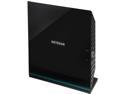
NETGEAR R6100-100PAS AC1200 Dual Band R6100 Wi-Fi Router IEEE 802.11ac, IEEE 802.11a/b/g/n
Pros: Easy automatic intuitive setup. This device when first turned on new, my previous router setting was 10.0.0.1 and set itself accordingly. I put everything I could through it, including wireless streaming to 2 TV's from my servers and both TV's showed no lag or jitter. At the same time I copied a 10GB folder from 1 computer to another on the wired 100base10 connections. Measuring 98% network utilization. The unit comes with a USB connection for network disk or printer. IPv6 to IPv4 tunneling. Dual band WIFI both 2.4Ghz and 5Ghz. 2.4Ghz measured 10-14 db stronger about the house and ranch versus a 4 year old NETGEAR WNR1000v3 router. More about that later. Very complete manual on line and excellent documentation in the box. Allows setup variations to include wifi repeater, wifi access point, guest access. Go read the manual on line for all details.
Cons: As all ready mentioned in other reviews some firmware enhancements are needed. This unit is new with a manual date of July 2013. My experience with NETGEAR previously is that because the router just hit the store shelves, they will continue to refine firmware. Now my only personal CON- No option to connect an external antenna. I live in the middle of the Kansas on a cattle ranch. It is not unusual for ranchers to install a IP wifi camera 1/2 mile away on the ranch to view the cattle herd remotely. Many rely on external antennas to provide best possible coverage, far beyond the needs of a city dweller.
Overall Review: Regarding WIFI coverage. Prior to installing the R6100. I took measurements of my 4 year old NETGEAR WNR100v3 which is located on top of a 4 drawer file cabinet in the first floor office of my log cabin home. The measurement was done on my SAMSUNG Android smart phone using an app downloaded from google market called "WIFI ANALYZER" it works both on 2.4Ghz and 5 Ghz and will show signal strength in dB of any wifi signal it detects. I specifically set the phone in 6 locations about the ranch in 6 different directions including standing in my barn 150+ away from the house. I did not try it any further as once on the open range the inverse square law applies. At the furthest distance in the barn, the signal strength meter still reading 1/2 scale; a very usable signal indeed. These tests were done with the same app, same phone display, and same test locations, with both routers located in the same place, one after the other. The R6100 in all 6 different locations showed signal strength 10-14 db better than the WNR1000v3. Since the older router does not have 5ghz, no comparisons were done on that band. I will say that in all 6 locations the 5Ghz signal was ample according to the meter. I just can't compare it like I can on 2.4Ghz. Given you probably don't live on a cattle ranch in the middle of Kansas, reaching the barn 150+ feet away or receiving a IP wifi video camera 1/4 to 1/2 mile away is your cup of tea. Granted I'm testing in open terrain. But I clearly measured a 10-14db improvement over an older reliable workhorse that has given me good service. I paid about $50 for that old router about 4 years ago, so this router with the 10-14bd increase in signal strength, USB and 5Ghz wifi as well, is worth the selling price. 5 eggs because it deserves it.
8/12/2013See more detail
Worth a Benjamin Franklin?
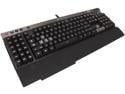
Corsair Raptor K50 Gaming Keyboard (CH-9000007-NA)
Pros: First I am an Newegg Eggspert Reviewer.- I also built my first computer in 1977 and told Stephen Jobs his Apple 1 kit was too expensive. I did not make a friend then, nor now. I am a Senior Field Engineer for an unnamed computer company today. ---Review- Fancy back lighting. Thousands of colors to choose from. It has 18 programmable keys that call G keys and 3 M key shich allow you to select banks of G keys. The bank keys can make the keyboard change color so you know what bank you are on. The big advantage I see is to use it for repeated logging in and passwords to sites you go to all the time. The HR department could program a "YOU'RE FIRED" key and use it repeatedly (a joke son) I refer to other reviewers. I hope you read all the reviews.\ There is a speaker mute button on the keyboard and 4 media keys. There is a speaker volume roller. More about that further down. There is a extra USB connector on the end of the cable for an USB pass through connector on the back of the keyboard. I set my keyboard up so the backlight of the keys would change color like a Christmas tree with a color wheel. I'm sure that impresses everyone in the basement of the science building.
Cons: The lettering on the keys is smaller than my IBM Model KB-9910 keyboard which I like a lot. Only documentation with te keyboard refers to downloading all software, firmware and documentation from the web site. That was done. Spent an hour trying to find out why the speaker volume roller would not work. After exhausting all remedies found on line (NONE) I went to email my problem to tech support as it was the weekend and I work during the week. A reply email was what I was hoping for. IT WAS IMPOSSIBLE TO COMPLETE THE EMAIL FORM AS THEY REQUIRED YOU TO SELECT THE MODEL NUMBER FROM A PULL DOWN SELECTION CH-900007-NA WAS NOT AN OPTION. .I finally selected another keyboard and explicitly stated I had a K50 and needed to know how to verify the Speaker Volume roller was working or if my keyboard was defective... That was the weekend. It is now Thursday morning and all I have received is a email receipt. So much for Tech support. The keyboard is BIG- 20 inches long. The cable is also BIG-- it is the diameter of a pencil and not flexible at all. It has 2 USB connectors. There are utilities that allow you to make hot keys on a regular keyboard and you all ready have one of those. This is a hardware version.
Overall Review: Keyboard Feel - I didn't like it. When typing I found I'd kick in to CAPSLOCK a lot after hitting the A key... Humm.. I am now typing back on my IBM and I have not kicked into CAPSLOCK at all..Keyboard is relative but 1 EGG off...I didn't like the feel or having to play with CAPSLOCK. The software for programming keys was lame. It has shortcuts for commands such as PRINT CUT COPY PASTE that you can make the programmable keys. Well that's lame- PRINT- CTRL P. CUT-CTRL X. COPY- CTRL C and PASTE CTRL V... That as simple as a capital A- SHIFT A. So who is going to program them? Plus every keyboard responds to them... DUH!!!! Then there is the lack of my ability to determine the speaker volume wheel not working. I have not received a response via email. Had I actually bought it I'd be returning it by now. I tested their web site support. Fount in impossible to make a correct entry using my keyboard model and as of 4-5 days later no response. In my world of providing solutions, that is a failure. 2 eggs OFF. I don't know if it's broken or not; or plain doesn't wotk with my ASUS mobo and 8core AMD.. This is not a $10 no name keyboard. Actually I have never had trouble with one of those. This keyboard I spent 2-3 hours trying to make it work or find out why the speaker roller does not. No answers from my email. I'm not about to hang on a phone listening to elevator music by calling. Email works for me. Just like this review. Emailed in. It's 3 eggs off.... I really, really have to like something to give 5 eggs. I doubt that I would of bought it as it does more than a normal keyboard.. BUT- my experience is now forever tainted.
10/10/2013See more detail
BIGGER BANG FOR THE BUCK THAN A RASPBERRY PI
HP Chromebook 11-v000 11-v010nr 11.6" Chromebook - Intel Celeron N3060 Dual-core (2 Core) 1.60 GHz - 4 GB LPDDR3 - 16 GB Flash Memory - Chrome OS - 1366 x 768 - Anodized Silver - Intel HD ...
Pros: Raspberry PI's cannot be found and it's been that way for 6 months unless you want to pay a scalper 4 times retail. Amateur radio operators are converting these Chromebooks to dual boot Linux Mint machines and personally for about 2 hours of following some interesting directions, the end result is a fine machine with a brilliant screen for the poultry sum of $55.. Instructions can be found on the internet or at linuxhams on groups.io. requires some experience with IT- computers, Linux and requires internet. Requires using a 32-64Gb micro SD card for the 2nd operating system.
Cons: I ordered 2. They are refurbished but not totally checked out. Visually both were 9.5 out of 10. Both had new power packs. Both batteries were ded and required charging at first. The 1st one had a bad microSD card slot, so I returned it and waiting for a replacement. The second one was dual booting LINUX MINT in 2 hours. I am really impressed at the speed and display.. Keyboard has a nice feel, 2 USB3.0 ports, HDMI and microphone, speakers and camera. Both 2.4 and 5 Ghz wifi.. So as soon as I get the replacement in, I am going to dedicate one to following the International Space Station so I can use my ham radio to talk out of this world. All the astronauts on the space station are also ham operators.
Overall Review: I would recommend this to any Ham Radio Operator who knows something about computers and is willing to hack one..
6/15/2022See more detail
Good Deal turns out to be even better.
![HP Elite 8000 [Microsoft Authorized Recertified] Small Form Factor Desktop PC with Intel Core 2 Duo 3.0Ghz, 4GB RAM, 160GB HDD, DVDROM, Windows 7 Professional 64 Bit 18-month warranty](https://c1.neweggimages.com/ProductImageCompressAll125/83-280-155-03.jpg)
HP Elite 8000 [Microsoft Authorized Recertified] Small Form Factor Desktop PC with Intel Core 2 Duo 3.0Ghz, 4GB RAM, 160GB HDD, DVDROM, Windows 7 Professional 64 Bit 18-month warranty
Pros: Mine was on sale -free shipping Mine came with a 250Gb disk, not 160Gb There is an empty 3.5 disk expansion slot inside Mine had 2 empty memory DIMM slots for expansion Mother board has 2 empty SATA connections Plenty of USB 2.0 and 2 USB 3.0 2S 1P connectors on back Mine looked new not refurbished Mine came with new AC line cord, keyboard and mouse. W7 professional 64 bit installed. 3.6 windows experience index. max screen resolution with internal video is 2560x1600 I use this with a existing KVM that requires PS/2 mouse and keyboard so this fits the bill. 4 front USB ports 5 rear (2 USB 3.0)
Cons: Keyboard was not HP Mouse was not HP
Overall Review: I am a NEWEGG EGGSPERT REVIEWER but I was not asked to review this product, I purchased it on my own for my personal use. I am impressed with what I got for the price I got it at. I now know why HP stock has about doubled in the past year. I Ordered and Installed a SSD disk right off the bat. I am using the mechanical drive for a backup drive. I don't need much storage as my File Server has 2TB Raid 5 for Video, Documents, Music and other such things I keep on hand. With all my favorite programs loaded on the SSD I am using about 50Gb, Windows 7 Professional occupies about 10Gb by it's self. I had ordered a 128GB SSD as I expected to get a 160Gb mechanical drive for backup. I have 250GB so I may Partition and install Debian Lunix and retire my single core 1.8Ghz lunix machine.
1/17/2015See more detail
Tech Bench requirement
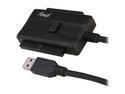
Rosewill RCAD-11003 USB3.0 Adapter For IDE/SATA Device
Pros: A must have on the tech bench of every IT department
Cons: Don't loan it out!! Make them buy one..
Overall Review: The PS -power supply comes in handy to unload CD-DVD drives that have been removed but still have media in them..
4/11/2014See more detail
What is not mentioned..

D-Link DCS-931L Cloud Wireless IP Camera, Wi-Fi Extender, Sound and Motion Detection, mydlink enabled
Pros: Read the other reviewers Pro reviews. I agree with them rather than restate the obvious. I submitted a review earlier but it did not post... If your buying just 1 camera, buy this but if it's the start of a camera network...read on...
Cons: I spent a week off and on playing with D-VIEW CAM the program that allows you to record and use multiple cameras... PLENTY OF BUGS- rather than go go into it here, go to their website and read the forum on D-VIEW CAM FAQ's and BUG REPORTS. D-LINK may be fixing them as we write but I am writing this today..I have see no new releases. Biggest bug in my opinion..D-VIEW CAM only recognizes D-LINK cameras!!! Other manufacturers camera and software recognizes all camera's. So how do you get support if you are using camera D and Software T? No linux-apple-chrome support.. I understand but cannot experience D-VIEW cam will only allow you to view 1 camera live. My other software that came with another manufacturers camera allows me to view it's camera and my D-link live at the same time.
Overall Review: I am a NEWEGG EGGPERT REVIEWER. I don;t get paid but sometimes I get to keep the product. This one is going to my daughter and my newborn grandson. I am keeping another manufacturers and moving forward to TPZ. They are now under $100. 1 egg off- buggy software. 1 egg off- software only recognizes D-Link Devices 1 egg off-no linux-apple-chrome support..they are O/S's becoming popular. and a DLINK router can operate with them so...there you go another egg. If DLINK routers can handle various manufacturers computers with multiple OS's. They are not whole heartly in the IP wireless cloud camera business. I suspect the guts of both my camera's come out of the same off shore factory.. the start up manuals are virtually word for word..
12/12/2013See more detail
seller reviews
- 1
2 fer 2 bottom of the ninth
I am a NEWEGG eggspert reviewer. I ordered 2 of these computers, they were NOT as pictured. (Picture showed fingerprint sensor) then stated 1 year parts and labor. Documentation that arrived with laptop stated no guarantee on battery and if returned after purchase it was subject to a $15 refund deduction if it was purchased with free shipping. The documentation claimed refurbished by dedicated technicians that takepride in their work. Both laptops had defects. One had mouse pointer on keypad missing/broken. The second had no wifi connectivity. a major reason to own a laptop.. Then it took 3-4 days and 3-4 days to obtain an RMA via a 855 number where a lady took your number for a call back. In total I spent 4-5 hours seeking satisfaction and troubleshooting problems. Both units are "in repair" and outcome is unknown. They got my money, all I have is this review. 2 fer 2 bottom of the ninth. Who knows the outcome....
On-time
Delivery
Product
Accuracy
Customer Service
Satisfactory
11/15/2013See more detail