

Your Browsing History
Featured Brands


Quick View
- $8.99 –
- Free Shipping
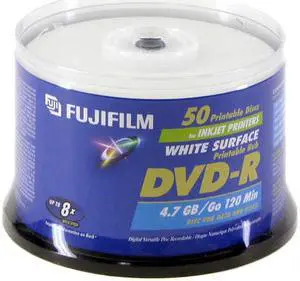
Quick View
FUJIFILM 4.7GB 8X DVD-R White Inkjet Hub Printable 50 Packs Disc Model 25302487
OUT OF STOCK
- Packaging: Spindle
- Model #: 25302487
- $26.99 –
- $11.20 Shipping
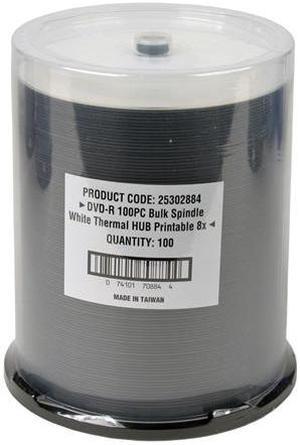
Quick View
FUJIFILM White Thermal Printable 4.7GB 8X DVD-R Printable 100 Packs Disc Model 25302884
OUT OF STOCK
- Packaging: Spindle
- Model #: 25302884
- $48.99 –
- $11.20 Shipping
Quick View
- $35.10 –
- Free Shipping
Quick View
- $59.99
- $49.99 –
- Save: 16%
- Free Shipping
Quick View
- $49.99 –
- Free Shipping
Quick View
- $49.99 –
- Free Shipping
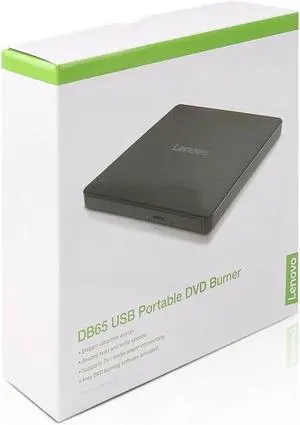
Quick View

OUT OF STOCK
- Model #: b1e-673324000392018
- $71.11 –
- Free Shipping
The form of a disk drive or burner you select depends on what kind of work or entertainment you do, and your storage and media-sharing needs. CD, DVD and Blu-ray™ media differ in storage capacity, images and audio. The drives and burners can be internal or external, including compatibility with ReWritable disks whenever you record on a CD, DVD or Blu-ray. For instance, the Blu-ray optical disk allows you to store several hours of high-definition video and store large amounts of data in general. A disk's compatibility with any Windows® operating system guarantees smooth application and a user-friendly interface.
Blu-ray Burners Help Share Multimedia Files With Clients, Friends and Family
Improving the storage capacity of your computer means finding compatible CD DVD and Blu-ray media . Preferably, if you want to save and share content using a Blu-ray disk, you need an external Blu-ray burner. A disk offerS an enormous storage capacity for images, video and data files. An external Blu-ray burner is more workable by using a USB cable and USB connector, and a Windows system will automatically recognize and install the appropriate drivers for the burner. Using a multimedia disk, you can share photography and home movies with your clients, family and friends. For instance, you give them the Blu-ray optical disc, and they pop into their player and view the high-definition images or video of your recent vacation or special event. Using a Blu-ray burner offers flexible formatting as well, because you can burn CDs and DVDs.
Watching and Sharing High-Definition Media Using a Blu-ray Burner
The form of a disk drive or burner you select depends on what kind of work or entertainment you do, and your storage and media-sharing needs. CD, DVD and Blu-ray™ media differ in storage capacity, images and audio. The drives and burners can be internal or external, including compatibility with ReWritable disks whenever you record on a CD, DVD or Blu-ray. For instance, the Blu-ray optical disk allows you to store several hours of high-definition video and store large amounts of data in general. A disk's compatibility with any Windows® operating system guarantees smooth application and a user-friendly interface.
Blu-ray Burners Help Share Multimedia Files With Clients, Friends and Family
Improving the storage capacity of your computer means finding compatible CD DVD and Blu-ray media . Preferably, if you want to save and share content using a Blu-ray disk, you need an external Blu-ray burner. A disk offerS an enormous storage capacity for images, video and data files. An external Blu-ray burner is more workable by using a USB cable and USB connector, and a Windows system will automatically recognize and install the appropriate drivers for the burner. Using a multimedia disk, you can share photography and home movies with your clients, family and friends. For instance, you give them the Blu-ray optical disc, and they pop into their player and view the high-definition images or video of your recent vacation or special event. Using a Blu-ray burner offers flexible formatting as well, because you can burn CDs and DVDs.
Watching and Sharing High-Definition Media Using a Blu-ray Burner
Whether you use an internal or external Blu-ray burner and media, the dual-layer function provides a smart option for backup and storage use, including sharing high-definition images and video playback. You can write to the Blue-ray optical disks, as well as read what is on the discs with the driver. Watching high-definition movies on the computer is another option to consider when viewing images and videos. The burner can read and write data to and from blu-ray discs, which enables you to display 1080p video while dragging and dropping contents.
CD DVD Blu-ray Media Sharing Works With External CD/DVD Blu-ray Drives
The optical disk media works in cooperation with external CD/DVD Blu-ray drivers. Deciding which one is most suitable for reading, writing data and sharing it begins with your computer’s compatibility. Using an external drive, such as a portable CD/DVD driver, extends flexibility, enabling you to work anywhere with a comfortable carrying case. If you have the device with you during a meeting, you can quickly and efficiently share Blu-ray optical disc copies right away. If you want something more extensive, the standalone external drive works better. You can share DVDs or Blu-ray disks that may contain fiscal reports with executives and shareholders, or you can store photographs and memories on media created with a CD/DVD Blu-ray driver.
Bestselling CD / DVD / Blu-Ray Media Reviews:
Danny M.
8/10/2025 2:29:21 PM
Works great
“ But these work just as well so far. ”
Smartbuy 6X BD-R 25GB Logo Top Video Audio Photo Data Recordable DiscDonald S.
1/20/2025 5:39:15 PM
Works for my purposes
“ It's hard to tell what the good physical media is in this day and age. ”
Verbatim DataLifePlus 43754 DVD Recordable Media - DVD+R DL - 8x - 8.50 GB - 50 Pack SpindleRyan V.
10/18/2024 9:40:13 AM
Just what the CD burner ordered
“ These are good quality burnable media that I've found still serve a purpose for various archaic Vinyl recordings to be played on my ancient "CD player." ”
Verbatim 700MB 52X CD-R 100 Packs Spindle Disc Model 94554Richard B.
2/28/2024 10:38:56 AM
Not one coaster.
“ I have read online that Bluray is the longest lasting media available, 100 years possible. ”
Verbatim 97457 Blu-ray Recordable Media - BD-R - 16x - 25 GB - 25/Pack - 120mmBob
3/30/2023 8:24:25 AM
Excellent product
“ I have used these for years for my Blu-ray productions. ”
PlexDisc 25GB 6X BD-R Water Resistant Glossy White Inkjet Hub Printable 25 Packs Spindle Disc Model 633-C13Richard L.
10/20/2022 2:15:43 AM
Gooey love
“ I'm on my 57th disc burning with an LG Blu-Ray burner and haven't had any problems. ”
Verbatim 25GB 6X BD-R 50 Packs Disc Model 98397Sean W.
8/22/2022 9:18:16 PM
Quality M-Disc DVDs
“ These are indeed backwards compatible with regular DVD drives in terms of reading them. ”
15 Pack Millenniata M-Disc DVD 4.7GB 4X HD 1000 Year Permanent Data Archival / Backup Blank Media Recordable Disc