• In Stock
  • Sold by Newegg
  • Make an Offer
  • New
Brands
Show More
Price
Show More
Speed
Show More
Capacity
Show More
Type
CAS Latency
Voltage
Show More
ECC
Sold by
All Top Brands
Availability
Condition
Total Capacity
Current Promotion
Discount
Useful Links
Customer Ratings
  • High-End Control
  • Featured Brands

    See Deals from CrucialSee Deals from G.SKILLSee Deals from CorsairSee Deals from Team Group
Sort By:
View:
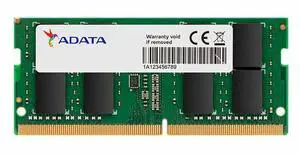
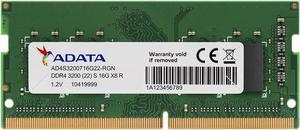
ADATA Premier 32GB (1 x 32GB) 260-pin SO-DIMM DDR4 3200 MHz CL22 Memory (AD4S320032G22-BGN)
Quick View
ADATA
ADATA Premier 32GB (1 x 32GB) 260-pin SO-DIMM DDR4 3200 MHz CL22 Memory (AD4S320032G22-BGN)
  • CAS Latency: CL22
  • Part Number: AD4S320032G22-BGN
  • Model #: AD4S320032G22-BGN
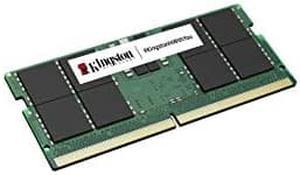
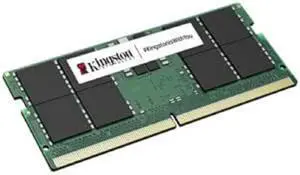
Kingston 32GB 5600MT/s DDR5 Non-ECC CL46 SODIMM 2Rx8
Quick View
Kingston 8GB 204-Pin DDR3 SO-DIMM DDR3L 1600 (PC3L 12800) Laptop Memory Model KVR16LS11/8
Quick View
Kingston 8GB 204-Pin DDR3 SO-DIMM DDR3L 1600 (PC3L 12800) Laptop Memory Model KVR16LS11/8
  • CAS Latency: CL11
  • Voltage: 1.35V
  • Buffered/Registered: Unbuffered
  • Features: JEDEC standard 1.35V (1.28V ~ 1.45V) and 1.5V (1.425V ~ 1.575V) Power SupplyVDDQ = 1.35V (1.28V ~ 1.45V) and 1.5V (1.425V ~ 1.575V)800 MHz fCK for 1600 Mb/sec/pin8 independent internal banksProgrammable CAS Latency: 11, 10, 9, 8, 7, 6Programmable Additive Latency: 0, CL-2, or CL-1 clock8-bit pre-fetchBurst Length: 8 (Interleave without any limit, sequential with starting address "000" only), 4 with tCCD = 4 which does not allow seamless read or write [either on the fly using A12 or MRS]Bi-directional Differential Data StrobeInternal(self) calibration: Internal self calibration through ZQ pin (RZQ: 240 ohm +/- 1%)On Die Termination using ODT pinAsynchronous ResetPCB: Height 1.18" (30mm), double sided component MEM_Recommend Use:
  • Model #: KVR16LS11/8.
  •  
  • $49.00 –
  • $20.00 Shipping
Kingston 48GB 262-Pin DDR5 SODIMM DDR5 5600 (PC5 44800) Notebook Memory
Quick View
Kingston 48GB 262-Pin DDR5 SODIMM DDR5 5600 (PC5 44800) Notebook Memory
  • Brand: Kingston
  • Capacity: 48GB
  • Type: 262-Pin DDR5 SO-DIMM
  • Speed: DDR5 5600 (PC5 44800)
  • Model #: KVR56S46BD8-48
RAM-16GDR4T0-SO-2666
Quick View
RAM-16GDR4T0-SO-2666
  • Model #: RAM-16GDR4T0-SO-2666
  •  
  • $382.85 –
Adata 32GB 260-Pin DDR4 SO-DIMM DDR4 3200 (PC4 25600) Laptop Memory AD4S320032G22-SGN
Quick View
ADATA
Adata 32GB 260-Pin DDR4 SO-DIMM DDR4 3200 (PC4 25600) Laptop Memory AD4S320032G22-SGN
  • CAS Latency: CL22
  • Timing: 22-22-22
  • Model #: AD4S320032G22-SGN
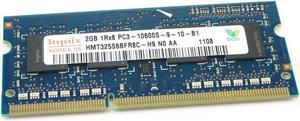
Hynix 2GB DDR3 Memory SO-DIMM 204pin PC3-10600S 1333MHz HMT325S6BFR8C-H9
Quick View
SK hynix
Hynix 2GB DDR3 Memory SO-DIMM 204pin PC3-10600S 1333MHz HMT325S6BFR8C-H9
  • Voltage: 1.50V
  • Buffered/Registered: Unbuffered
  • Multi-channel Kit: Dual Channel Kit
  • Features: Retail package
  • Model #: HMT325S6BFR8C-H9
  • $27.74
  •  
  • $26.60 –
Kingston 16GB (1 x 16GB) DDR4 2400MHz DRAM (Notebook Memory) 1.2V SODIMM (260-Pin) KCP424SD8/16
Quick View
Kingston 16GB (1 x 16GB) DDR4 2400MHz DRAM (Notebook Memory) 1.2V SODIMM (260-Pin) KCP424SD8/16
  • Voltage: 1.20V
  • Buffered/Registered: Unbuffered
  • Features: UnbufferedNon-ECC100% Factory Tested at Speed Designed to meet JEDECFree Technical Support
  • Option: For iMac Retina 2017, Dell
  • Model #: KCP424SD8/16
  •  
  • $113.05 –
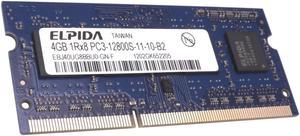
ELPIDA 4GB DDR3 1600MHZ 204-PIN LAPTOP MEMORY EBJ40UG8BBU0-GN-F
Quick View
  • $33.30
  •  
  • $25.27 –
  • Save: 24%
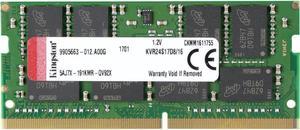
Kingston ValueRAM 16GB 2400MHz DDR4 Non-ECC CL17 SODIMM 2Rx8 (Notebook Memory) KVR24S17D8/16
Quick View
Kingston ValueRAM 16GB 2400MHz DDR4 Non-ECC CL17 SODIMM 2Rx8 (Notebook Memory) KVR24S17D8/16
  • CAS Latency: CL17
  • Voltage: 1.20V
  • Buffered/Registered: Unbuffered
  • Features: Non-ECCUnbuffered100% Factory Tested at Speed Designed to meet JEDECFree Technical Support
  • Model #: KVR24S17D8/16
  •  
  • $113.05 –
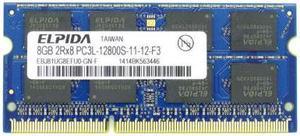
ELPIDA 8GB 204-Pin 1.35V DDR3L SODIMM Memory - EBJ81UG8EFU0-GN-F OEM NEW
Quick View
  •  
  • $30.59 –
Samsung Orignal DDR3 8G laptop Memory
Quick View
SAMSUNG
Samsung Orignal DDR3 8G laptop Memory
  • Model #: M471A1K43BB0-CPB
  •  
  • $63.84 –
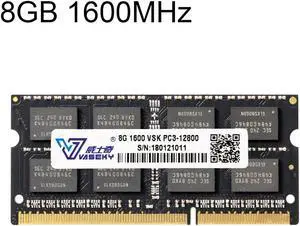
Vaseky 8GB 1600MHz PC3-12800 DDR3 PC Memory RAM Module for Laptop
Quick View
  •  
  • $67.59 –
  • Free Shipping
JingHai 1.5V DDR3 1600MHz 8GB Memory RAM Module for Laptop
Quick View
  •  
  • $55.07 –
  • Free Shipping
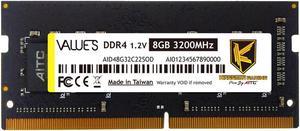
KINGSMAN 8GB 260-Pin DDR4 SO-DIMM DDR4 3200 (PC4 25600) Laptop Memory Model
Quick View
KINGSMAN GAMING
KINGSMAN 8GB 260-Pin DDR4 SO-DIMM DDR4 3200 (PC4 25600) Laptop Memory Model
  • Brand: AITC KINGSMAN
  • Series: VALUE S
  • Capacity: 8GB
  • Type: 260-Pin DDR4 SO-DIMM
  • Model #: AID48G32C22SOD
  • $79.59
  •  
  • $72.22 –
  • Save: 9%
  • Free Shipping
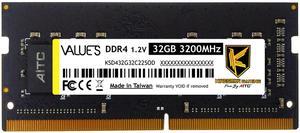
KINGSMAN 32GB 260-Pin DDR4 SO-DIMM DDR4 3200 (PC4 25600) Laptop Memory Model
Quick View
KINGSMAN GAMING
KINGSMAN 32GB 260-Pin DDR4 SO-DIMM DDR4 3200 (PC4 25600) Laptop Memory Model
  • Brand: AITC KINGSMAN
  • Series: VALUE S
  • Capacity: 32GB
  • Type: 260-Pin DDR4 SO-DIMM
  • Model #: KSD432G32C22SOD
  •  
  • $333.89 –
  • Free Shipping
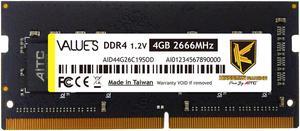
KINGSMAN DDR4 2666MHz PC4-21300 Unbuffered Non-ECC 1.2V CL19 260 Pin 4GB SODIMM Laptop Notebook Computer Memory RAM Module Upgrade
Quick View
KINGSMAN GAMING
KINGSMAN DDR4 2666MHz PC4-21300 Unbuffered Non-ECC 1.2V CL19 260 Pin 4GB SODIMM Laptop Notebook Computer Memory RAM Module Upgrade
  • Brand: AITC KINGSMAN
  • Series: VALUE S
  • Capacity: 4GB
  • Type: 260-Pin DDR4 SO-DIMM
  • Model #: AID44G26C19SOD
  •  
  • $41.90 –
  • $17.76 Shipping
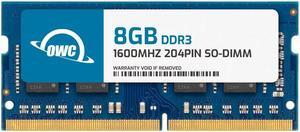
OWC 8GB DDR3 1600 PC3-12800 CL11 2Rx8 204-pin 1.5V Non-ECC SODIMM Memory RAM Module
Quick View
OWC 8GB DDR3 1600 PC3-12800 CL11 2Rx8 204-pin 1.5V Non-ECC SODIMM Memory RAM Module
  • Brand: OWC
  • Capacity: 8GB
  • Type: 204-Pin DDR3 SO-DIMM
  • Speed: DDR3 1600 (PC3 12800)
  • Model #: OWC1S6D32R808GB-B230-SF
  •  
  • $37.99 –
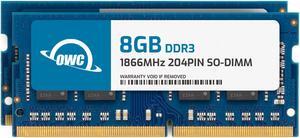
OWC 16GB (2x8GB) DDR3L 1866 PC3L-14900 CL13 2Rx8 204-pin 1.35V Laptop SODIMM Memory RAM Module Kit
Quick View
OWC 16GB (2x8GB) DDR3L 1866 PC3L-14900 CL13 2Rx8 204-pin 1.35V Laptop SODIMM Memory RAM Module Kit
  • Capacity: 16GB (2 x 8GB)
  • Type: 204-Pin DDR3 SO-DIMM
  • Speed: DDR3L 1866 (PC3L 14900)
  • CAS Latency: CL13
  • Model #: OWC1S8T32R8016P-B233-SF
  •  
  • $72.18 –
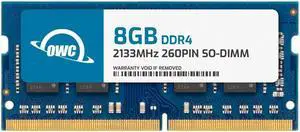
OWC 8GB Replacement for QNAP RAM-8GDR4K0-SO-2133 8GB DDR4 2133 PC4-17000 CL15 2Rx8 260-pin 1.2V Non-ECC SODIMM Memory RAM Module Upgrade
Quick View
OWC 8GB Replacement for QNAP RAM-8GDR4K0-SO-2133 8GB DDR4 2133 PC4-17000 CL15 2Rx8 260-pin 1.2V Non-ECC SODIMM Memory RAM Module Upgrade
  • Brand: OWC
  • Capacity: 8GB
  • Type: 260-Pin DDR4 SO-DIMM
  • Speed: DDR4 2133 (PC4 17000)
  • Model #: OWC2S1D42R808GB-B593-SF
  •  
  • $53.99 –
OWC 4GB Replacement for QNAP RAM-4GDR3LA0-SO-1866 - DDR3 1866 PC3-14900 CL13 1Rx8 204-pin 1.5V Non-ECC SODIMM Memory RAM Module Upgrade
Quick View
OWC 4GB Replacement for QNAP RAM-4GDR3LA0-SO-1866 - DDR3 1866 PC3-14900 CL13 1Rx8 204-pin 1.5V Non-ECC SODIMM Memory RAM Module Upgrade
  • Brand: OWC
  • Capacity: 4GB
  • Type: 204-Pin DDR3 SO-DIMM
  • Speed: DDR3 1866 (PC3 14900)
  • Model #: OWC1S8D31R804GB-B574-SF
  •  
  • $24.99 –
OWC 8GB Replacement for QNAP RAM-8GDR3L-SO-1600 8GB DDR3L 1600 PC3L-12800 CL11 2Rx8 204-pin 1.35V Non-ECC SODIMM Memory RAM Module Upgrade
Quick View
OWC 8GB Replacement for QNAP RAM-8GDR3L-SO-1600 8GB DDR3L 1600 PC3L-12800 CL11 2Rx8 204-pin 1.35V Non-ECC SODIMM Memory RAM Module Upgrade
  • Brand: OWC
  • Capacity: 8GB
  • Type: 204-Pin DDR3 SO-DIMM
  • Speed: DDR3L 1600 (PC3L 12800)
  • Model #: OWC1S6T32R808GB-B573-SF
  •  
  • $37.99 –
OWC 8GB DDR4 2933MHz PC4-23400 CL21 1RX8 ECC Unbuffered SODIMM 1.2V 260-pin Memory RAM
Quick View
OWC 8GB DDR4 2933MHz PC4-23400 CL21 1RX8 ECC Unbuffered SODIMM 1.2V 260-pin Memory RAM
  • Brand: OWC
  • Capacity: 8GB
  • Type: 260-Pin DDR4 SO-DIMM
  • Speed: DDR4 2933 (PC4 23400)
  • Model #: OWC2C9D41R808GB
  •  
  • $74.99 –
OWC 8GB DDR4 2400MHZ PC4-19200 CL17 1RX8 ECC Unbuffered SODIMM 1.2V 260-pin Memory RAM
Quick View
OWC 8GB DDR4 2400MHZ PC4-19200 CL17 1RX8 ECC Unbuffered SODIMM 1.2V 260-pin Memory RAM
  • Brand: OWC
  • Capacity: 8GB
  • Type: 260-Pin DDR4 SO-DIMM
  • Speed: DDR4 2400 (PC4 19200)
  • Model #: OWC2C4D41R808GB
  •  
  • $74.99 –
OWC 16GB Replacement for QNAP RAM-16GDR4ECT0-SO-2666 16GB DDR4 2666 PC4-21300 CL19 2Rx8 260-pin 1.2V ECC Unbuffered SODIMM Memory RAM Module Upgrade
Quick View
OWC 16GB Replacement for QNAP RAM-16GDR4ECT0-SO-2666 16GB DDR4 2666 PC4-21300 CL19 2Rx8 260-pin 1.2V ECC Unbuffered SODIMM Memory RAM Module Upgrade
  • Brand: OWC
  • Capacity: 16GB
  • Type: 260-Pin DDR4 SO-DIMM
  • Speed: DDR4 2666 (PC4 21300)
  • Model #: OWC2C6D42R816GB-B577-SF
  •  
  • $157.26 –
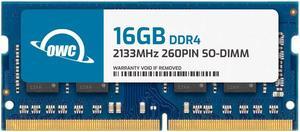
OWC 16GB Replacement for NCR 497-0512885 7607-K138 - DDR4 2133 PC4-17000 CL15 2Rx8 260-pin 1.2V Non-ECC SODIMM Memory RAM Module Upgrade
Quick View
OWC 16GB Replacement for NCR 497-0512885 7607-K138 - DDR4 2133 PC4-17000 CL15 2Rx8 260-pin 1.2V Non-ECC SODIMM Memory RAM Module Upgrade
  • Brand: OWC
  • Capacity: 16GB
  • Type: 260-Pin DDR4 SO-DIMM
  • Speed: DDR4 2133 (PC4 17000)
  • Model #: OWC2S1D42R816GB-B945-SF
  •  
  • $124.99 –
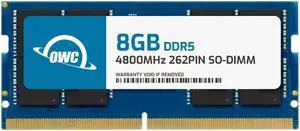
OWC 8GB Replacement for Crucial CT8G48C40S5 - DDR5 4800 PC5-38400 CL40 1Rx16 262-pin 1.1V Non-ECC SODIMM Memory RAM Module Upgrade
Quick View
OWC 8GB Replacement for Crucial CT8G48C40S5 - DDR5 4800 PC5-38400 CL40 1Rx16 262-pin 1.1V Non-ECC SODIMM Memory RAM Module Upgrade
  • Brand: OWC
  • Capacity: 8GB
  • Type: 262-Pin DDR5 SO-DIMM
  • Speed: DDR5 4800 (PC5 38400)
  • Model #: OWC4S8D51R608GB-B821-SF
  •  
  • $199.99 –
OWC 8GB Replacement for Kingston KVR48S40BS6-8 - DDR5 4800 PC5-38400 CL40 1Rx16 262-pin 1.1V Non-ECC SODIMM Memory RAM Module Upgrade
Quick View
OWC 8GB Replacement for Kingston KVR48S40BS6-8 - DDR5 4800 PC5-38400 CL40 1Rx16 262-pin 1.1V Non-ECC SODIMM Memory RAM Module Upgrade
  • Brand: OWC
  • Capacity: 8GB
  • Type: 262-Pin DDR5 SO-DIMM
  • Speed: DDR5 4800 (PC5 38400)
  • Model #: OWC4S8D51R608GB-B829-SF
  •  
  • $199.99 –
OWC 4GB Replacement for QNAP RAM-4GDR4A0-SO-2666 RAM-4GDR4T0-SO-2666 RAM-4GDR4T1-SO-2666 4GB DDR4 2666 PC4-21300 CL19 1Rx8 260-pin 1.2V Non-ECC SODIMM Memory RAM Module Upgrade
Quick View
  •  
  • $34.99 –
OWC 16GB Replacement for Kingston KVR48S40BS8-16 - DDR5 4800 PC5-38400 CL40 1Rx8 262-pin 1.1V Non-ECC SODIMM Memory RAM Module Upgrade
Quick View
OWC 16GB Replacement for Kingston KVR48S40BS8-16 - DDR5 4800 PC5-38400 CL40 1Rx8 262-pin 1.1V Non-ECC SODIMM Memory RAM Module Upgrade
  • Brand: OWC
  • Capacity: 16GB
  • Type: 262-Pin DDR5 SO-DIMM
  • Speed: DDR5 4800 (PC5 38400)
  • Model #: OWC4S8D51R816GB-B831-SF
  •  
  • $315.99 –
OWC 16GB Replacement for Crucial CT16G48C40S5 - DDR5 4800 PC5-38400 CL40 1Rx8 262-pin 1.1V Non-ECC SODIMM Memory RAM Module Upgrade
Quick View
OWC 16GB Replacement for Crucial CT16G48C40S5 - DDR5 4800 PC5-38400 CL40 1Rx8 262-pin 1.1V Non-ECC SODIMM Memory RAM Module Upgrade
  • Brand: OWC
  • Capacity: 16GB
  • Type: 262-Pin DDR5 SO-DIMM
  • Speed: DDR5 4800 (PC5 38400)
  • Model #: OWC4S8D51R816GB-B822-SF
  •  
  • $315.99 –
OWC 32GB (2x16GB) DDR4 2133MHZ PC4-17000 CL15 2RX8 ECC Unbuffered SODIMM 1.2V 260-pin Memory RAM
Quick View
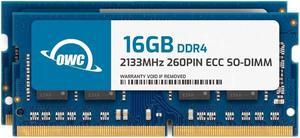
OWC 32GB (2x16GB) DDR4 2133MHZ PC4-17000 CL15 2RX8 ECC Unbuffered SODIMM 1.2V 260-pin Memory RAM
  • Brand: OWC
  • Capacity: 32GB (2 x 16GB)
  • Type: 260-Pin DDR4 SO-DIMM
  • Speed: DDR4 2133 (PC4 17000)
  • Model #: OWC2C1D42R8032P
  •  
  • $313.89 –

Laptop Memory - Buy RAM for Laptops | Newegg

Find DDR4 and DDR3 laptop memory options designed to enhance performance for gaming, multitasking, and everyday computing. This page offers a variety of RAM sticks suitable for upgrading your laptop’s speed and responsiveness.

How to Choose Laptop Memory

Key Features to Consider When Choosing Laptop Memory

  • Memory Type: DDR4 and DDR3 remain popular options; DDR4 offers higher data transfer rates and better energy efficiency compared to DDR3, making it the go-to for modern laptops.
  • Capacity: Consider your daily usage needs—ranging from 8GB for basic use to higher capacities like 16GB or more for gaming and multitasking.
  • Speed (Frequency): Measured in MHz, faster RAM speeds improve responsiveness and data handling, especially important for gaming and creative software.
  • Form Factor: Laptop RAM comes in SO-DIMM modules, smaller and designed specifically for the limited space inside laptops.
  • Compatibility: Make sure the RAM matches your laptop’s supported specifications, including maximum capacity per slot and overall system limits.

Why Memory Capacity Is the Most Critical Factor for Laptop Upgrades

For laptop upgrades, memory capacity is often the feature that impacts performance the most. Increasing RAM allows your system to run multiple applications smoothly and handle more complex tasks without bottlenecks. For gamers, content creators, and multitaskers, choosing the right capacity ensures your laptop can keep up with demanding workflows. Options range widely, from the popular 16GB per Module to powerful capacities like 128GB (2 x 64GB) kits for expert-level demands. Balancing your budget with your actual use cases will help you find the perfect capacity to elevate your laptop’s performance.

Advanced Use: Maximizing Laptop Memory for Developers and Power Users

Developers and power users often push the limits of laptop memory to support complex environments like virtual machines, software compilation, and large databases. When upgrading for professional tasks, look beyond standard modules to options like 64GB per Module that optimize server-grade performance and future-proofing. These high-capacity modules can significantly reduce wait times and increase multitasking efficiency in demanding workflows. Dual-channel setups with configurations such as 96GB (2 x 48GB) combine speed and size, delivering powerful workstation-level capabilities in a portable form factor.

Performance and Setup Tips

  • Verify your laptop’s maximum RAM capacity and supported memory speed before purchasing an upgrade.
  • Install RAM in matched pairs (dual-channel) to maximize data throughput and overall system responsiveness.
  • Use your laptop manufacturer’s guides or software tools to confirm compatibility and avoid installation issues.
  • After installation, enter the BIOS/UEFI to ensure the new memory is detected and configured correctly.
  • Keep your laptop’s BIOS and drivers updated to maintain optimal memory performance and stability.
  • Consider replacing both modules if you plan to upgrade capacity significantly to maintain balanced performance and compatibility.
  • For gaming laptops, pair higher-capacity modules with faster speeds to reduce lag and loading times.

Newegg shopping tip: Check the type and speed of your current laptop memory—DDR3 or DDR4 and its frequency (MHz)—to ensure compatibility with your new RAM. Also, confirm the maximum supported capacity and available slots on your laptop to avoid buying memory that won’t fit or work properly.

Explore Laptop Memory & Related Categories

128GB (2 x 64GB)

Max out your system with 128GB (2 x 64GB) DDR4 or DDR5 kits, ideal for heavy multitasking, virtualization, and professional content creation workflows.

64GB per Module

Each 64GB module leverages high-density chip technology, suited for server-grade workloads or future-proofing your workhorse laptop.

48GB per Module

48GB modules balance capacity and cost, perfect for power users running memory-hungry applications without the need for full 64GB sticks.

New to Laptop Memory? Here’s What You Should Know

Upgrading your laptop’s memory, or RAM, can breathe new life into your device by improving speed, responsiveness, and the ability to multitask without hiccups. If you’re a first-time buyer, start by checking your laptop’s current RAM specifications and the maximum memory it supports. Most modern laptops run DDR4 memory, but older models might use DDR3, so compatibility is key. Choosing the right size depends on your needs—8GB suits casual users, while 16GB or more provides a smoother experience for heavier tasks. Explore 16GB per Module options to get started on a solid upgrade path.

For Gamers and Creators Seeking Performance

Gaming laptops and creative professionals require robust memory to handle intensive applications and workflows. Equip your laptop with faster and higher capacity RAM to load games quicker, run multiple design programs, and achieve seamless editing. DDR4 is standard, with capacities ranging up to 32GB (2 x 16GB) or even 96GB (2 x 48GB) for serious multitasking and future-proofing your rig. These configurations are optimized to reduce load times and support high frame rates or complex rendering tasks, letting you focus on what you do best without slowdown.

Upgrade Options for Everyday and Business Users

If your day-to-day laptop tasks revolve around web browsing, office apps, video calls, and light content editing, boosting your RAM can keep things running smoothly under heavier multitasking loads. Most business and home laptops benefit from memory upgrades in the 8GB to 16GB range. Consider flexible options like the 32GB modules if you anticipate future needs or want a simple installation process with a single stick upgrade. These memory sizes strike a balance between cost, compatibility, and perceptible performance gains for most workflows.

Before You Buy

  • Verify your laptop’s maximum supported memory and number of RAM slots.
  • Confirm the current RAM type (DDR3 vs. DDR4) and speed to buy compatible modules.
  • Decide the total capacity you need based on your typical workload or gaming preferences.
  • Check whether your existing RAM is single or dual channel to optimize upgrades.
  • Consider the module size—popular options include 16GB, 64GB (2 x 32GB), and 128GB (2 x 64GB).
  • Purchase RAM from trusted brands and sources, like Newegg, to avoid compatibility or reliability issues.

Need Expert Guidance Choosing Your Perfect Laptop Memory? We're Here to Help

  • While the video "Gaming on One Stick of RAM?!" from Newegg Studios covers this topic, you can watch it below:

Research more: When upgrading your laptop memory, make sure to check the type and speed compatible with your device to avoid issues. For deeper insights on choosing the right RAM and installation tips, Newegg Insider’s buying guides are a handy resource to explore.

Last Updated: October 2026 | Newegg Laptop Memory Buying Guide


Laptop Memory FAQs:

How does DDR4 laptop memory compare to DDR5 when it comes to performance and compatibility?

DDR5 offers faster speeds and better efficiency than DDR4, but it’s newer and often more expensive. Make sure your laptop supports DDR5 before upgrading, as they aren’t interchangeable.

Is it better to buy a single 16GB RAM stick or two 8GB sticks for a laptop?

Two 8GB sticks usually run in dual-channel mode, which boosts performance more than a single 16GB stick. However, if you want to leave a slot open for future upgrades, a single stick might be the way to go.

How do I know if my laptop supports upgrading its memory?

You’ll want to check your laptop’s specifications or user manual to see the maximum RAM capacity and type supported, usually DDR3 or DDR4. Tools like CPU-Z can also identify your current memory specs to match when buying.

What’s the difference between DDR3 and DDR4 laptop memory?

DDR4 is newer, faster, and more power-efficient than DDR3, which means better performance and longer battery life for your laptop if it supports DDR4. Just make sure your system is compatible because you can’t mix the two types.

How do I know how much RAM to buy for my laptop?

It depends on what you use your laptop for—8GB is usually enough for everyday tasks, but if you do gaming or video editing, 16GB or more is better. Also, check your laptop’s maximum supported memory before buying.

Should I focus more on RAM speed or capacity when upgrading my laptop memory?

Capacity generally has a bigger impact on performance than speed, especially if you multitask or run heavy programs. Get the highest capacity your laptop supports, then look at speed if you have a choice.

Are there common issues with laptop memory modules I should watch out for in reviews?

Yes, look for mentions of compatibility problems, frequent crashes, or failure to run at advertised speeds, as these can indicate lower quality or mismatch with your system.

How reliable is laptop memory from lesser-known brands?

Some smaller brands offer good products, but consistency can vary; check reviews for feedback on durability and customer support before taking a chance.

How do I install new memory in my laptop without causing damage?

First, power off your laptop and unplug it, then open the memory compartment carefully—usually found on the bottom. Align the new RAM stick with the slot at a 45-degree angle, press it in gently until it clicks, and replace the cover before powering back on.

After upgrading my laptop’s RAM, how can I check if it’s being recognized?

Once your laptop is on, you can check the RAM by going into the system settings or BIOS to confirm the total installed memory matches your upgrade. You can also use system information tools or task managers to see if the new memory is active and functional.

Bestselling Laptop Memory Reviews:

Adam S.
9/29/2026 7:33:09 AM
Plugged It In and It Just Worked!

“ I bought this G.SKILL Ripjaws 32GB kit to give my laptop a little more breathing room, and Im very happy with it. ”

G.SKILL Ripjaws SO-DIMM 32GB (2 x 16GB) 262-Pin DDR5 SO-DIMM DDR5 5600 (PC5 44800) Laptop Memory Model F5-5600S4645A16GX2-RS
Jonathan B.
7/16/2026 3:46:51 PM
Excellent ram for the price

“ Overall, great ram and a great price. I would highly recommend this ram to anyone looking to upgrade their laptop ”

CORSAIR Vengeance 16GB (2 x 8GB) 260-Pin DDR4 SO-DIMM DDR4 2666 (PC4 21300) Laptop Memory Model CMSX16GX4M2A2666C18
William
3/12/2026 7:17:31 AM
Exactly what I needed!

“ If you have an older DDR4 Laptop I highly recommend this RAM. ”

Kingston FURY Impact 32GB (2 x 16GB) 260-pin SO-DIMM DDR4 3200 MHz CL20 Black Memory (KF432S20IBK2/32)
Anonymous
12/22/2025 1:52:58 PM
Works are stated just overpriced

“ works as stated for my laptop ”

Kingston FURY Impact 32GB (1 x 32GB) 260-pin SO-DIMM DDR4 3200 MHz CL20 Black Memory (KF432S20IB/32)
Travelingaggie
12/9/2025 6:46:02 AM
Works great and arrived on-time

“ I bought this to replace RAM in my laptop that was failing. ”

Crucial 64GB Kit (32GBx2) DDR4 3200 MT/s CL22 SODIMM 260-Pin Memory - CT2K32G4SFD832A
Joshua C.
11/4/2025 7:27:11 AM
Memory.

“ I would recommend this product to anyone upgrading their laptop. ”

G.SKILL Ripjaws Series 32GB (2 x 16GB) 260-Pin DDR4 SO-DIMM DDR4 3200 (PC4 25600) Laptop Memory Model F4-3200C22D-32GRS
Dean H.
8/27/2025 9:42:51 AM
Better Than Expected

“ Purchased ram for laptop motherboard Acer Nitro 5 AN515-45. ”

Kingston Impact 64GB (2 x 32GB) 260-Pin DDR4 SO-DIMM DDR4 3200 (PC4 25600) Memory (Notebook Memory) Model KF432S20IBK2/64
Jean-Francois G.
8/17/2025 5:44:41 PM
Delivery was faster than expected and so far, easy to install and worked without any issues.

“ - Installed this kit (CT2KIT102464BF160B) in my old Sony VAIO laptop to upgrade from 8GB to 16GB. ”

Crucial 16GB (2 x 8GB) 204-Pin DDR3 SO-DIMM DDR3L 1600 (PC3L 12800) Laptop Memory Model CT2KIT102464BF160B