




 here!
here!
I’m your shopping assistant for PC builds, upgrades, and everything tech.
Got questions? Ask away!
Start a conversation
here!
I’m your shopping assistant for PC builds, upgrades, and everything tech.
Got questions? Ask away!
Start a conversation

Click here to build your own workstation









OUT OF STOCK
Explore a range of workstation CPUs designed for demanding tasks like 3D rendering, video editing, and scientific computing. This selection includes processors from the latest Intel Xeon and AMD Ryzen Threadripper generations to meet advanced workstation needs.
When selecting a workstation CPU processor, several critical features differentiate models designed for professional-grade tasks:
Among all specifications, CPU core and thread count significantly impact workstation performance. Professional workloads like 3D rendering, scientific simulations, and video editing rely heavily on parallel processing. More cores and simultaneous multithreading enable these tasks to execute in parallel, reducing overall computation time. For instance, CPUs with 12, 16, or even more cores allow applications that support multi-threading to run efficiently without bottlenecks. This aspect is why modern workstation CPUs often prioritize core density alongside single-thread performance. If your tasks are heavily multi-threaded, investing in a higher core count model can provide tangible benefits in throughput and responsiveness.
For developers and professionals pushing workstation CPUs to their limits, leveraging multi-threading and high core counts becomes critical. Software developers working with complex codebases or compiling large projects will appreciate processors optimized for simultaneous multi-threaded workloads. Similarly, engineers and artists using CAD and 3D modeling suites demand reliable CPU performance under intense, sustained loads. Understanding how to balance CPU selection with complementary Workstation Components like ECC RAM and professional GPUs ensures a cohesive build tailored for maximum efficiency. Experts looking for granular control over specs can also reference Power Search to filter models by technical parameters that align with their workflow demands.
Newegg shopping tip: When choosing a workstation CPU, focus on core count and clock speed relevant to your workload, especially if you're running software optimized for multi-threading. Also, check for compatibility with your motherboard and support for features like ECC memory if stability is critical.
Stepping into the world of workstation CPUs can feel overwhelming at first, but it’s all about understanding what makes these processors unique. Workstation CPUs offer powerful multi-core performance, enhanced reliability, and support for advanced features like ECC memory. They’re designed to handle professional applications that demand precision and endurance, such as CAD, engineering simulations, and media production. If you’re new here, start by considering the type of software you’ll be running and whether it benefits more from single-core speed or high core counts. To narrow down options based on your specific needs, use our Power Search tool.
Content creators working with 4K video editing, 3D modeling, and animation rely heavily on workstation CPUs that deliver robust multi-threading capabilities and fast cache systems to accelerate rendering times. High core and thread counts allow editing software and render engines to process complex scenes and effects without bottlenecks. The right CPU keeps your workflow smooth, helping projects finish faster so you can meet tight deadlines. For those pushing graphical and compute boundaries, exploring Next Page reveals the latest processors built to handle these intense creative workloads.
Engineers and scientists running simulations, finite element analysis (FEA), or data modeling depend on workstation CPUs optimized for parallel processing and stability. These CPUs often support ECC memory to prevent data corruption during long-running calculations, which is critical for accuracy in scientific results. Additionally, workstation processors enable extensive PCIe lanes for high-bandwidth connections to specialized GPUs and storage devices, maximizing throughput and system responsiveness. To build a balanced rig that complements your CPU, check out our curated Workstation Components.
Research more: Choosing the right workstation CPU often means balancing core count, clock speed, and compatibility with your software. For a deeper dive into what matters most for your specific needs, check out the detailed insights in Newegg Insider’s buying guides.
Last Updated: September 2026 | Newegg Workstation CPU Processor Buying Guide
Intel Xeon processors excel in reliability and compatibility with professional software, making them a solid choice for enterprise-grade workstations. On the other hand, AMD Ryzen Threadripper offers higher core counts and better multitasking performance, which is great for intensive video editing and 3D rendering tasks.
It really depends on your workload; if your tasks rely on single-thread performance like certain CAD applications, higher clock speeds matter more. For software that can spread work across many threads—like simulation or rendering—having more cores usually delivers better results.
Workstation CPUs are built to handle heavy multitasking and complex calculations, like 3D rendering or scientific simulations, with more cores, higher cache, and better stability compared to standard desktop processors.
Not all, but many workstation processors do support ECC (Error-Correcting Code) memory, which helps prevent data corruption and improves reliability for critical professional workloads.
Focus on CPUs with higher core counts and strong multi-threading since rendering and multitasking benefit from parallel processing. Balance core count with clock speed depending on your software, and avoid ultra-high-end models if your projects aren’t consistently demanding.
If your work involves professional software that supports ECC memory and demands high stability or precision, a workstation CPU is a smart investment. For occasional or entry-level tasks, a high-performance desktop CPU might suffice, but workstations deliver reliability under heavy, sustained workloads.
Workstation CPUs are generally built for higher reliability and longer runtimes, making them better for demanding, continuous tasks. Still, their durability often depends on proper cooling and stable power delivery.
Watch out for reports of thermal throttling, compatibility problems with certain motherboards, and inconsistent performance in multi-threaded applications. These can be signs of potential headaches down the line.
Check your motherboard’s CPU socket type and chipset compatibility in its manual or on the manufacturer's website, then match it with the processor specifications to ensure they are compatible.
Use a good quality cooling system, regularly update your BIOS, and make sure your workstation has clean, dust-free airflow to prevent overheating and maintain peak performance.
“ super fast shipping, well packaged.. very happy ”
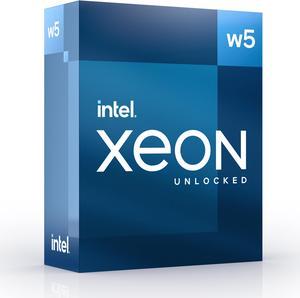
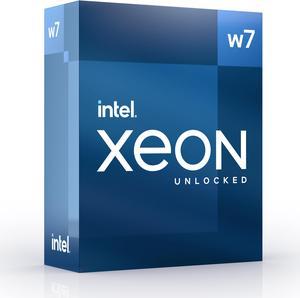
Intel Xeon w5-3535X Icosa-core (20 Core) 2.90 GHz Processor - 52.50 MB L3 Cache - 64-bit Processing - 4.80 GHz Overclocking Speed - Socket LGA-4677 - Intel vPro Technology-40 Threads - BX807133535X“ Its fast, quiet, never throttles, etc. ”
Intel Xeon w5-2465X Hexadeca-core (16 Core) 3.10 GHz Processor - 33.75 MB L3 Cache - 64-bit Processing - 4.70 GHz Overclocking Speed - Socket LGA-4677 - 240 W - 32 Threads- BX807132465X“ fast without overclocking ”
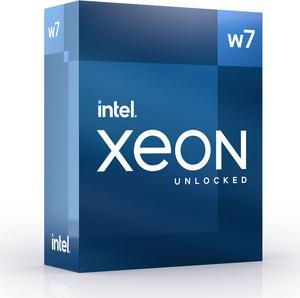
Intel Xeon w7-3465X Octacosa-core (28 Core) 2.50 GHz Processor - 75 MB L3 Cache - 64-bit Processing - 4.80 GHz Overclocking Speed - Socket LGA-4677 - 360 W - 56 Threads - BX807133465X


