


Your Browsing History
BEST SELLERS


BEST SELLERS
In Motherboard
Our most popular products, based on sales and updated frequently.Shop Department
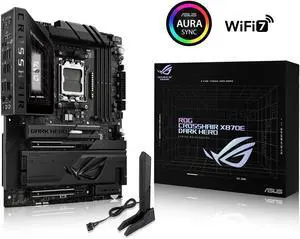
ASUS ROG Crosshair X870E Dark Hero ATX motherboard, 20+2+2 power stages, DDR5 slots, PCIe 5.0, five M.2 slots, 3D VC M.2 heatsink, USB4, AI Cache Boost, PCIe Slot Q-Release, AIO Q-Connector
- Brand: ASUS
- CPU Socket Type: AM5
- Chipset: AMD X870E
- Serial ATA (SATA): 4 x SATA 6Gb/s
- Model #: ROG CROSSHAIR X870E DARK HERO
- Item #: N82E16813119770
- Return Policy: 30-Day Return Policy
$676.99
Free Shipping
Board gives me everything I needed and then some. It is on the expensive side, but the power and easy connections made it great to assemble in. I originally was going to get the Crosshair Extreme, which is it's big brother, then decided against it. I picked up this MB, the Ram, and a AMD Ryzen 7 9850X3D, as a Newegg combo (gave the 9850X3D to my dad as a birthday present), which was pricey. The NVMe thing. My lord it's a godsend, I have 2 4TB Gen4 SSDs in here, and I don't lose any speed on either of them. I don't use the USB 4 slots, so I was happy to give those up.
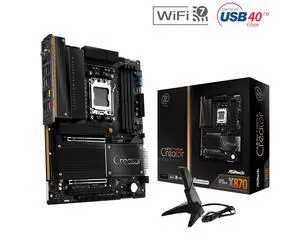
ASRock X870 TAICHI CREATOR AM5 ATX Motherboard
- Brand: ASRock
- CPU Socket Type: AM5
- Chipset: AMD X870
- Serial ATA (SATA): 4 x SATA 6Gb/s
- Model #: X870 TAICHI CREATOR
- Item #: N82E16813162237
- Return Policy: 30-Day Return Policy
$319.99
Free Shipping
PCIe x8/x8 support across the two main graphics slots, making the board a strong choice for a two-GPU build.
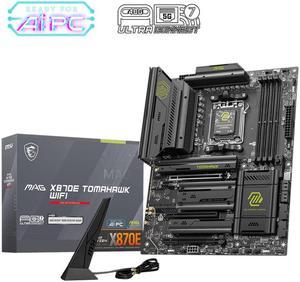
MSI MAG X870E TOMAHAWK WIFI Motherboard, ATX - Supports AMD Ryzen 9000 / 8000 / 7000 Processors, AM5 - 80A SPS VRM, DDR5 Memory Boost 8400+ MT/s (OC), PCIe 5.0 x16, M.2 Gen5, Wi-Fi 7, 5G LAN
- Brand: MSI
- CPU Socket Type: AM5
- Chipset: AMD X870E
- Serial ATA (SATA): 4 x SATA 6Gb/s
- Model #: MAG X870E TOMAHAWK WIFI
- Item #: N82E16813144699
- Return Policy: 30-Day Return Policy
$329.99
$0.99 Shipping
- Best Price - plenty of USB ports - Lots of features (WIFI7, Bluetooth, USB4, pcie 5) - Solid Build Quality
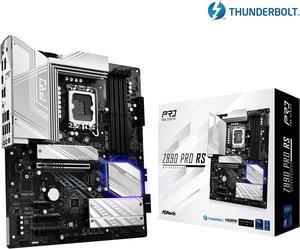
ASRock Z890 Pro RS LGA 1851 ATX Motherboard
- Memory Standard: DDR5 4400 / DDR5 4800 / DDR5 5000 / DDR5 5200 / DDR5 5400 / DDR5 5600 / DDR5 5800 / DDR5 6000 / DDR5 6200 / DDR5 6400 / DDR5 6600 / DDR5 6800 / DDR5 7000 / DDR5 7200 / DDR5 7400 / DDR5 7600 / DDR5 7800 / DDR5 7900 / DDR5 7950 / DDR5 8000 / DDR5 8200 / DDR5 8266 / DDR5 8400 / DDR5 8600 / DDR5 8666 / DDR5 8800 / DDR5 8933 / DDR5 9000 / DDR5 9066
- Number of Memory Slots: 4x288pin (DDR5)
- Audio Chipset: Realtek ALC897
- Brand: ASRock
- Model #: Z890 Pro RS
- Item #: N82E16813162176
- Return Policy: 30-Day Return Policy
$214.99
Free Shipping
- Was easy to recover from a failed firmware upgrade due to bad RAM with BIOS flashback feature. - BIOS is easy to use and tune. - Can use EXPO settings for AMD DDR5 on Intel CPU's. - Runs cool. - Plenty of NVME and SATA ports. - Lots of fan headers and expansion options. - Looks good, not overly done with RGB, a little bit that glows from under the GPU is a nice touch.
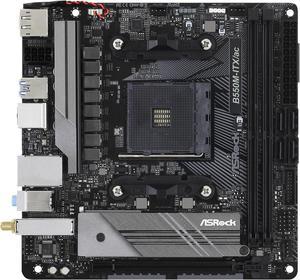
ASRock B550M-ITX/AC AM4 Mini ITX AMD Motherboard
- Brand: ASRock
- CPU Socket Type: AM4
- Chipset: AMD B550
- Serial ATA (SATA): 4 x SATA3 6.0 Gb/s Connectors, support RAID, NCQ, AHCI and Hot Plug
- Model #: B550M-ITX/AC
- Item #: N82E16813157954
- Return Policy: 30-Day Return Policy
$93.99
$99.99
$6.99 Shipping
- Great value - Build quality is great - Has room for upgrades - M.2 armor is pretty cool - Has a little RGB on the side
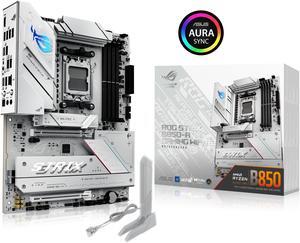
ASUS ROG STRIX B850-A GAMING WIFI R2 AMD AM5 B850 ATX motherboard with 14+2+1 power stages, DDR5 support with AEMP, WiFi 7, 4x M.2, PCIe 5.0 x16, USB 20Gbps Type-C, ASUS AI Advisor, AI Networking II
- Brand: ASUS
- CPU Socket Type: AM5
- Chipset: AMD B850
- Serial ATA (SATA): 2 x SATA 6Gb/s
- Model #: ROG STRIX B850-A GAMING WIFI R2
- Item #: N82E16813119743
- Return Policy: 30-Day Return Policy
$209.99
$222.99
Free Shipping
Purchased this motherboard while I was waiting for a RMA on another motherboard brand and it works without any issues.
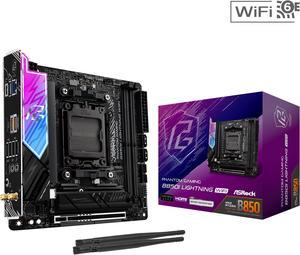
ASRock B850I Lightning WiFi AM5 Mini ITX Motherboard
- Brand: ASRock
- CPU Socket Type: AM5
- Chipset: AMD B850
- Serial ATA (SATA): 2 x SATA 6Gb/s
- Model #: B850I Lightning WiFi
- Item #: 9SIAS03M550467
- Return Policy: View Return Policy
$279.99
Free Shipping
Love that ASRock created an affordable mini-ITX board! This is going into my new portable gaming build!
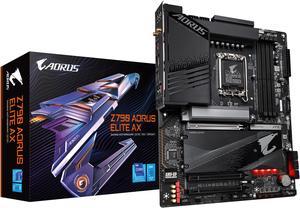
GIGABYTE Z790 AORUS ELITE AX LGA 1700 Intel Z790 ATX Motherboard with DDR5, Quad M.2, PCIe 5.0, USB 3.2 Gen2X2 Type-C, Intel WiFi 6E, 2.5GbE LAN, Q-Flash Plus, PCIe EZ-Latch
- Memory Standard: Support for DDR5 7600(O.C.) /7400(O.C.) /7200(O.C.) /7000(O.C.) /6800(O.C.) /6600(O.C.) / 6400(O.C.) / 6200(O.C.) / 6000(O.C.) / 5800(O.C.) / 5600(O.C.) / 5400(O.C.) / 5200(O.C.) / 4800 / 4000 memory modules Dual channel memory architecture Support for ECC Un-buffered DIMM 1Rx8/2Rx8 memory modules (operate in non-ECC mode) Support for non-ECC Un-buffered DIMM 1Rx8/2Rx8/1Rx16 memory modules Support for Extreme Memory Profile (XMP) memory modules
- Number of Memory Slots: 4x288pin (DDR5)
- Audio Chipset: Realtek Audio CODEC High Definition Audio
- Brand: GIGABYTE
- Model #: Z790 AORUS ELITE AX
- Item #: N82E16813145417
- Return Policy: 30-Day Return Policy
$169.99
$239.99
Free Shipping
nice board, top choice for 13600k, Got 5,6 all P core OC
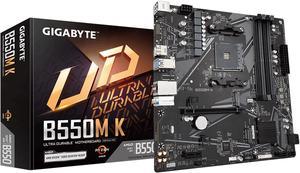
GIGABYTE B550M K AM4 AMD B550 Micro-ATX Motherboard with Dual M.2, SATA 6Gb/s, USB 3.2 Gen 1, Realtek GbE LAN, PCIe 4.0
- Brand: GIGABYTE
- CPU Socket Type: AM4
- Chipset: AMD B550
- Serial ATA (SATA): 4 x SATA 6Gb/s
- Model #: B550M K
- Item #: N82E16813145434
- Return Policy: 30-Day Return Policy
$74.99
$99.99
$4.99 Shipping
quick easy set up no clutter. great that the m.2 slot has a pin instead of screw to hold it
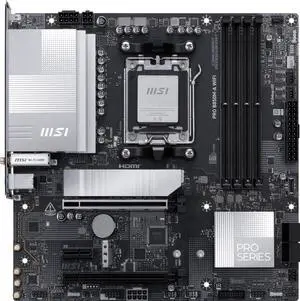
MSI PRO B850M-A WIFI AM5 , Wi-FI 7, 5G LAN, SATA 6Gbps, Bluetooth 5.4, double M.2 support,Micro ATX AMD Motherboard
- Brand: MSI
- CPU Socket Type: AM5
- Chipset: AMD B850
- Serial ATA (SATA): 4 x SATA 6Gb/s
- Model #: PRO B850M-A WIFI
- Item #: N82E16813144706
- Return Policy: 30-Day Return Policy
$168.99
$169.99
$3.99 Shipping
Improved network speed and wifi. Better slot placement than the PRO 650m A board. The pci slot for expansion cards is full length so I can use a 10G network card and it has an extra PCI-E 8 pin connector for power for PCIE 5 SSD.
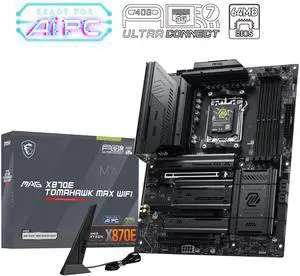
MSI MAG X870E TOMAHAWK MAX WIFI AM5 ATX Motherboard
- Brand: MSI
- CPU Socket Type: AM5
- Chipset: AMD X870E
- M.2: 2 x M.2 Gen5 x4 128Gbps slots 2 x M.2 Gen4 x4 64Gbps slots
- Model #: MAG X870E TOMAHAWK MAX WIFI
- Item #: N82E16813144742
- Return Policy: 30-Day Return Policy
$323.99
$329.99
Free Shipping
Heavy study construction
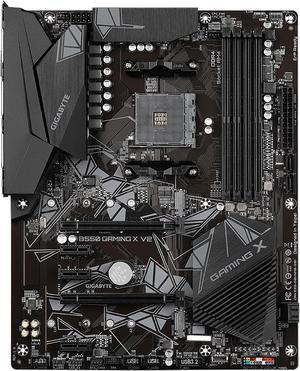
GIGABYTE B550 GAMING X V2 AM4 ATX AMD Motherboard
- Brand: GIGABYTE
- CPU Socket Type: AM4
- Chipset: AMD B550
- Serial ATA (SATA): 4 x SATA 6Gb/s
- Model #: B550 GAMING X V2
- Item #: N82E16813145255
- Return Policy: 30-Day Return Policy
$84.99
$111.49
Free Shipping
Using this with my old GPU to put together a first gaming PC for a friend. Large easy to build on. Integrated IO shield. GOOD
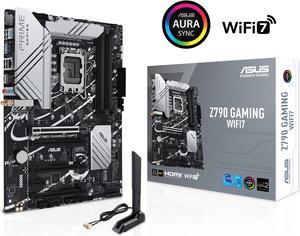
ASUS Z790 GAMING WIFI7 (LGA 1700) ATX motherboard with PCIe 5.0, three M.2 slots, 14+1 DrMOS, DDR5, WIFI 7, Realtek 1Gb LAN, HDMI TM, USB 3.2 Gen 2x2 Type-C, front USB 3.2 Gen 1 Type-C
- Memory Standard: DDR5 7200+(OC)/7000(OC)/6800(OC)/6600(OC)/ 6400(OC)/ 6200(OC)/ 6000(OC)/ 5800(OC)/ 5600/ 5400/ 5200/ 5000/ 4800 Non-ECC, Un-buffered Memory*
- Number of Memory Slots: 4x288pin (DDR5)
- PCI Express x16: 1 x PCIe 3.0 x1 slot * Please check the PCIe bifurcation table on the support site (https://www.asus.com/support/FAQ/ 1037507/). - To ensure compatibility of the device installed, please refer to https://www.asus.com/support/ for the list of supported peripherals.
- Brand: ASUS
- Model #: Z790 GAMING WIFI7
- Item #: N82E16813119679
- Return Policy: 30-Day Return Policy
$164.99
$199.99
Free Shipping
I got a mother board that possibly had bad pins on it. It was taken care of with a new one sent right out and now is running well!
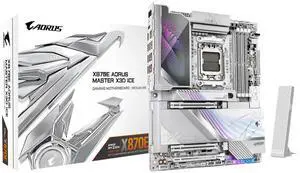
GIGABYTE X870E AORUS MASTER X3D ICE AMD AM5 LGA 1718 ATX Motherboard, Supports AMD Ryzen 9000/8000/7000 Series Processors, DDR5, 18+2+2 Power Phase, 5x M.2, PCIe 5.0, USB4 Type-C, WIFI7, 10GbE
- Brand: GIGABYTE
- CPU Socket Type: AM5
- Chipset: AMD X870E
- Form Factor: ATX
- Model #: X870E AORUS MASTER X3D ICE
- Item #: N82E16813145593
- Return Policy: 30-Day Return Policy
$549.99
$582.99
Free Shipping
Workability, Usability, esthetics, was very easy to install and set up. It lets my components breathe and work to the nine without any issues. Set it up with dual boot of windows and a specially made kali linux version they did for me.
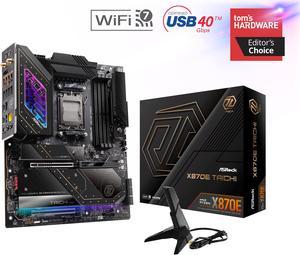
ASRock X870E TAICHI AM5 Extended ATX Motherboard
- Brand: ASRock
- CPU Socket Type: AM5
- Chipset: AMD X870E
- Serial ATA (SATA): 6 x SATA 6Gb/s
- Model #: X870E Taichi
- Item #: 9SIA4REKEZ6556
- Return Policy: View Return Policy
$634.99
$79.99 Shipping
- The board feels very sturdy and rigid (good for heavy GPUs and CPU air coolers) - I love the Taichi-style gear and rivet-like branding, it's generally subtle but gives it a nice appearance for windowed cases - The VRM configuration provides plenty of overhead for current and likely future supported AM5 products - The ease of installing M.2 drives is a great quality of life improvements - Plenty of IO available, between the backplane and the internal connectors for the case/etc. - Has WiFi 7 (not common now, but provides some future compatibility) - Includes their newer "EZ Release" mechanism for the primary PCIe 5.0 x16 slot
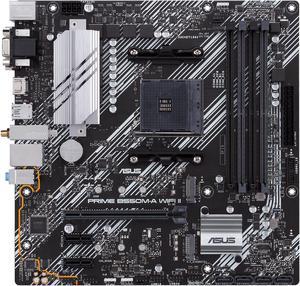
ASUS Prime B550M-A WiFi II AMD AM4 (3rd Gen Ryzen) Micro ATX Motherboard (PCIe 4.0, WiFi 6, ECC Memory, 1Gb LAN, HDMI 2.1/D-Sub, 4K@60HZ, Addressable Gen 2 RGB Header and Aura Sync)
- Brand: ASUS
- CPU Socket Type: AM4
- Chipset: AMD B550
- Serial ATA (SATA): 4 x SATA 6Gb/s
- Model #: PRIME B550M-A WIFI II
- Item #: N82E16813119580
- Return Policy: 30-Day Return Policy
$89.99
$119.99
Free Shipping
The motherboard seems fine havent taken it out waiting for my cpu and gpu to arrive Seems to have came with every accessory needed
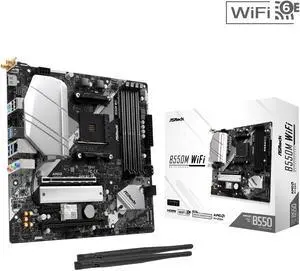
ASRock B550M WiFi AM4 AMD B550 Micro ATX Motherboard - Wi-Fi 6E, PCIe 4.0, Hyper M.2 Gen4x4, DDR4 4733+ (OC)
- Brand: ASRock
- CPU Socket Type: AM4
- Chipset: AMD B550
- Serial ATA (SATA): 4 x SATA 6Gb/s
- Model #: B550M WiFi
- Item #: N82E16813162254
- Return Policy: 30-Day Return Policy
$99.99
$0.99 Shipping
- Has RGB on the motherboard - M.2 heatsink
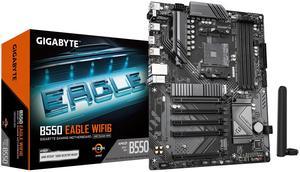
GIGABYTE B550 EAGLE WIFI6 Motherboard, Supports AMD AM4 Ryzen 5000 Processors, ATX, DDR4, 2x M.2, PCIe 4.0, WIFI6, 1GbE LAN, EZ-Latch
- Brand: GIGABYTE
- CPU Socket Type: AM4
- Chipset: AMD B550
- Serial ATA (SATA): 4 x SATA 6Gb/s
- Model #: B550 Eagle WIFI6
- Item #: 9SIA6ZPKFR9920
- Return Policy: View Return Policy
$132.16
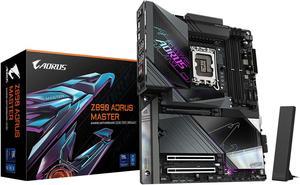
GIGABYTE Z890 AORUS MASTER Ultra Core (Series 2) LGA 1851, ATX, DDR5, 5x M.2, PCIe 5.0, Thunderbolt 4, WIFI7, 10GbE LAN, EZ-Latch
- Memory Standard: DDR5 5600 / DDR5 5800 / DDR5 6000 / DDR5 6200 / DDR5 6400 / DDR5 6600 / DDR5 6800 / DDR5 7000 / DDR5 7200 / DDR5 7400 / DDR5 7600 / DDR5 7800 / DDR5 7900 / DDR5 7950 / DDR5 8000 / DDR5 8200 / DDR5 8266 / DDR5 8400 / DDR5 8600 / DDR5 8800 / DDR5 8933 / DDR5 9066 / DDR5 9200 / DDR5 9466 / DDR5 9500
- Number of Memory Slots: 4x288pin (DDR5)
- Brand: GIGABYTE
- CPU Socket Type: LGA 1851
- Model #: Z890 AORUS MASTER
- Item #: N82E16813145523
- Return Policy: 30-Day Return Policy
$289.99
$499.99
Free Shipping
Always been of fan of gigabyte brands , 20 years no problems
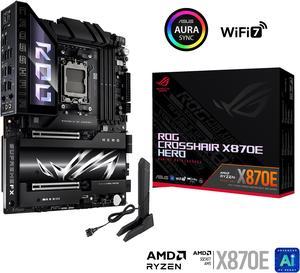
ASUS ROG CROSSHAIR X870E HERO AMD X870E AM5 ATX motherboard, Advanced AI PC ready, 18+2+2 power stages, DDR5, PCIe 5.0, 5x M.2, Wi-Fi 7, USB4, AI Overclocking, Core Flex, PCIe Slot Q-Release Slim
- Brand: ASUS
- CPU Socket Type: AM5
- Chipset: AMD X870E
- Serial ATA (SATA): 4 x SATA 6Gb/s
- Model #: ROG CROSSHAIR X870E HERO
- Item #: N82E16813119681
- Return Policy: 30-Day Return Policy
$599.99
Free Shipping
Form factor is solid, no variants in size or shape with the configuration of the board. Immediately useful with the 2-digit codes and color-coded indicators for various potential sources of errors. Made it super easy to troubleshoot the initial boot and get everything up and running on the first go. Built solid. I'm not exactly graceful, but it endured my bumps and fumbles without so much as a scratch or scuff on any of the beautifully crafted and stylized surfaces.