
Your Browsing History
 Holiday Shipping Details & Extended Holiday Returns
 BEST SELLERS


BEST SELLERS
In Motherboard
Our most popular products, based on sales and updated frequently.Shop Department
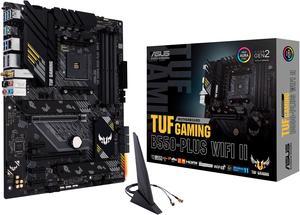
ASUS TUF GAMING B550-PLUS WIFI II AM4 ATX AMD Motherboard
- Brand: ASUS
- CPU Socket Type: AM4
- Chipset: AMD B550
- Serial ATA (SATA): 6 x SATA 6Gb/s
- Model #: TUF GAMING B550-PLUS WIFI II
- Item #: 9SIA6ZPKGR8322
- Return Policy: View Return Policy
$164.70
Worked out of the box with a Ryzen 9 5950X No issues with Wi-Fi, maxed out on connection speed works great
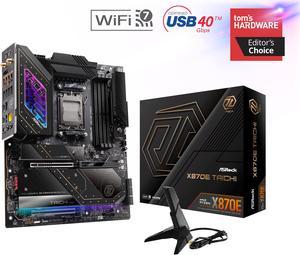
ASRock X870E TAICHI AM5 Extended ATX Motherboard
- Brand: ASRock
- CPU Socket Type: AM5
- Chipset: AMD X870E
- Serial ATA (SATA): 6 x SATA 6Gb/s
- Model #: X870E Taichi
- Item #: N82E16813162161
- Return Policy: Extended Holiday Return Policy
$329.99
$449.99
Free Shipping
- Fast shipping - Box has sparkles - No shared lanes with the x16 gpu between the m.2 slots (From what I have read this is true and I haven't tested it yet)
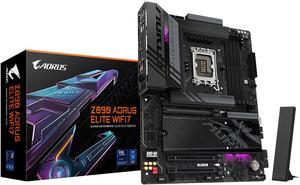
GIGABYTE Z890 AORUS ELITE WIFI7 Ultra Core (Series 2) LGA 1851, ATX, DDR5, 4x M.2, PCIe 5.0, Thunderbolt 4, WIFI7, 2.5GbE LAN, EZ-Latch
- Memory Standard: DDR5 5600 / DDR5 5800 / DDR5 6000 / DDR5 6200 / DDR5 6400 / DDR5 6600 / DDR5 6800 / DDR5 7000 / DDR5 7200 / DDR5 7400 / DDR5 7600 / DDR5 7800 / DDR5 7900 / DDR5 7950 / DDR5 8000 / DDR5 8200 / DDR5 8266 / DDR5 8400 / DDR5 8600 / DDR5 8800 / DDR5 8933 / DDR5 9066 / DDR5 9200
- Number of Memory Slots: 4x288pin (DDR5)
- Brand: GIGABYTE
- CPU Socket Type: LGA 1851
- Model #: Z890 AORUS ELITE WIFI7
- Item #: N82E16813145527
- Return Policy: Extended Holiday Return Policy
$239.99
$289.99
Free Shipping
Flawless. Easy to build with. Great aesthetics. Post lights. Awesome Bios
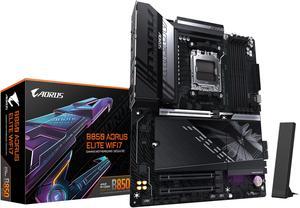
GIGABYTE B850 AORUS ELITE WIFI7 AMD AM5 LGA 1718 Motherboard, ATX, DDR5, 3x M.2, PCIe 5.0, USB-C, WIFI7, 2.5GbE LAN, EZ-Latch 5-Year Warranty
- Brand: GIGABYTE
- CPU Socket Type: AM5
- Chipset: AMD B850
- Form Factor: ATX
- Model #: B850 AORUS ELITE WF7
- Item #: N82E16813145545
- Return Policy: Extended Holiday Return Policy
$229.99
$254.99
Free Shipping
First, let me say how heavy this board is. Seriously, it feels as if they used the military components that tuf claims they use. It has a super premium feel. The amount of I/O is extraordinary. Total of 12 usb ports including 5 -usb 3.2 gen 1, 2 -usb 3.2 gen 2, and a usb-c. The audio is top notch with premium capacitors. I also love the new easy magnetic port for the new wifi antenna. Just one less hassle during your build. Speaking of the build, everything was very easy to install and setup and it all just worked. Very hard to find any negatives.
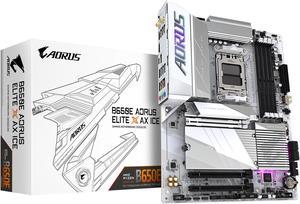
GIGABYTE B650E AORUS ELITE X AX ICE AM5 LGA 1718 AMD B650 ATX Motherboard with 5-Year Warranty, DDR5, 3x M.2, PCIe 5.0, USB 3.2 Gen2X2 Type-C, WiFi 6E, 2.5GbE LAN, Q-Flash Plus, EZ-Latch Plus
- Brand: GIGABYTE
- CPU Socket Type: AM5
- Chipset: AMD B650
- Serial ATA (SATA): 4 x SATA 6Gb/s
- Model #: B650E AORUS ELITE X ICE
- Item #: N82E16813145500
- Return Policy: Extended Holiday Return Policy
$189.99
$249.99
Free Shipping
When I first picked it up you could tell the quality by the weight. Heat sinks are abundant throughout the board. Didn't have any problems with not posting. .
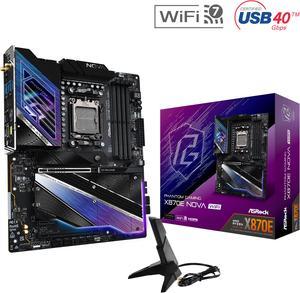
ASRock X870E NOVA WIFI AM5 ATX Motherboard
- Brand: ASRock
- CPU Socket Type: AM5
- Chipset: AMD X870E
- Serial ATA (SATA): 4 x SATA 6Gb/s
- Model #: X870E Nova WiFi
- Item #: N82E16813162163
- Return Policy: Extended Holiday Return Policy
$259.99
$349.99
Free Shipping
-Power -Ease Of Use
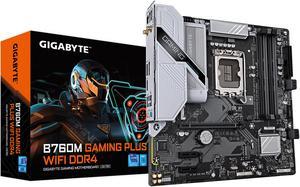
GIGABYTE B760M GAMING PLUS WIFI DDR4 LGA 1700 Intel B760 M-ATX Motherboard with DDR4, 2* M.2, PCIe 4.0, Front USB 3.2 Gen 1 Type-C, WiFi 6 GbE LAN, Q-Flash Plus, PCIe EZ-Latch
- Memory Standard: DDR4 3200
- Number of Memory Slots: 4x288pin (DDR4)
- Brand: GIGABYTE
- CPU Socket Type: LGA 1700
- Model #: B760M GAMING PLUS WIFI DDR4
- Item #: N82E16813145505
- Return Policy: Extended Holiday Return Policy
$99.99
$149.99
Est. Shipping Fee $4.99
Eligible for Free Shipping
- My first time building a PC using this motherboard but it went really well. Everything is labelled nicely and even * for the RAM so you know which slots need to be utilized. - CPU easy to install, also nicely labelled - easy to know where to plug in power supply cables for the LED/RGB lights, especially if this is your first time just take a moment and ready around the motherboard.
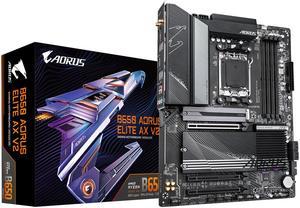
GIGABYTE B650 AORUS ELITE AX V2 AM5 LGA 1718 AMD B650 ATX Motherboard with 5-Year Warranty, DDR5, Triple M.2, PCIe 5.0, USB 3.2 Gen2X2 Type-C, WiFi 6E, 2.5GbE LAN, Q-Flash Plus, EZ-Latch
- Brand: GIGABYTE
- CPU Socket Type: AM5
- Chipset: AMD B650
- Serial ATA (SATA): 4 x SATA 6Gb/s
- Model #: B650 AORUS ELITE AX V2
- Item #: N82E16813145487
- Return Policy: Extended Holiday Return Policy
$159.99
$219.99
$2.99 Shipping
3 m.2 ports and good looking
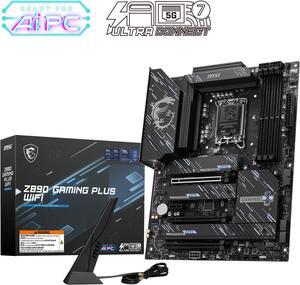
MSI Z890 GAMING PLUS WIFI LGA 1851 ATX Motherboard
- Memory Standard: DDR5 4800 / DDR5 5000 / DDR5 5200 / DDR5 5400 / DDR5 5600 / DDR5 5800 / DDR5 6000 / DDR5 6200 / DDR5 6400 / DDR5 6600 / DDR5 6800 / DDR5 7000 / DDR5 7200 / DDR5 7400 / DDR5 7600 / DDR5 7800 / DDR5 7900 / DDR5 7950 / DDR5 8000 / DDR5 8200 / DDR5 8266 / DDR5 8400 / DDR5 8600 / DDR5 8666 / DDR5 8800 / DDR5 8933 / DDR5 9000 / DDR5 9066 / DDR5 9200
- Number of Memory Slots: 4x288pin (DDR5)
- Audio Chipset: Realtek ALC897
- Brand: MSI
- Model #: Z890 GAMING PLUS WIFI
- Item #: N82E16813144671
- Return Policy: Extended Holiday Return Policy
$189.99
$209.99
Free Shipping
Finally got the instructions on-line and figured out it takes more power connections than I was used to. When I finally got all those hooked up, it powered up nicely. All the slots for M.2 SSDs is nice, I will be able to expand storage easily when I need it.
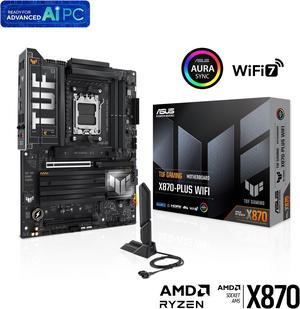
ASUS TUF GAMING X870-PLUS WIFI AMD AM5 X870 ATX motherboard, 16+2+1, 80A SPS power stages, DDR5, PCIe 5.0 Ready, four M.2 slots, Wi-Fi 7, 2.5Gb LAN, HDMI, USB4 40Gbps, SATA 6 Gbps, USB 20Gbps Type-C
- Brand: ASUS
- CPU Socket Type: AM5
- Chipset: AMD X870
- Serial ATA (SATA): 2 x SATA 6Gb/s
- Model #: TUF GAMING X870-PLUS WIFI
- Item #: N82E16813119686
- Return Policy: Extended Holiday Return Policy
$299.99
Free Shipping
Future proofing with USB4, and PCIE 5 for both graphics and NVME. Don't need the latter yet but when I do won't need to replace the board.
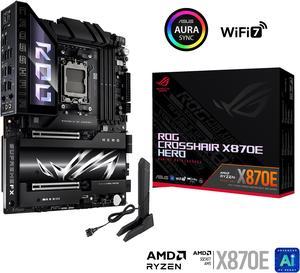
ASUS ROG CROSSHAIR X870E HERO AMD X870E AM5 ATX motherboard, Advanced AI PC ready, 18+2+2 power stages, DDR5, PCIe 5.0, 5x M.2, Wi-Fi 7, USB4, AI Overclocking, Core Flex, PCIe Slot Q-Release Slim
- Brand: ASUS
- CPU Socket Type: AM5
- Chipset: AMD X870E
- Serial ATA (SATA): 4 x SATA 6Gb/s
- Model #: ROG CROSSHAIR X870E HERO
- Item #: N82E16813119681
- Return Policy: Extended Holiday Return Policy
$669.99
Free Shipping
It's a pretty long motherboard and I was able to use the top pcie slot and bottom pcie slot. I like the ability to flash the bios using the back i/o and the good-performing networking. Had an issue trying to get the ram in sufficiently but did after some effort. I like the easy plug and unplug for gpu and the easily removed cover for the first m.2 slot.
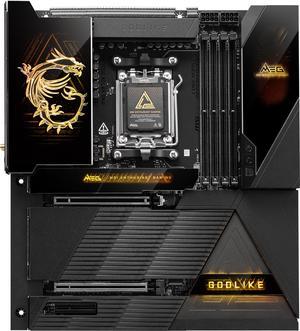
MSI MEG X870E GODLIKE AM5 Extended ATX Motherboard
- Brand: MSI
- CPU Socket Type: AM5
- Chipset: AMD X870E
- Serial ATA (SATA): 4 x SATA 6Gb/s
- Model #: MEG X870E GODLIKE
- Item #: N82E16813144678
- Return Policy: Extended Holiday Return Policy
$1,099.99
Free Shipping
5 m.2 slots
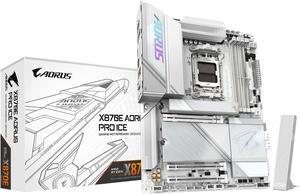
GIGABYTE X870E AORUS PRO ICE AM5 LGA 1718, ATX, DDR5, 4x M.2, PCIe 5.0, USB4, Wi-Fi 7, 2.5GbE LAN, EZ-Latch, 5-Year Warranty
- Brand: GIGABYTE
- CPU Socket Type: AM5
- Chipset: AMD X870E
- Serial ATA (SATA): 4 x SATA 6Gb/s
- Model #: X870E AORUS PRO ICE
- Item #: N82E16813145515
- Return Policy: Extended Holiday Return Policy
$299.99
$394.99
Free Shipping
- High RAM capacity (up to 256GB) - PCIe 5.0 for newer GPUs & NVMe storage - E variant has more usb ports for more connectivity -High overclocking potential
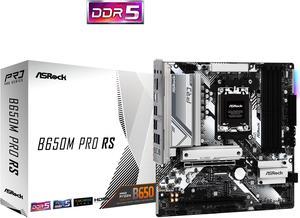
ASRock B650M PRO RS AM5 Micro ATX Motherboard
- Brand: ASRock
- CPU Socket Type: AM5
- Chipset: AMD B650
- Serial ATA (SATA): 4 x SATA 6Gb/s
- Model #: B650M Pro RS
- Item #: N82E16813162130
- Return Policy: Extended Holiday Return Policy
$99.99
$139.99
Free Shipping
Very awesome motherboard!
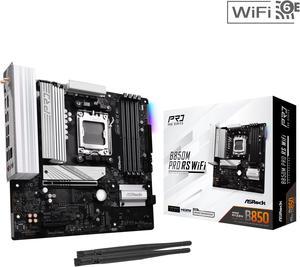
ASRock B850M PRO RS WIFI AM5 Micro ATX Motherboard
- Brand: ASRock
- CPU Socket Type: AM5
- Chipset: AMD B850
- Serial ATA (SATA): 4 x SATA 6Gb/s
- Model #: B850M Pro RS WiFi
- Item #: N82E16813162196
- Return Policy: Extended Holiday Return Policy
$129.99
$159.99
Free Shipping
- Latest chipset with support for AMD 9000 series CPUs - Plenty of M.2 SSD slots - Decently subtle design - Lots of connectivity for CPU and case fans along with ARGB headers - Good amount of USB ports - Overall good value
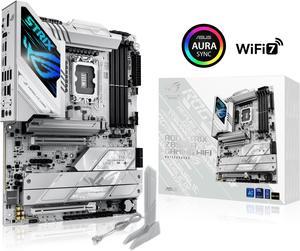
ASUS ROG STRIX Z890-A GAMING WIFI Z890 LGA 1851 ATX motherboard, Intel® Core™ Ultra Series 2 Ready, Advanced AI PC-ready, 16+2+1+2 stages, DDR5, WiFi 7, 2.5G, 5x M.2, Thunderbolt™ 4, USB Type-C, AI OC
- Memory Standard: DDR5 4400 / DDR5 4800 / DDR5 5000 / DDR5 5200 / DDR5 5400 / DDR5 5600 / DDR5 5800 / DDR5 6000 / DDR5 6200 / DDR5 6400 / DDR5 6600 / DDR5 6800 / DDR5 7000 / DDR5 7200 / DDR5 7400 / DDR5 7600 / DDR5 7800 / DDR5 7900 / DDR5 7950 / DDR5 8000 / DDR5 8200 / DDR5 8266 / DDR5 8400 / DDR5 8600 / DDR5 8666 / DDR5 8800 / DDR5 8933 / DDR5 9000 / DDR5 9066
- Number of Memory Slots: 4x288pin (DDR5)
- Brand: ASUS
- CPU Socket Type: LGA 1851
- Model #: ROG STRIX Z890-A GAMING WIFI
- Item #: N82E16813119693
- Return Policy: Extended Holiday Return Policy
$379.99
$399.99
Free Shipping
Stunning White Aesthetic: The standout feature of this motherboard is its sleek and clean white design. It not only brings a fresh look to any build but also stands out in custom PC setups that focus on clean, modern aesthetics. If you're building a white-themed rig, this motherboard is a perfect match. Generous M.2 Slots: With 5 M.2 slots, the Z890-A ensures you'll have ample room for fast storage. What's even more impressive is that 2 of these slots are directly connected to the CPU, offering unparalleled speed and performance, especially for those who need lightning-fast SSD speeds for tasks like video editing or gaming. 6 SATA Slots: If you need even more storage options, the motherboard comes with 6 SATA slots, allowing you to connect multiple drives without worrying about running out of ports. Whether for additional storage or backups, the Z890-A has you covered. Memory Support up to 9066 MT/s: For memory enthusiasts, the ASUS ROG STRIX Z890-A supports memory speeds of up to 9066 MT/s, making it an ideal choice for high-performance applications like gaming, content creation, and heavy multitasking. This ensures the system runs smoothly even under heavy loads. 2x Thunderbolt Ports: The inclusion of 2 Thunderbolt ports is another excellent feature. Thunderbolt 4 provides high-speed data transfer and support for connecting external devices like storage, displays, and even eGPUs, offering impressive versatility for both professional and enthusiast users
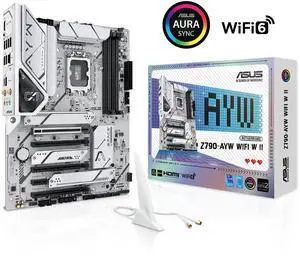
ASUS Z790-AYW WIFI W II Intel Z790 (LGA 1700) ATX motherboard with PCIe 5.0, three M.2, 12+1 DrMOS, DDR5, WIFI 6, Realtek 2.5Gb LAN, HDMI, rear USB 10Gbps Type-C and Type-A, front USB 10Gbps Type-C
- Memory Standard: Up to 8000+(OC)
- Number of Memory Slots: 4x288pin (DDR5)
- Brand: ASUS
- CPU Socket Type: LGA 1700
- Model #: Z790-AYW WIFI W II
- Item #: N82E16813119740
- Return Policy: Extended Holiday Return Policy
$159.99
$179.99
Free Shipping
Works as advertised
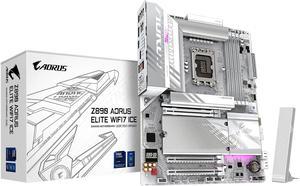
GIGABYTE Z890 AORUS ELITE WIFI7 ICE Ultra Core (Series 2) LGA 1851, ATX, DDR5, 4x M.2, PCIe 5.0, Thunderbolt 4, WIFI7, 2.5GbE LAN, EZ-Latch
- Memory Standard: DDR5 5600 / DDR5 5800 / DDR5 6000 / DDR5 6200 / DDR5 6400 / DDR5 6600 / DDR5 6800 / DDR5 7000 / DDR5 7200 / DDR5 7400 / DDR5 7600 / DDR5 7800 / DDR5 7900 / DDR5 7950 / DDR5 8000 / DDR5 8200 / DDR5 8266 / DDR5 8400 / DDR5 8600 / DDR5 8800 / DDR5 8933 / DDR5 9066 / DDR5 9200
- Number of Memory Slots: 4x288pin (DDR5)
- Brand: GIGABYTE
- CPU Socket Type: LGA 1851
- Model #: Z890 AORUS ELITE WIFI7 ICE
- Item #: N82E16813145526
- Return Policy: Extended Holiday Return Policy
$239.99
$289.99
Free Shipping
-White/silver accents -Intuitive BIOS -Button to release PCIE slot -WiFi 7 -Debug seven-segment display -on-board buttons for power, reset, BIOS flash
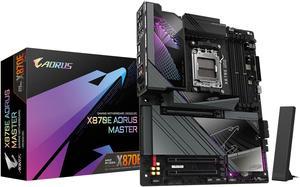
GIGABYTE X870E AORUS MASTER AM5 LGA 1718, ATX, DDR5, 4x M.2, PCIe 5.0, USB4, Wi-Fi 7, 5GbE LAN, EZ-Latch, 5-Year Warranty
- Brand: GIGABYTE
- CPU Socket Type: AM5
- Chipset: AMD X870E
- Serial ATA (SATA): 4 x SATA 6Gb/s
- Model #: X870E AORUS MASTER
- Item #: N82E16813145514
- Return Policy: Extended Holiday Return Policy
$379.99
$549.99
Free Shipping
Worked first time I plugged it in and got everything set up
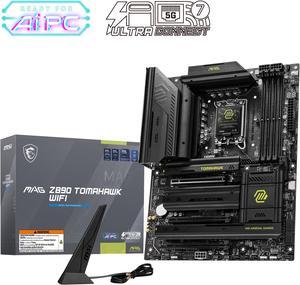
MSI MAG Z890 TOMAHAWK WIFI LGA 1851 ATX Motherboard
- Memory Standard: DDR5 4800 / DDR5 5000 / DDR5 5200 / DDR5 5400 / DDR5 5600 / DDR5 5800 / DDR5 6000 / DDR5 6200 / DDR5 6400 / DDR5 6600 / DDR5 6800 / DDR5 7000 / DDR5 7200 / DDR5 7400 / DDR5 7600 / DDR5 7800 / DDR5 7900 / DDR5 7950 / DDR5 8000 / DDR5 8200 / DDR5 8266 / DDR5 8400 / DDR5 8600 / DDR5 8666 / DDR5 8800 / DDR5 8933 / DDR5 9000 / DDR5 9066 / DDR5 9200
- Number of Memory Slots: 4x288pin (DDR5)
- Audio Chipset: Realtek ALC1220
- Brand: MSI
- Model #: MAG Z890 TOMAHAWK WIFI
- Item #: N82E16813144669
- Return Policy: Extended Holiday Return Policy
$229.99
$243.99
Free Shipping
M2 slots usb c bios makes overlooking a cinch