
Your Browsing History
 Holiday Shipping Details & Extended Holiday Returns
 BEST SELLERS


BEST SELLERS
In Motherboard
Our most popular products, based on sales and updated frequently.Shop Department
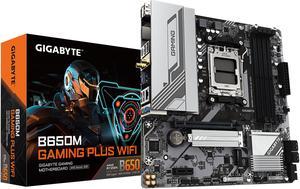
GIGABYTE B650M GAMING PLUS WIFI AM5 LGA 1718 AMD B650 M-ATX, DDR5, PCIe 4.0 M.2, PCIe 4.0, USB 3.2 Gen 1 Type-C, Wi-Fi 6E, 2.5GbE LAN
- Brand: GIGABYTE
- CPU Socket Type: AM5
- Chipset: AMD B650
- Serial ATA (SATA): 4 x SATA 6Gb/s
- Model #: B650M GAMING PLUS WIFI
- Item #: N82E16813145502
- Return Policy: Extended Holiday Return Policy
$109.99
$148.49
Free Shipping
AM5 Socket 4 Dimm slots WiFi built in
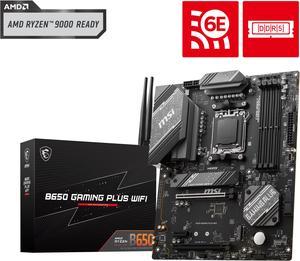
MSI B650 GAMING PLUS WIFI AM5 AMD B650 SATA 6Gb/s ATX Motherboard
- Brand: MSI
- CPU Socket Type: AM5
- Chipset: AMD B650
- Serial ATA (SATA): 4 x SATA 6Gb/s
- Model #: B650 GAMING PLUS WIFI
- Item #: N82E16813144628
- Return Policy: Extended Holiday Return Policy
$139.99
$199.99
Free Shipping
-Simple set up -Flash BIOS -Looks great for the price
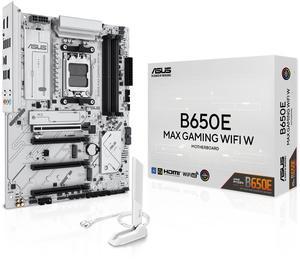
ASUS B650E MAX GAMING WIFI W - AMD B650 AM5, PCIe 5.0, ATX Motherboard, White PCB, DDR5, 3x M.2, Wi-Fi 6E, 2.5Gb LAN, USB 10Gbps Type-C, DisplayPort, HDMI, BIOS FlashBack, Aura Sync, Advanced AI PC
- Brand: ASUS
- CPU Socket Type: AM5
- Chipset: AMD B650
- Serial ATA (SATA): 4 x SATA 6Gb/s
- Model #: B650E MAX GAMING WIFI White
- Item #: N82E16813119736
- Return Policy: Extended Holiday Return Policy
$139.99
$179.99
Free Shipping
3 nvme slots Good wireless Like UEFI bios, upgrading from circa 2010 lol
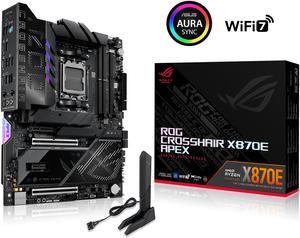
ASUS ROG CROSSHAIR X870E APEX AMD X870E AM5 ATX motherboard, Advanced AI PC-ready, 18+2+2 stages, DDR5, ROG Memory Fan, ROG DIMM.2 Card, Wi-Fi 7, 5G LAN, 3x M.2, PCIe® 5.0, USB4® , USB Type-C®, AI OC
- Brand: ASUS
- CPU Socket Type: AM5
- Chipset: AMD X870E
- Serial ATA (SATA): 4 x SATA 6Gb/s
- Model #: ROG CROSSHAIR X870E APEX
- Item #: N82E16813119734
- Return Policy: Extended Holiday Return Policy
$699.99
$716.99
Free Shipping
The best bios support amognst all of the brands. Very soild OC functions and tools. THE BEST memory OC board for the AM5 socket.
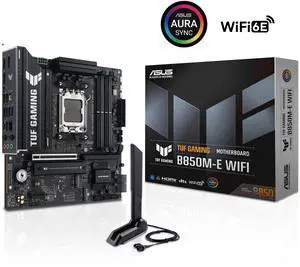
ASUS TUF GAMING B850M-E WIFI AMD B850 mATX motherboard, 8+2+1 80A DrMOS power stages, DDR5, PCIe 5.0, 3 M.2 slots, WiFi 6E, 2.5Gb Ethernet, DisplayPort, HDMI, rear USB-C 10Gbps and front USB-C 5Gbps
- Brand: ASUS
- CPU Socket Type: AM5
- Chipset: AMD B850
- Serial ATA (SATA): 4 x SATA 6Gb/s
- Model #: TUF GAMING B850M-E WIFI
- Item #: N82E16813119758
- Return Policy: Extended Holiday Return Policy
SOLD OUT
Sold Price: $169.99
AM5 socket, ease of use, heatsink for gen 5 drive, pcie 5.0 compatible, plenty of RGB and fan/aio headers, sleek black look for black builds. USB-c on back panel, easy to use bios.
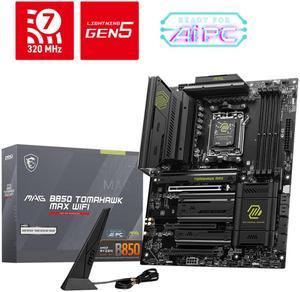
MSI MAG B850 TOMAHAWK MAX WIFI AM5 AMD B850 SATA 6Gb/s 5G Network Wi-Fi7 DDR5 Motherboard
- Brand: MSI
- CPU Socket Type: AM5
- Chipset: AMD B850
- Serial ATA (SATA): 4 x SATA 6Gb/s
- Model #: MAG B850 TOMAHAWK MAX WIFI
- Item #: N82E16813144697
- Return Policy: Extended Holiday Return Policy
$229.99
$275.99
Free Shipping
Wifi 7 320 and 5g Lan, 2 PCI 5 M2 and 1 PCI x16 GPU, great OC support and easy to use UEFI,
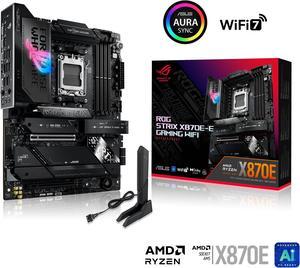
ASUS ROG STRIX X870E-E GAMING WIFI AMD AM5 X870 ATX motherboard 18+2+2 power stages, Dynamic OC Switcher, Core Flex, DDR5 AEMP, WiFi 7, 5x M.2, PCIe 5.0, Q-Release Slim, USB4, AI OCing & Networking
- Brand: ASUS
- CPU Socket Type: AM5
- Chipset: AMD X870E
- Serial ATA (SATA): 4 x SATA 6Gb/s
- Model #: ROG STRIX X870E-E GAMING WIFI
- Item #: N82E16813119682
- Return Policy: Extended Holiday Return Policy
$379.99
$499.99
Free Shipping
- Compact - Tons of M.2 - Amazing memory support - Amazing OOTB CPU support - Not running too hot under normal use
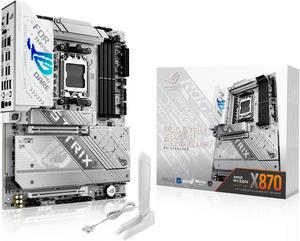
ASUS ROG STRIX X870-A GAMING WIFI AMD AM5 X870 ATX motherboard 16+2+2 power stages, Dynamic OC Switcher, Core Flex, DDR5 AEMP, WiFi 7, 4x M.2, PCIe 5.0, Q-Release Slim, USB4, AI OCing & Networking
- Brand: ASUS
- CPU Socket Type: AM5
- Chipset: AMD X870
- Serial ATA (SATA): 2 x SATA 6Gb/s
- Model #: ROG STRIX X870-A GAMING WIFI
- Item #: N82E16813119684
- Return Policy: Extended Holiday Return Policy
$329.99
Free Shipping
awesome white Board starts in 20s without changes in the BIOS works perfectly with my AMD Ryzen 5 7600X3D works perfectly with the Corsair RGB fans and Corsair RAM (see Video) very nice with sleeved cables
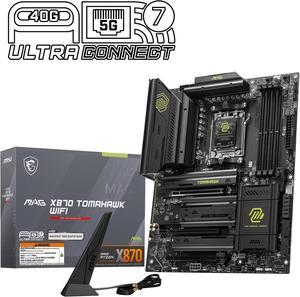
MSI MAG X870 TOMAHAWK WIFI AM5 ATX Gaming Motherboard, 4x SATA 6Gb/s, AMD Wi-Fi 7,USB 4.0
- Brand: MSI
- CPU Socket Type: AM5
- Chipset: AMD X870
- Serial ATA (SATA): 4 x SATA 6Gb/s
- Model #: MAG X870 TOMAHAWK WIFI
- Item #: N82E16813144667
- Return Policy: Extended Holiday Return Policy
$259.99
$309.99
Free Shipping
- Great DIY mounting system. - Good design and number of USB ports. - The Steel Armor II helps supporting large GPUs.
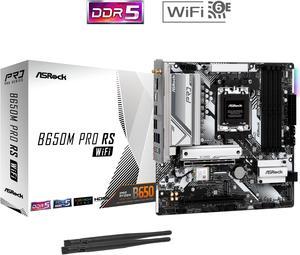
ASRock B650M Pro RS WiFi AM5 Micro ATX Motherboard
- Brand: ASRock
- CPU Socket Type: AM5
- Chipset: AMD B650
- Serial ATA (SATA): 4 x SATA 6Gb/s
- Model #: B650M Pro RS WiFi
- Item #: N82E16813162131
- Return Policy: Extended Holiday Return Policy
$109.99
$149.99
Free Shipping
Ive built 6 pc on this motherboard and never had a problem. Very easy setup and I like that its so versatile.
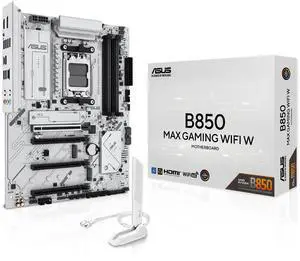
ASUS B850 MAX GAMING WIFI W - AMD AM5 ATX Motherboard, White PCB, DDR5, PCIe 5.0 Ready, 3x M.2, Wi-Fi 6E, 2.5Gb LAN, USB 10Gbps Type-C, DisplayPort, HDMI, BIOS FlashBack, Aura Sync, ASUS AI Advisor
- Brand: ASUS
- CPU Socket Type: AM5
- Chipset: AMD B850
- Serial ATA (SATA): 4 x SATA 6Gb/s
- Model #: B850 MAX GAMING WIFI W
- Item #: N82E16813119742
- Return Policy: Extended Holiday Return Policy
$159.99
$169.99
Free Shipping
36°C on full load, this motherboard works very cool. Easy to install fans, multiple Argb connection available. Asus did well on this B850 mobo, everything works pretty well. Worked out of the box with my Ryzen 5 9600X.
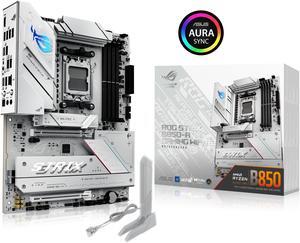
ASUS ROG STRIX B850-A GAMING WIFI R2 AMD AM5 B850 ATX motherboard with 14+2+1 power stages, DDR5 support with AEMP, WiFi 7, 4x M.2, PCIe 5.0 x16, USB 20Gbps Type-C, ASUS AI Advisor, AI Networking II
- Brand: ASUS
- CPU Socket Type: AM5
- Chipset: AMD B850
- Serial ATA (SATA): 2 x SATA 6Gb/s
- Model #: ROG STRIX B850-A GAMING WIFI R2
- Item #: N82E16813119743
- Return Policy: Extended Holiday Return Policy
$189.99
$259.99
Free Shipping
Works well in a white build Easy to install Lots of ports for all your USB and aRGB needs Competitive pricing vs other boards on the market and getting that ASUS quality
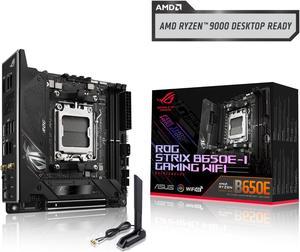
ASUS ROG Strix B650E-I Gaming WiFi AMD B650 AM5 Ryzen™ Desktop 9000 8000 & 7000 mini-ITX mITX motherboard, 10+2 power stages, DDR5, 2x M.2 slot, PCIe® 5.0, 2.5G LAN, WiFi 6E, USB 3.2 Gen 2x2 Type-C
- Brand: ASUS
- CPU Socket Type: AM5
- Chipset: AMD B650E
- Serial ATA (SATA): 2 x SATA 6Gb/s
- Model #: ROG STRIX B650E-I GAMING WIFI
- Item #: N82E16813119612
- Return Policy: Extended Holiday Return Policy
$179.99
$299.99
Sale Ends in 21 Hours
Free Shipping
Looks great Easy to work with Runs smooth BIOS is fairly easy to work in
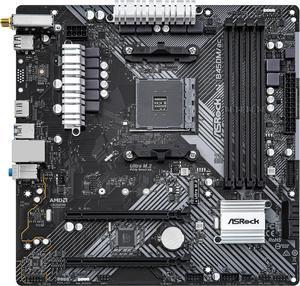
ASRock B450M/AC R2.0 AM4 Micro ATX AMD Motherboard
- Brand: ASRock
- CPU Socket Type: AM4
- Chipset: AMD Promontory B450
- Serial ATA (SATA): 4 x SATA3 6.0Gb/s Connectors, support RAID, NCQ, AHCI and Hot Plug
- Model #: B450M/AC R2.0
- Item #: N82E16813157974
- Return Policy: Extended Holiday Return Policy
$79.99
$89.99
Free Shipping
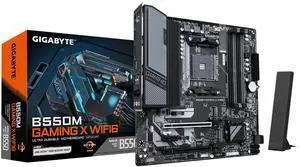
GIGABYTE B550M GAMING X WIFI6 AM4 Micro ATX Motherboard
- Brand: GIGABYTE
- CPU Socket Type: AM4
- Chipset: AMD B550
- Serial ATA (SATA): 6 x SATA 6Gb/s
- Model #: B550M GAMING X WIFI6
- Item #: N82E16813145586
- Return Policy: Extended Holiday Return Policy
$104.99
$154.99
Free Shipping
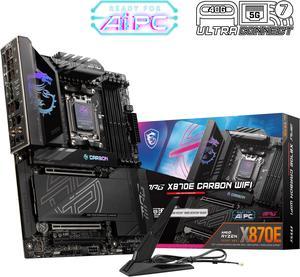
MSI MPG X870E CARBON AM5 ATX Gaming Motherboard, 4x SATA 6Gb/s, AMD Wi-Fi 7,USB 4.0
- Brand: MSI
- CPU Socket Type: AM5
- Chipset: AMD X870E
- Serial ATA (SATA): 4 x SATA 6Gb/s
- Model #: MPG X870E CARBON WIFI
- Item #: N82E16813144666
- Return Policy: Extended Holiday Return Policy
$499.99
Free Shipping
GPU + NVME PCI 5.0 Power/CMOS Clear buttons Easy to install components Lots of fun settings to tweak and mess with Lots of fan and rgb headers
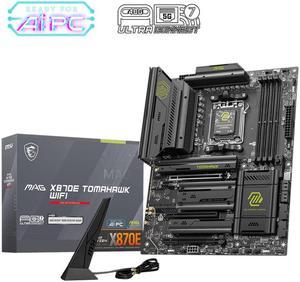
MSI MAG MAG X870E TOMAHAWK WIFI AM5 AMD X870E SATA 6Gb/s M.2 DDR5 Wi-Fi 7 5G LAN ATX Motherboards
- Brand: MSI
- CPU Socket Type: AM5
- Chipset: AMD X870E
- Serial ATA (SATA): 4 x SATA 6Gb/s
- Model #: MAG X870E TOMAHAWK WIFI
- Item #: N82E16813144699
- Return Policy: Extended Holiday Return Policy
$259.99
$264.99
Free Shipping
The x870e Tomahawk offers a solid blend of features and affordability. With four M.2 slots, convenient arrangement of ports for front panel and connectors, ample space for other components to live and breathe. I had no trouble assembling a modern computer (GTX 5080, AMD 9800X3D, 64GB DDR5 6000 RAM, RM1000x PSU). Compared to old arrangements, the care they took to ensure easy connectors for modern cases where many of the cables can route to the back, or connect to the side, makes for an elegant final build. I especially appreciate the ease of installing up to four M.2 hard drives with integrated heatsinks, but it can also support plenty of 2.5" to 3.5" SATA and SSD drives as well. The BIOS is clear with many settings for beginners and experts alike to fine-tune. Right out of the box it worked fine. The drivers are included on a USB stick to make it easy to get up and running, where you can then grab the latest updates through MSI Center. The on-screen display doubles as a CPU temperature, and is convenient for eyeballing any issues or performance. It has plenty of RGB and fan connectors including a dedicated one for a water cooler (System Pump), CPU, case fans. I have it all running flawlessly and am happy to have taken the leap and upgraded.
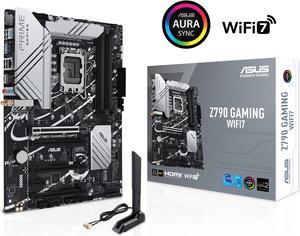
ASUS Z790 GAMING WIFI7 (LGA 1700) ATX motherboard with PCIe 5.0, three M.2 slots, 14+1 DrMOS, DDR5, WIFI 7, Realtek 1Gb LAN, HDMI TM, USB 3.2 Gen 2x2 Type-C, front USB 3.2 Gen 1 Type-C
- Memory Standard: DDR5 7200+(OC)/7000(OC)/6800(OC)/6600(OC)/ 6400(OC)/ 6200(OC)/ 6000(OC)/ 5800(OC)/ 5600/ 5400/ 5200/ 5000/ 4800 Non-ECC, Un-buffered Memory*
- Number of Memory Slots: 4x288pin (DDR5)
- PCI Express x16: 1 x PCIe 3.0 x1 slot * Please check the PCIe bifurcation table on the support site (https://www.asus.com/support/FAQ/ 1037507/). - To ensure compatibility of the device installed, please refer to https://www.asus.com/support/ for the list of supported peripherals.
- Brand: ASUS
- Model #: Z790 GAMING WIFI7
- Item #: N82E16813119679
- Return Policy: Extended Holiday Return Policy
$149.99
$199.99
Free Shipping
Very easy to install Instructions clean and understandable
GIGABYTE B850 GAMING X WIFI6E AMD AM5 LGA 1718 Motherboard, ATX, DDR5, 3x M.2, PCIe 5.0, USB-C, WIFI6E, 2.5GbE LAN, EZ-Latch, 5-Year Warranty
- Brand: GIGABYTE
- CPU Socket Type: AM5
- Chipset: AMD B850
- Form Factor: ATX
- Model #: B850 GAMING X WIFI6E
- Item #: N82E16813145546
- Return Policy: Extended Holiday Return Policy
$159.99
$209.99
Free Shipping
Has everything yoy need
GIGABYTE X870 AORUS ELITE WIFI7 AM5 LGA 1718, ATX, DDR5, 4x M.2, PCIe 5.0, USB4, Wi-Fi 7, 2.5GbE LAN, EZ-Latch, 5-Year Warranty
- Brand: GIGABYTE
- CPU Socket Type: AM5
- Chipset: AMD X870
- Serial ATA (SATA): 4 x SATA 6Gb/s
- Model #: X870 AORUS ELITE WIFI7
- Item #: N82E16813145519
- Return Policy: Extended Holiday Return Policy
$279.99
$319.99
Free Shipping