Local AI used to mean one chat window and one model. AI agents changed that. An agent setup might keep a language model loaded, call a second model for embeddings, run a code sandbox, a browser and a vector database, and do it all with a long context window. That changes the memory math a lot.
So when does a 128GB or 256GB workstation actually make sense? These are the questions I'd work through.
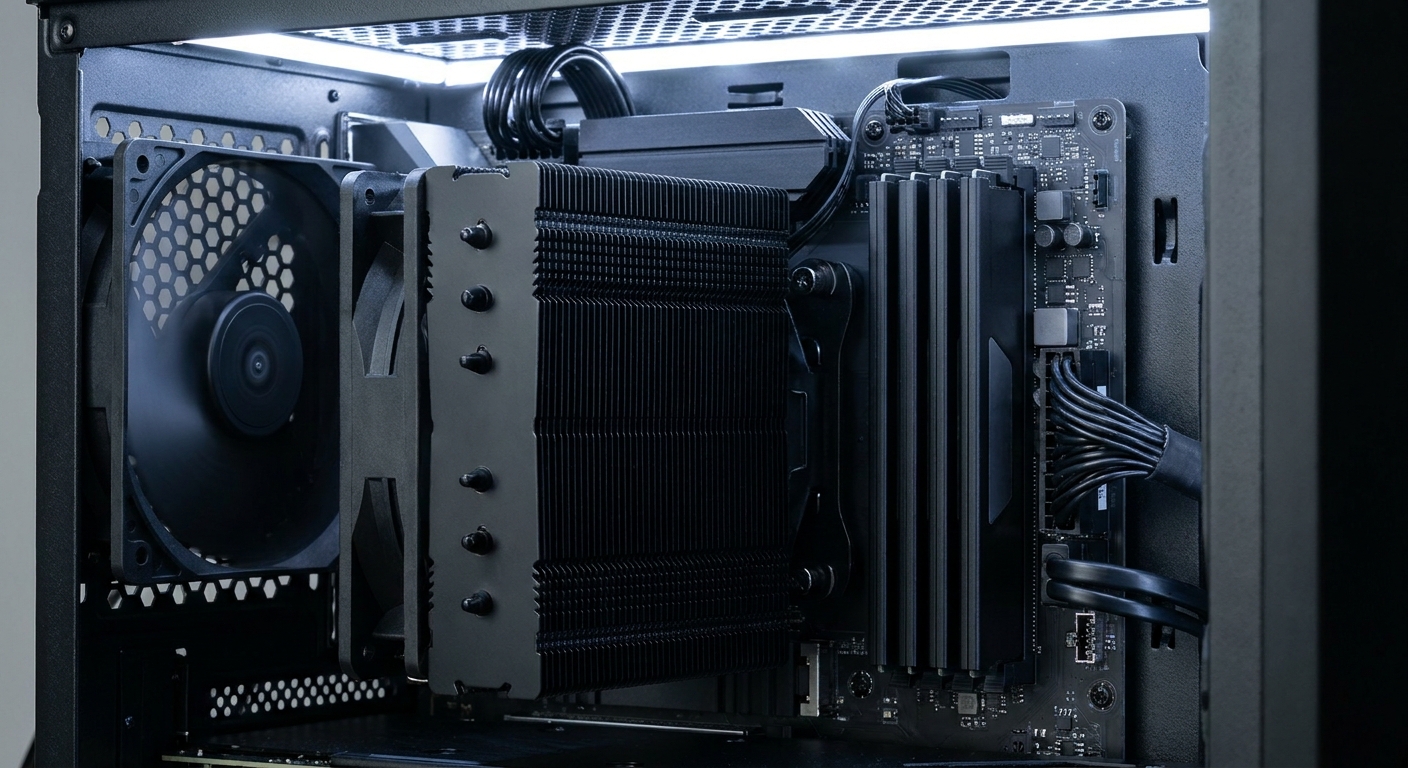
Why do agents use so much memory?
Three things stack up. The model weights need to live somewhere, ideally in GPU memory. Long context windows add a key-value cache that grows as the conversation grows. And the tools around the model, such as containers, browsers and databases, all use system RAM too.
When the model doesn't fit in VRAM, tools like llama.cpp can run part of it from system memory. That's where capacity and memory bandwidth start to matter.
Is 64GB enough?
For one mid-size model running on a GPU plus your normal apps, it often is. If you want to run several models at once, or offload a large mixture-of-experts model to the CPU, I'd plan for more.
When does 128GB make sense?
128GB is my line for "I'm running agents seriously on one machine." It's also reachable on a normal desktop platform.
On AM5, the AMD Ryzen 9 9950X gives you 16 cores and 32 threads. With two 64GB modules, such as the NEMIX RAM 128GB (2 x 64GB) DDR5-5600 ECC UDIMM kit, you get 128GB in dual-channel mode. ECC needs board support, so check your motherboard's specs first. Many AM5 boards list up to 256GB with four 64GB modules on a current BIOS, though running four high-capacity sticks usually means lower memory speeds.
The limit on AM5 is bandwidth: it's a dual-channel platform. If you plan to run large models from system memory, that's the reason to look at Threadripper.
When does 256GB make sense?
When you want big models in system memory, several agents running in parallel, or room for VMs alongside AI work. At that point, I'd move to Threadripper.
The AMD Ryzen Threadripper 9970X has 32 cores and 64 threads on sTR5. Pair it with the ASUS Pro WS TRX50-SAGE WIFI A, a quad-channel TRX50 board with four DDR5 RDIMM slots, three PCIe 5.0 x16 slots, 10GbE plus 2.5GbE and Wi-Fi 7.

For memory, the V-COLOR 128GB (4 x 32GB) DDR5-6800 OC RDIMM kit fills all four slots with an EXPO profile. If you want to start smaller, the TEAMGROUP T-Create Master 64GB (4 x 16GB) DDR5-6000 RDIMM kit still fills all four channels. To reach 256GB on TRX50, you'd use four 64GB RDIMMs.

What about eight memory channels?
That's WRX90 territory. The ASUS Pro WS WRX90E-SAGE SE has eight DIMM slots with an 8-channel memory architecture and support for up to 2TB. The important catch: WRX90 boards are for Threadripper PRO processors, so a 9970X won't work in it.
A kit like the TEAMGROUP T-Create Master 256GB (8 x 32GB) DDR5-6000 ECC RDIMM kit fills all eight channels for maximum bandwidth on that platform.

Do I need ECC?
For experimenting, no. For long, unattended agent jobs that write to files or databases, I like having it. Threadripper on TRX50 and WRX90 uses registered ECC memory, so you get it there by default.
Don't forget the GPU
System memory is the backstop, not the main engine. If your model fits entirely in GPU memory, it will run far faster than one that spills into system RAM, even on an eight-channel platform. So I'd decide on the GPU first, based on the models you want to run, and then size system memory to hold everything else: tools, containers, a second model and the parts of a big model that don't fit in VRAM.
A Threadripper board also gives you room for that GPU. The TRX50 board here has three full-length PCIe 5.0 x16 slots wired to the CPU, so adding a second card later doesn't mean starting over.
So which platform would I build?
- One GPU, a few agents, 128GB: Ryzen 9 9950X on AM5 with two 64GB modules.
- Bigger models in system memory, 128GB to 256GB: Threadripper 9970X on TRX50, all four channels filled.
- Maximum bandwidth and capacity: Threadripper PRO on WRX90 with eight channels.
Whichever you pick, put the GPU budget first if your models fit in VRAM. Extra RAM is what keeps everything else running smoothly around it.
Frequently Asked Questions
Why do local AI agents need so much memory? An agent setup often keeps a language model loaded alongside tools, a database, browsers or containers, and long context windows add a growing key-value cache. When the model does not fit in GPU memory, part of it runs from system RAM.
Is 64GB of RAM enough for local AI? For one mid-size model on a GPU plus normal desktop apps, often yes. If you run several models at once or offload large models to system memory, 128GB gives much more breathing room.
Can an AM5 desktop have 128GB or 256GB of RAM? Many AM5 motherboards list support for up to 256GB using four 64GB modules. Two 64GB modules give you 128GB in dual-channel mode.
Do I need ECC or registered memory for AI? Not for experimenting. ECC is useful for long, unattended jobs where silent memory errors matter. Threadripper on TRX50 and WRX90 uses registered ECC DIMMs.
Can I use a Ryzen Threadripper 9970X on a WRX90 motherboard? No. WRX90 boards are for Threadripper PRO processors. A non-PRO Threadripper like the 9970X goes on a TRX50 board.
Read More
- AMD Ryzen Threadripper Processors (AMD): AMD's page for Threadripper and Threadripper PRO workstation chips.
- llama.cpp (GitHub): The inference engine many local AI tools use, including CPU and GPU offload.
- RTX PRO 6000 vs RTX 5090 for a Local AI Workstation (Newegg Insider): The GPU side of a local AI workstation.
- 128GB for Local AI: DGX Spark, Strix Halo or RTX Spark? (Newegg Insider): Compact 128GB alternatives to a full workstation.
- How Much Memory an AM5 Build Actually Needs in 2026 (Newegg Insider): Memory guidance for gaming and general AM5 builds.