
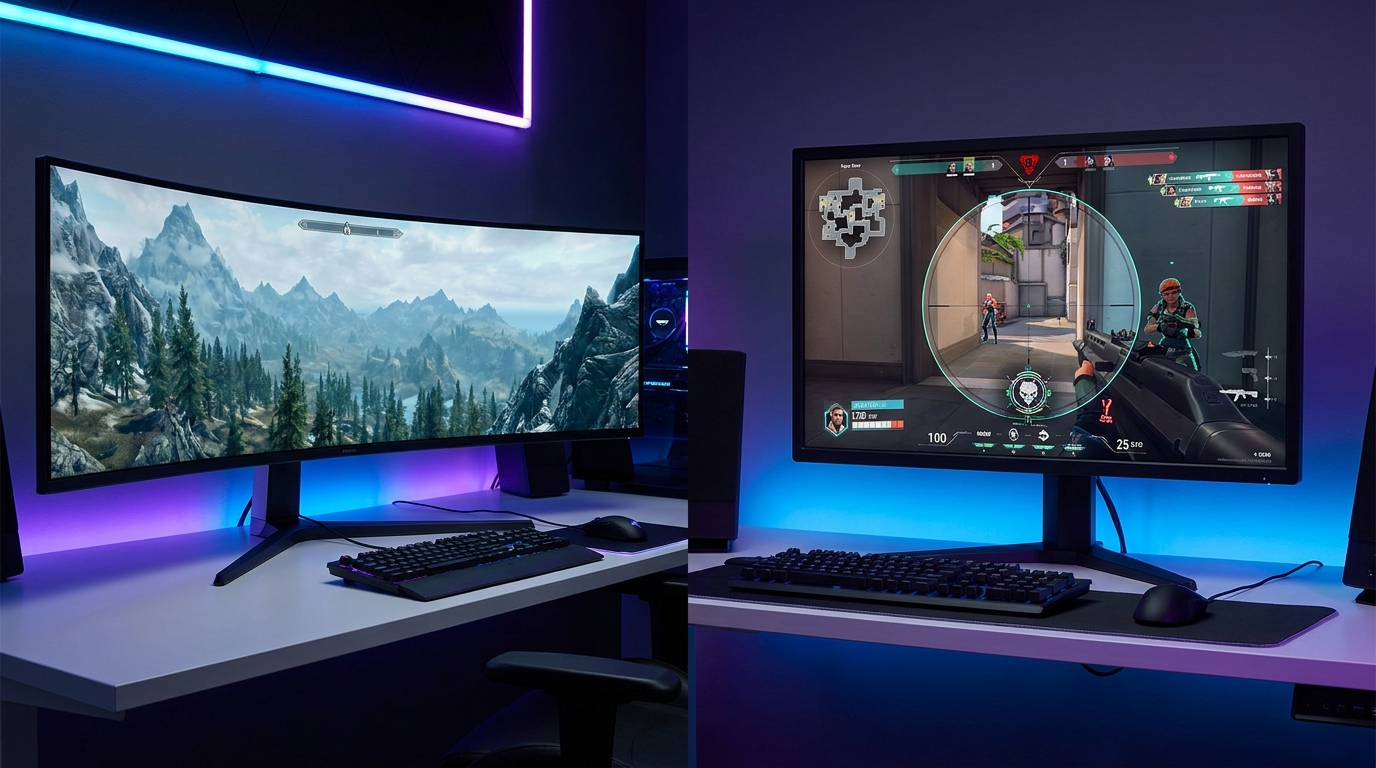
If you’ve spent any time shopping for a gaming monitor in 2026, you’ve faced a decision that goes beyond specs: do you want a curved screen or a flat one? The answer isn’t as simple as “curved looks cooler” — both screen shapes have real-world advantages and trade-offs that depend on what you play, how you sit, and what else you use your monitor for.
This guide breaks down everything that actually matters when choosing between curved and flat gaming monitors, so you can make a confident decision for your specific setup.
 How Curved Monitors Work
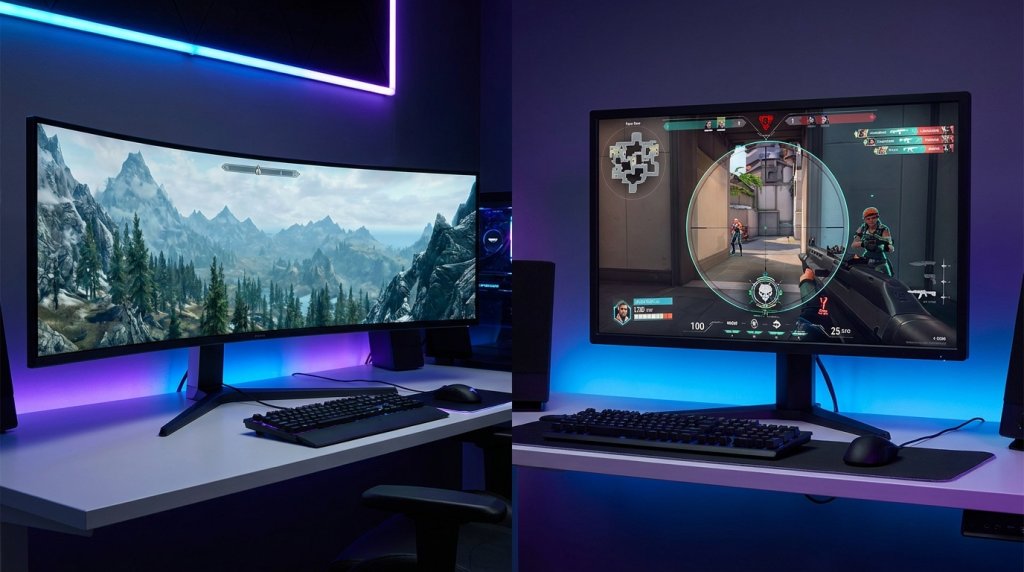
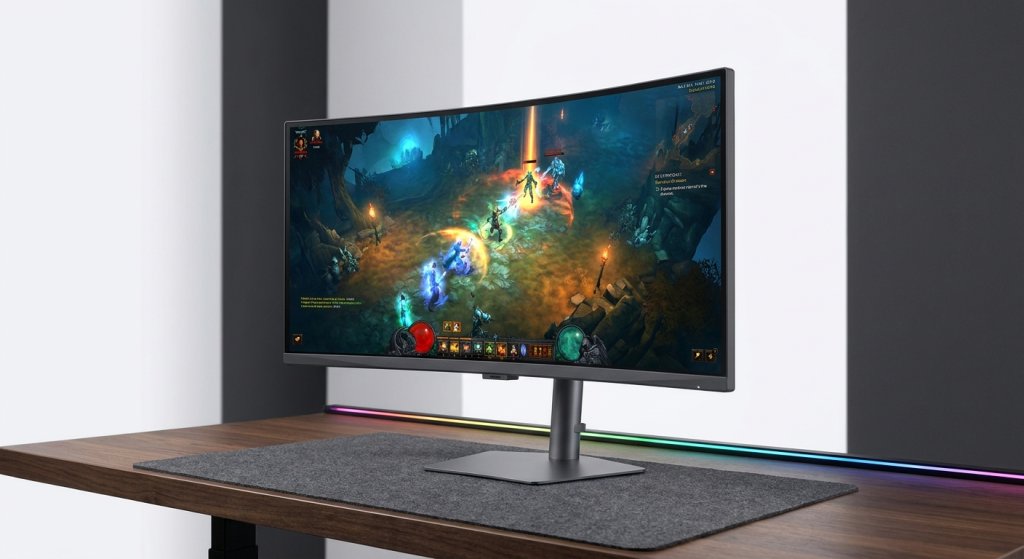
Curved monitors use a gentle arc — measured in millimeters of radius — to wrap the display around your natural field of view. The curvature rating tells you how far away the center of a hypothetical circle would be from the screen. A 1500R curve is tighter (more curved), while a 1800R or 3800R curve is gentler.
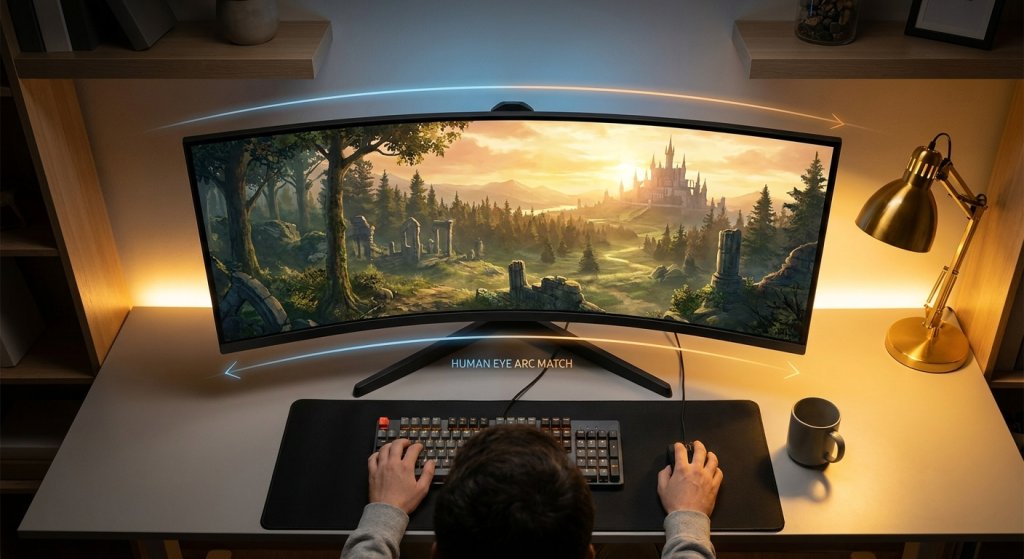
The idea is to match the curvature of the human eye. Your eyes naturally trace a curved arc in front of you, not a flat plane. A curved screen places every part of the display at approximately the same distance from your eyes, reducing the need to refocus as you look across a wide display. This is particularly relevant on larger screens — a 32-inch flat monitor can have a noticeable distance difference between the center and the corners.
Most curved gaming monitors today use 1000R to 1800R curves, with 1500R being a common sweet spot for 27–32 inch screens. Curved gaming monitors are available across panel types — IPS, VA, and OLED — giving buyers flexibility on both aesthetics and technology.
The Real Advantages of Curved Monitors
Immersion in Single-Player and Open-World Games
The strongest argument for curved monitors is immersion. In open-world games, flight simulators, racing games, and RPGs, the wrapping effect genuinely changes how the game feels. When the display extends into your peripheral vision and the edges curve toward you rather than angling away, the sense of being “inside” the game world is meaningfully enhanced.
This effect is most pronounced at larger sizes and wider aspect ratios. A 34-inch ultrawide curved monitor at 21:9 aspect ratio delivers an immersive experience that flat monitors simply can’t replicate at the same viewing distance. Games like open-world RPGs, racing simulations, and space exploration titles are transformed by this format.
Reduced Eye Strain on Large Displays
Ergonomics research supports the idea that curved displays reduce eye strain at wider screen sizes. On a flat 34-inch or larger screen, your eyes must continuously adjust focus as they move from the center to the corners — a subtle but tiring process over long sessions. A properly curved monitor keeps every part of the screen at a more consistent focal distance, making extended gaming sessions more comfortable for many users.
 A More Enveloping Single-Monitor Setup
For users who want the benefits of an ultrawide setup without managing multiple monitors, curved ultrawides offer a compelling alternative. A single 34-inch ultrawide curved display provides enough horizontal space for productivity multitasking while delivering an immersive gaming experience — all with one cable and one display.
Where Flat Monitors Have the Advantage
Competitive and Esports Gaming
Flat monitors remain the format of choice for competitive gaming, and the reasons are straightforward. Professional esports players overwhelmingly use flat 24–27 inch monitors in 16:9 format. At this size range, the distance variation between the screen center and corners on a flat monitor is minimal — the ergonomic argument for curved becomes less relevant. Meanwhile, flat monitors are available at the highest refresh rates (360Hz–500Hz) across a wider range of price points.
Flat 24–27 inch gaming monitors offer the best combination of pixel density, refresh rate, response time, and price for competitive titles. If your primary games are Counter-Strike 2, Valorant, Apex Legends, or other fast-paced multiplayer shooters, the flat form factor gives you more options at your performance target.
Color Consistency and Viewing Angles
Flat IPS and OLED panels deliver more consistent color across the entire screen surface compared to curved alternatives. While curved monitor manufacturing has improved significantly, perfectly uniform color across a curved panel remains more difficult to achieve than on a flat screen — particularly for content creation work where color accuracy matters.
If you use your monitor for photo or video editing alongside gaming, a flat IPS gaming monitor typically offers more reliable color uniformity and viewing angle performance.
Multi-Monitor Setups
Building a dual or triple monitor setup is considerably easier and more visually coherent with flat screens. Curved monitors placed side by side face outward at the edges, creating awkward gaps and uneven sightlines. For productivity-focused setups where multiple monitors are tiled together, flat panels tile cleanly without geometry conflicts.
Size, Curvature, and the 1500R Sweet Spot
The relationship between screen size and curvature is important to understand. Curvature makes the most meaningful difference at larger screen sizes viewed from typical desk distances (60–80cm). Here’s how the math plays out:
| Screen Size | Curvature Range | Practical Benefit | Best Use Case |
|---|---|---|---|
| 24–27 inch | 1500R–1800R | Subtle; mostly aesthetic | Personal preference |
| 27–32 inch | 1000R–1800R | Moderate; edge comfort improves | Mixed gaming and productivity |
| 34 inch ultrawide | 1500R–1800R | Significant; immersion clearly noticeable | Immersive single-player, sims |
| 38–49 inch ultrawide | 1800R–3800R | Essential; flat panels feel unnatural at this size | Panoramic gaming, workstation |
At 24–27 inches, the curvature benefit is largely aesthetic — the screen isn’t wide enough for the geometry difference to matter significantly. The real ergonomic and immersive benefits kick in at 32 inches and above. This is why the most popular curved gaming monitors are 34-inch and larger ultrawides.
 Comparison at a Glance
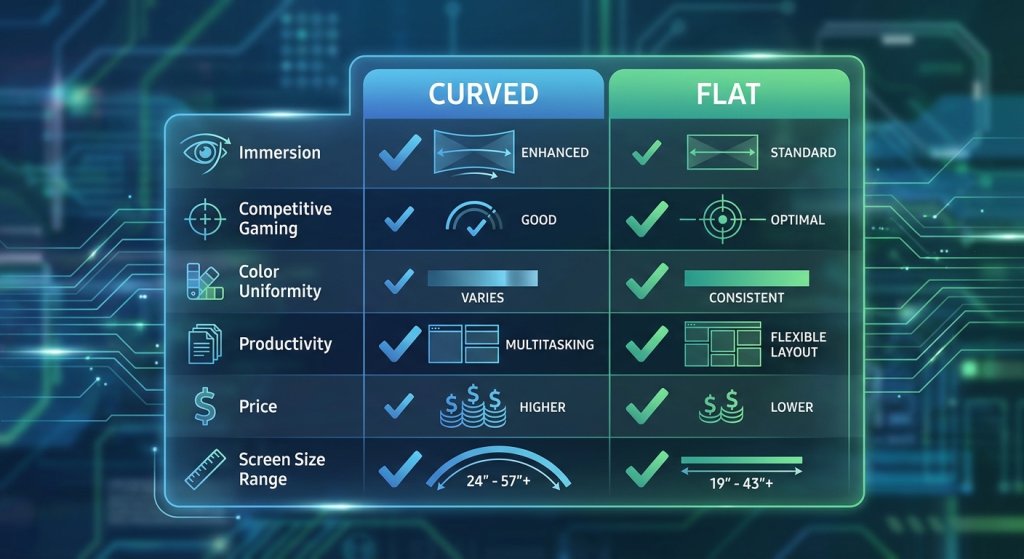
| Factor | Curved | Flat |
|---|---|---|
| Immersion | ✅ Strong advantage at 32″+ | Standard |
| Competitive Gaming | Acceptable | ✅ Preferred by pros |
| Eye Strain (Large Screens) | ✅ Reduced at 32″+ | More variation at edges |
| Color Uniformity | Good on quality panels | ✅ More consistent overall |
| Multi-Monitor Compatibility | Awkward | ✅ Tiles cleanly |
| Ultrawide Format Options | ✅ Wide selection | Limited ultrawide flat options |
| Price (same specs) | Slightly higher | ✅ More competitive |
| Highest Refresh Rate Availability | Up to 360Hz at 1440p | ✅ Up to 500Hz at 1080p |
Recommended Monitors for Each Format
Best Curved Options
For immersive single-player gaming and mixed-use setups, curved ultrawides deliver the most compelling experience. The best curved gaming monitors at 34 inches pair 1440p ultrawide resolution with 165–240Hz refresh rates, giving you both immersion and smooth motion.
QD-OLED technology has made particularly strong inroads in curved ultrawide monitors, with models offering infinite contrast, sub-0.1ms response times, and 34-inch ultrawide formats that transform games designed with cinematic widescreen in mind. The MSI MAG 272QP QD-OLED is an excellent example of OLED technology in a curved format, delivering 240Hz at 1440p with exceptional contrast.
Best Flat Options
For competitive gaming, flat monitors at 24–27 inches remain the standard. If you’re building a performance-focused setup for fast-paced multiplayer, explore 24–27 inch flat gaming monitors with 144Hz or higher refresh rates. For 4K content and single-player immersion on a flat screen, 4K flat gaming monitors at 27–32 inches deliver stunning image quality without the curvature trade-offs.
 The Decision Framework
Here’s a simple way to think about it: if your primary games are fast-paced competitive multiplayer titles (CS2, Valorant, Apex Legends, Overwatch 2), stick with flat monitors at 24–27 inches where refresh rate and response time matter most. If you mostly play story-driven RPGs, open-world adventures, racing or flight simulations — or if you want your monitor to double as a cinematic entertainment screen — a curved ultrawide is worth the investment.
If you’re truly split between the two uses, a flat 27-inch 1440p monitor is the most versatile compromise: fast enough for competitive play, sharp enough for immersive games, and practical for productivity and multi-monitor setups.
Conclusion
Neither curved nor flat is universally better — they serve different use cases. Curved monitors excel at immersion, large-format ergonomics, and ultrawide gaming. Flat monitors lead in competitive performance, color consistency, and multi-monitor flexibility. Understanding your gaming style is the only lens that matters when making this decision.
Browse the full range of curved gaming monitors and flat gaming monitors on Newegg to compare specs and find the screen shape that fits your setup.
Related Posts
- Gaming Monitor Resolution and Refresh Rate Guide: Choosing Between 1080p, 1440p, and 4K in 2026
- What Can You Do With a Portable USB Monitor?
- How to choose the best gaming monitor in 2021
- Nvidia DLSS provides smooth gory glory in Outriders
- The ASUS Bezel-Free Kit hides the seams in your triple monitor setup