
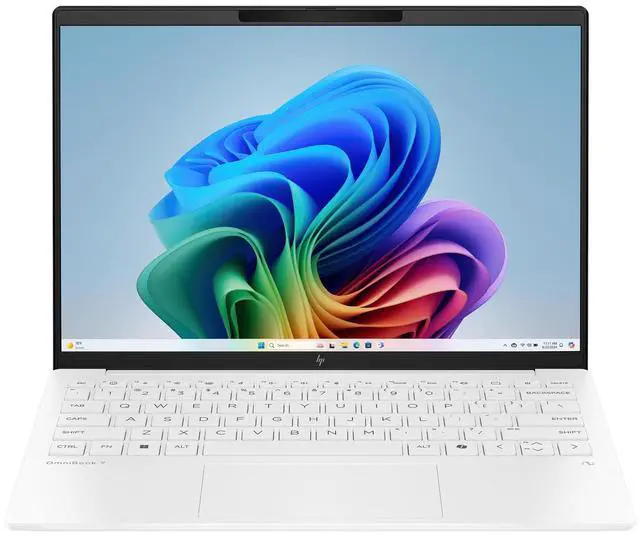
Screen size is one of the first decisions you face when buying a laptop — and one of the most personal. Unlike CPU benchmarks or RAM specs, the right screen size depends almost entirely on how and where you use your machine. Too small and you’ll strain your eyes during long sessions; too large and you’ll dread lifting your bag.
In 2026, laptop screens range from compact 11-inch education devices all the way to 18-inch desktop-replacement behemoths — and every inch in between serves a different type of user. This guide breaks down each size tier so you can answer the question with confidence: What screen size laptop should I buy?
Why Screen Size Matters More Than Ever in 2026
The shift toward hybrid work, remote learning, and AI-assisted productivity has changed how people interact with their displays. More users are spending longer hours in front of their laptops — which makes viewing comfort, resolution scaling, and ergonomics increasingly important purchasing factors.
At the same time, OLED panels, Mini-LED backlighting, and 120 Hz refresh rates have become accessible across a much wider range of screen sizes. Even 13-inch laptops now offer stunning visual quality that was once exclusive to larger displays. The question is no longer just “what fits in my bag” — it’s about matching the display to your workflow.
Screen Size Tiers: A Practical Breakdown
11–12 Inches: Maximum Portability
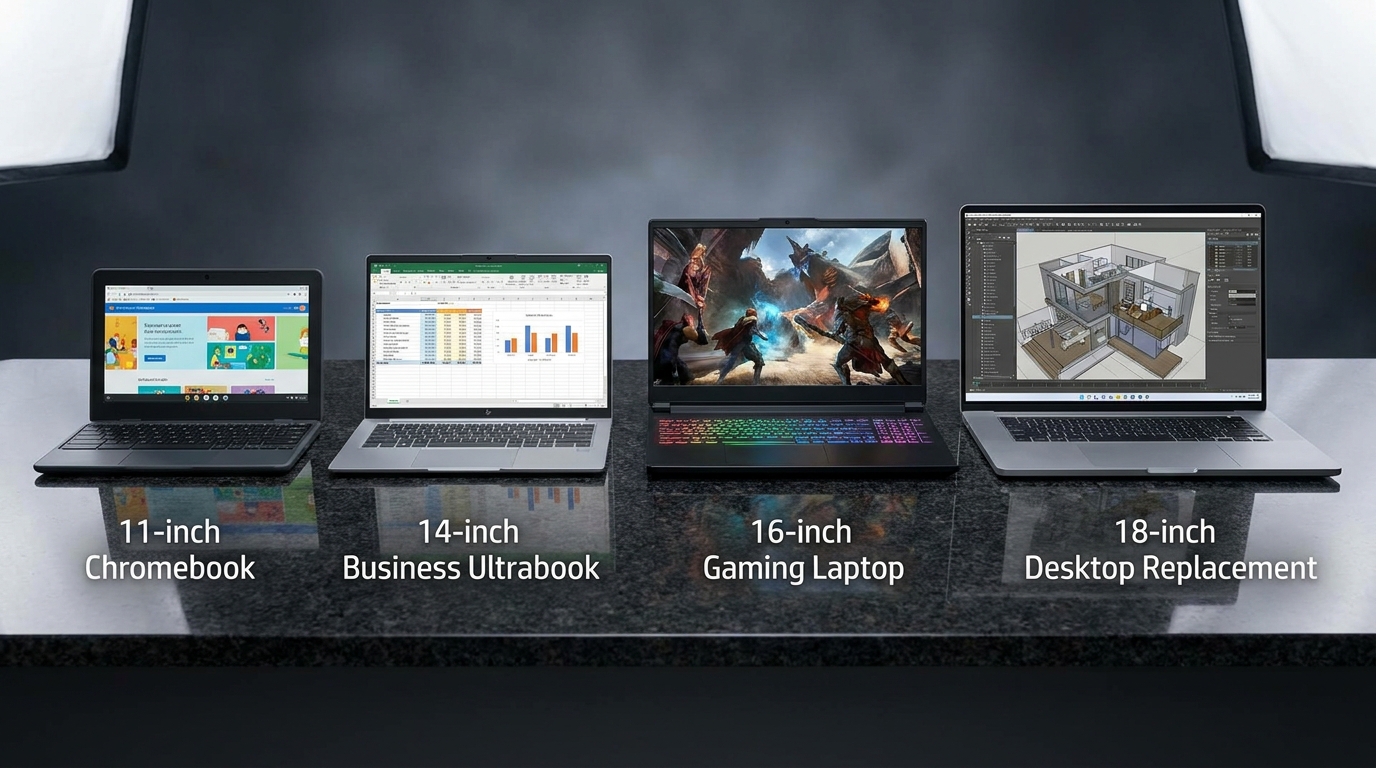
The smallest tier is dominated by Chromebooks and entry-level Windows laptops designed for students and light travelers. These machines are feather-light — often under 1 kg — and slip into almost any bag.
Best for: K–12 education, ultra-light travel, secondary device Not ideal for: Long productivity sessions, creative work, gaming
13–14 Inches: The Sweet Spot for Most Users
This is the most popular size category for a reason. The 13–14 inch form factor balances screen real estate with genuine portability. Thin-and-light business laptops and premium 2-in-1 convertibles dominate this category in 2026.
Many Copilot+ certified PCs in this tier combine ARM efficiency with 14-inch OLED panels, delivering all-day battery life without the bulk of a larger chassis.
Best for: Business professionals, frequent travelers, students, everyday productivity Not ideal for: GPU-intensive gaming, multi-window creative workflows requiring large canvas

15–16 Inches: The Versatility Leader
The 15–16 inch range is the most versatile on the market. It’s large enough to handle serious multitasking, creative work, and even gaming — yet still fits into most laptop bags.
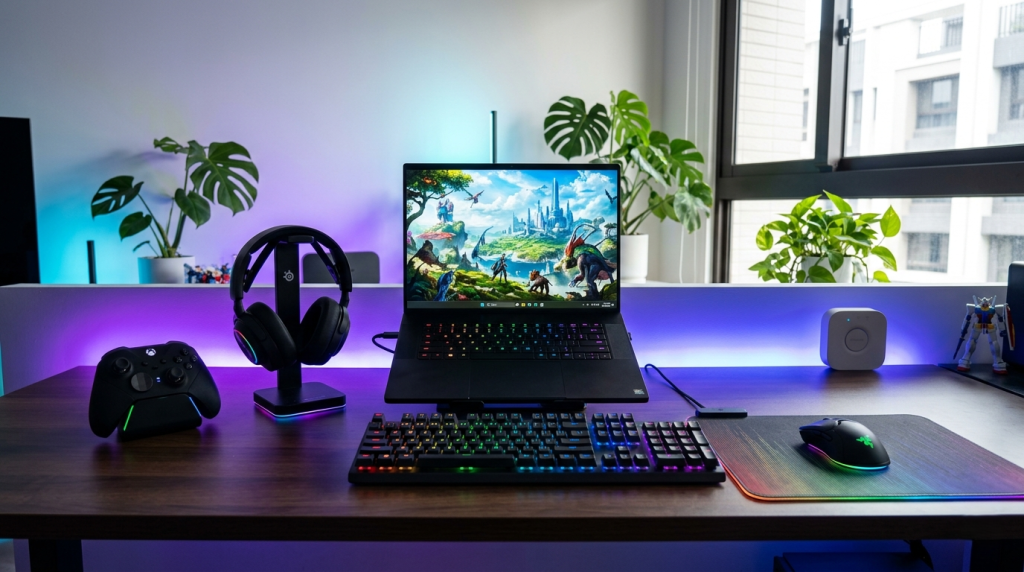
This is where you’ll find the mainstream gaming laptop market concentrated. Models featuring NVIDIA GeForce RTX 50 Series GPUs commonly use 15.6-inch or 16-inch 1080p or QHD panels with 144 Hz to 240 Hz refresh rates — making them competitive with many desktop gaming monitors.
Best for: Gamers, video editors, power users who travel occasionally Not ideal for: Those who prioritize portability above all else
17–18 Inches: Desktop Replacement
The largest laptop screens are desktop-replacement machines. At 17 or 18 inches, these systems prioritize screen space and performance over portability. They’re typically heavier (2.5–3.5 kg) and designed for users who move between a few fixed locations rather than commuting daily.
Top-tier gaming laptops in this category — including AMD-powered configurations and Intel HX-series machines — deliver full desktop GPU performance with massive cooling headroom.
Best for: Desktop replacement, professional studios, gaming enthusiasts who plug in at home Not ideal for: Daily commuters, travelers, users with smaller bags
Screen Size Comparison Table
| Screen Size | Weight Range | Primary Use Case | Refresh Rate Common | Resolution |
|---|---|---|---|---|
| 11–12 inch | 0.9–1.2 kg | Education, light travel | 60 Hz | 1080p |
| 13–14 inch | 1.0–1.6 kg | Business, productivity, travel | 60–120 Hz | 1080p–2.8K OLED |
| 15–16 inch | 1.7–2.5 kg | Gaming, creative, versatile | 144–240 Hz | 1080p–QHD |
| 17–18 inch | 2.5–3.5 kg | Desktop replacement, power users | 144–360 Hz | 1080p–4K |
Beyond Inches: What Else Affects Screen Experience?
Screen size is only one dimension. In 2026, the following specs meaningfully affect how a display feels in daily use:
Resolution and Pixel Density
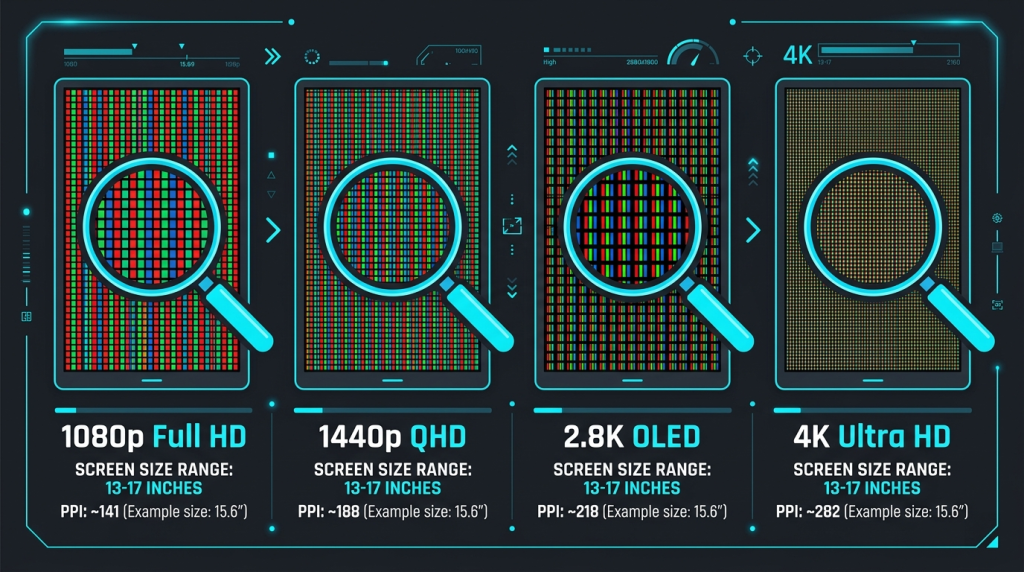
A 13-inch screen at 2.8K OLED can look sharper and more detailed than a 15-inch screen at 1080p. When comparing options, check pixels per inch (PPI) rather than raw resolution. For text-heavy workflows, higher PPI reduces eye fatigue significantly.
Panel Technology
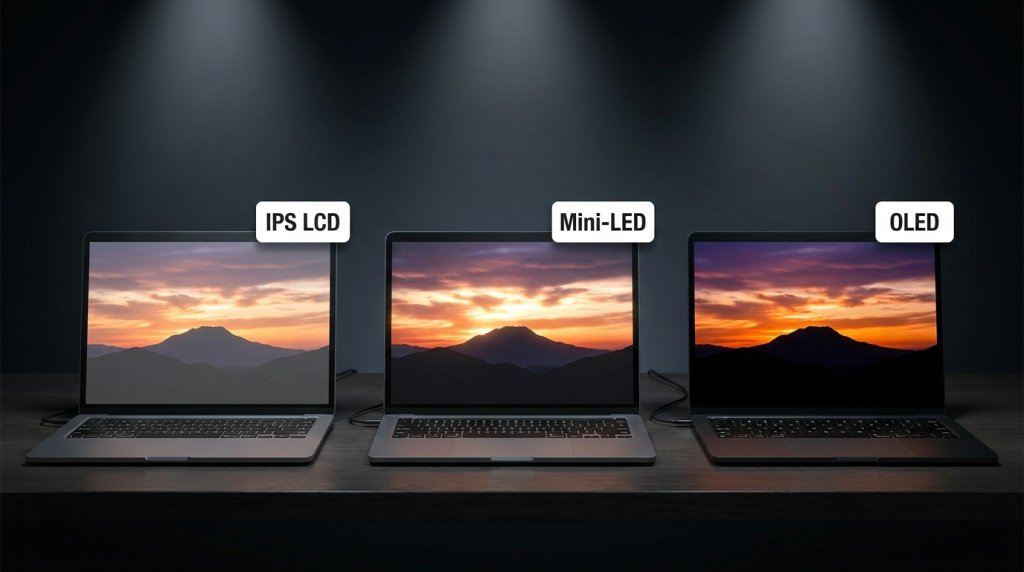
- IPS LCD: Reliable color accuracy, good brightness, widely available
- OLED: Exceptional contrast, deep blacks, ideal for media and creative work
- Mini-LED: High brightness, local dimming, excellent for HDR content
Refresh Rate
For gaming, a 144 Hz or higher refresh rate transforms the visual experience. Pairing a high-refresh display with a powerful RTX 50 Series GPU gives you smooth, tear-free gameplay. For productivity, even 90 Hz makes scrolling and multitasking feel noticeably more fluid.
Aspect Ratio
The traditional 16:9 widescreen ratio is being supplemented by 16:10 and even 3:2 panels in productivity-oriented laptops. These taller screens display more vertical content — great for reading documents, coding, and web browsing — without requiring a larger footprint.
Choosing by Lifestyle: A Quick Decision Framework
You travel every day → 13–14 inch. Prioritize weight and battery. A Copilot+ thin-and-light is ideal.
You game at home but need some portability → 15–16 inch. Enough screen for immersive gaming, still portable enough for occasional travel.
You rarely move your laptop → 17–18 inch. Maximum screen space and performance with no portability compromise needed.
You’re a student on the go → 13–14 inch Chromebook or Windows laptop. Lightweight, long battery life, full classroom capability.
You do video editing or design → 15–16 inch with a QHD or higher OLED panel. Color accuracy and canvas size both matter here.
The Bottom Line
There is no universally correct answer to “what screen size laptop should I buy?” — but there is a correct answer for your situation. Start with where and how you use your laptop, then layer in the display quality factors that matter for your workflow.
Use the Newegg Laptop Finder to filter by screen size, resolution, and use case simultaneously. And if you’re looking for deals on premium configurations across all sizes, the Newegg Premium Laptop Upgrades page is an excellent starting point.
The right screen is out there. It’s just a matter of knowing where you’ll be sitting when you open it.
Related Posts
- Understanding Copilot+ PC: The AI Revolution in Laptop Computing for 2026
- Chromebook vs Windows Laptop 2026: Understanding the Fundamental Differences
- 2-in-1 Laptops vs. Traditional Clamshell Laptops: What’s Really Different in 2026?
- The AI Revolution in Your Laptop: Understanding Copilot+ PCs in 2026
- AI-Enhanced Productivity Laptops: How Intelligent Hardware Is Transforming Modern Computing