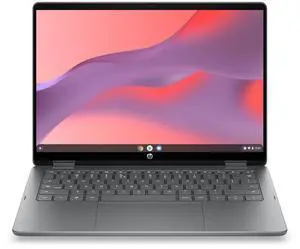
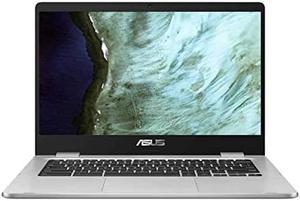
• In Stock
  • Sold by Newegg
  • New
Brands
Show More
Price
Show More
Screen Size
Resolution
Show More
GPU/VPU
Show More
CPU Type
Show More
Processor Name
Show More
Wide Screen Support
SSD
Show More
HDD
Show More
Sold by
Memory
Operating System
Webcam
Style
Weight
Battery Life
Battery
Universal Stylus Initiative (USI)
Cosmetic Condition
Touchscreen
Bluetooth
Graphic Type
HDMI
Optical Drive Type
Usage
WLAN
All Top Brands
Availability
Condition
Current Promotion
Discount
Useful Links
Customer Ratings
Sort By:
View:
SAMSUNG Chromebook Plus Chromebook Intel Core m3-7Y30 4GB Memory 64 GB eMMC SSD 12.2" Chrome OS XE520QAB-K02US
Quick View
SAMSUNG
SAMSUNG Chromebook Plus Chromebook Intel Core m3-7Y30 4GB Memory 64 GB eMMC SSD 12.2" Chrome OS XE520QAB-K02US
  • Screen Size: 12.2"
  • Memory: 4GB
  • Brand: SAMSUNG
  • Series: Chromebook Plus
  • Model #: XE520QAB-K02US
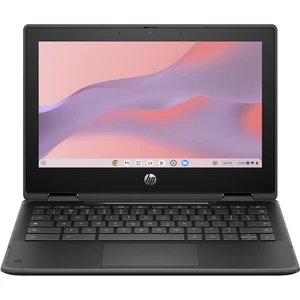
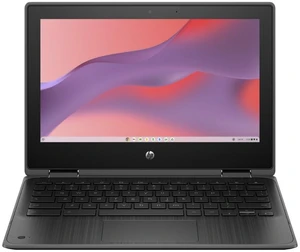
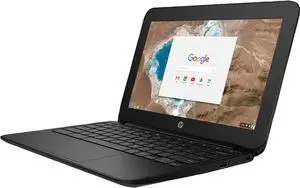
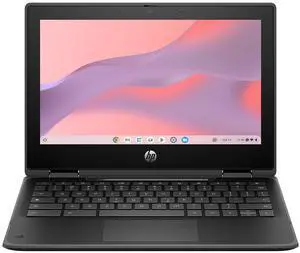
HP Chromebook Laptop Computer 11.6" HD Touch Screen Intel N-series 16 GB
Quick View
HP
HP Chromebook Laptop Computer 11.6" HD Touch Screen Intel N-series 16 GB
  • Screen Size: 11"
  • Brand: HP
  • Part Number: B69PVUT#ABA
  • Color: Black
  • Model #: B69PVUT#ABA
  •  
  • $979.00 –
  • Free Shipping
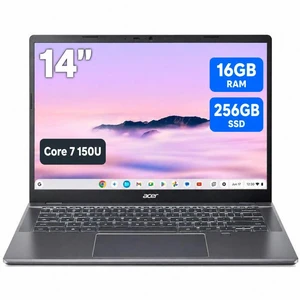
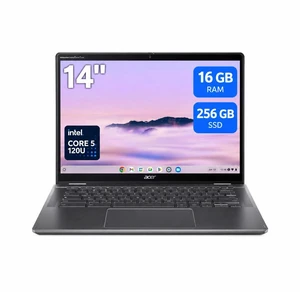
Acer Plus 514 CBE594-2 14" Chromebook Core 7 150U 16GB 256GB SSD ChromeOS
Quick View
Lenovo Chromebook m Laptop, 14" IPS  60Hz, MediaTek Kompanio 540, 4GB, 64GB
Quick View
Lenovo
Lenovo Chromebook m Laptop, 14" IPS 60Hz, MediaTek Kompanio 540, 4GB, 64GB
  • Screen Size: 14"
  • Memory: GB
  • Brand: Lenovo
  • Model: 83T0S0AB00
  • Model #: 83T0S0AB00
  • $328.38 - $331.73
ASUS Chromebook CX14 14.0", Intel Processor N50, Intel UHD, 4GB LPDDR5, 64GB SSD, WiFi 6, Webcam, Bluetooth 5.4, Chrome OS w/Dockztorm Wireless Mouse
Quick View
  •  
  • $319.99 –
HP Chromebook Laptop Computer 14" FHD Touch Screen Intel Core i5 8 GB memory;
Quick View
HP
HP Chromebook Laptop Computer 14" FHD Touch Screen Intel Core i5 8 GB memory;
  • Screen Size: 14.0"
  • Brand: HP
  • Part Number: 7A051UT#ABA
  • Operating System: Chrome OS
  • Model #: 7A051UT#ABA
  •  
  • $1,199.00 –
  • Free Shipping
Asus Chromebook Plus - 14" FHD Display - Intel N355 - 8GB - 128GB SSD - Intel UMA - Chrome OS - CX1405CTA-DS388P-GR
Quick View
ASUS
Asus Chromebook Plus - 14" FHD Display - Intel N355 - 8GB - 128GB SSD - Intel UMA - Chrome OS - CX1405CTA-DS388P-GR
  • Screen Size: 14 Inch
  • Memory: 8 GB
  • Brand: ASUS
  • Series: Chromebook Plus
  • Model #: CX1405CTA-DS388P-GR
Lenovo IdeaPad Slim 3 Chromebook 14" WUXGA Touch Laptop - MediaTek Kompanio 540, 8GB LPDDR5X RAM, 128GB UFS SSD, ARM Mali-G52 MC2 Graphics, Chrome OS, Cosmic Blue with Dockztorm Wireless Mouse
Quick View
  •  
  • $517.99 –
  • Free Shipping
ASUS Chromebook Plus CX34 Everyday Value Chromebook 14.0" Touch FHD, Intel i5-1334U, Intel Graphics, 8GB LPDDR5X, 128GB SSD, WiFi 6E, Bluetooth 5.4, Webcam, Chrome OS w/Dockztorm Wireless Mouse
Quick View
  •  
  • $619.99 –
  • Free Shipping
Lenovo IdeaPad Slim 3 82XJ0000US Abyss Blue Chromebook 14" IPS FHD Touchscreen Display, MediaTek Kompanio 520, 4GB RAM, 64GB eMMC SSD, WiFi 6, USB-C, ChromeOS, w/Dockztorm Wireless Mouse
Quick View
Lenovo
Lenovo IdeaPad Slim 3 82XJ0000US Abyss Blue Chromebook 14" IPS FHD Touchscreen Display, MediaTek Kompanio 520, 4GB RAM, 64GB eMMC SSD, WiFi 6, USB-C, ChromeOS, w/Dockztorm Wireless Mouse
  • Screen Size: 14.0"
  • Memory: 4GB
  • Processor Name: MediaTek Kompanio 520
  • Operating System: ChromeOS
  • Model #: B13558-LEN-14-ME05903-BUNDLE
  •  
  • $427.98 –
  • Free Shipping
Lenovo 300e Chromebook 2nd Gen 81MB001UCF Chromebook Intel Celeron N4020 (1.10 GHz) 4 GB Memory 32 GB eMMC 11.6" Touchscreen Chrome OS
Quick View
  •  
  • $89.00 –
  • Free Shipping
Acer Chromebook Spin 511 R757TN R757TN-C5TS 11.6" Touch N-Series N150 8GB 64GB
Quick View
  • $635.63 - $636.53
ASUS ChromeBook/SILVER/14.0 HD non-Touch/N4500/4GB/Intel UMA/64GB/Chrome
Quick View
ASUS
ASUS ChromeBook/SILVER/14.0 HD non-Touch/N4500/4GB/Intel UMA/64GB/Chrome
  • Screen Size: 14 inches
  • HDD: 64 GB
  • Brand: ASUS
  • Part Number: CX1400CKA-DB44
  • Model #: CX1400CKA-DB44
  • $225.29 - $228.54
ASUS Chromebook CX14 Laptop, 14" FHD Display, Intel Celeron N4500 Upto 2.8GHz, 4GB RAM, 64GB eMMC, Chrome OS (CX1405CKA-CL464)
Quick View
ASUS
ASUS Chromebook CX14 Laptop, 14" FHD Display, Intel Celeron N4500 Upto 2.8GHz, 4GB RAM, 64GB eMMC, Chrome OS (CX1405CKA-CL464)
  • Screen Size: 14.0"
  • Memory: 4GB
  • Wide Screen Support: Yes
  • Brand: ASUS
  • Model #: CX14CelN4-464C
  •  
  • $289.99 –
  • Free Shipping
Lenovo Chromebook Intel Celeron N4020 4GB Memory 32 GB eMMC SSD 11.6" Touch Screen Chrome OS 300e (2nd Gen)
Quick View
Lenovo
Used - Good Lenovo Chromebook Intel Celeron N4020 4GB Memory 32 GB eMMC SSD 11.6" Touch Screen Chrome OS 300e (2nd Gen)
  • Screen Size: 11.6"
  • Memory: 4GB
  • Wide Screen Support: Yes
  • Brand: Lenovo
  • Model #: 81MB001FUK
  •  
  • $89.00 –
  • Free Shipping
Lenovo IdeaPad Slim 3 Chromebook, 14" WUXGA IPS 400 Nits 60Hz Display, MediaTek Kompanio 540, 4GB LPDDR5X / 64GB eMMC, Integrated ArmMali-G57 MC2 GPU, Wi-Fi 6E, Micro SD Card Reader, Chrome OS
Quick View
  •  
  • $274.49 –
  • Free Shipping
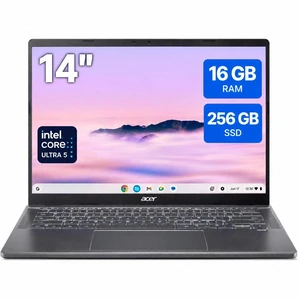
Acer CBE794-1T 14" Touchscreen Chromebook U5 115U 16GB 256GB SSD ChromeOS
Quick View
  • $856.78 - $857.83
Acer Chromebook 315 Laptop, 15.6" FHD Display, MediaTek Kompanio 540 Upto 2.6GHz, 4GB RAM, 64GB eMMC, Chrome OS (NX.JWRAA.001)
Quick View
Acer America
Acer Chromebook 315 Laptop, 15.6" FHD Display, MediaTek Kompanio 540 Upto 2.6GHz, 4GB RAM, 64GB eMMC, Chrome OS (NX.JWRAA.001)
  • Screen Size: 15.6"
  • Memory: 4GB
  • Wide Screen Support: Yes
  • Brand: Acer
  • Model #: 315MediK5-464C
  •  
  • $339.99 –
  • Free Shipping
Lenovo IdeaPad Slim 3 Chromebook, 14" 2K WUXGA IPS 400 Nits 60Hz Display, MediaTek Kompanio 540, 4GB LPDDR5X / 64GB eMMC, Integrated ArmMali-G57 MC2 GPU, Wi-Fi 6E, Chrome OS
Quick View
  •  
  • $269.99 –
  • Free Shipping
Asus Chromebook CM32 12.1" Touch A78 + Cortex A55 4GB 64GB SSD CM3206DM4AYZ44T
Quick View
Asus Chromebook CZ11 CZ1104CM4A-YZ84T 11.6" Touch HD ARM Cortex A78 8GB 64GB
Quick View
  • $535.54 - $536.44
Lenovo - IdeaPad Slim 3 Chromebook - 14" 2K Touchscreen Laptop - MediaTek Kompanio 540 2025 - 8GB Memory - 128GB UFS - Cosmic Blue
Quick View
Asus CR1204FTA-YZ84T 12.2" Touchscreen Chromebook N150 8GB 64GB ChromeOS
Quick View
  • $641.54 - $642.44
HP Chromebook Laptop Computer 14" FHD Touch Screen Intel Core i5 8 GB memory;
Quick View
HP
HP Chromebook Laptop Computer 14" FHD Touch Screen Intel Core i5 8 GB memory;
  • Screen Size: 14.0"
  • Brand: HP
  • Part Number: 7A053UT#ABA
  • Operating System: Chrome OS
  • Model #: 7A053UT#ABA
  •  
  • $1,329.00 –
  • Free Shipping
ASUS Chromebook CM14 CM1402CM2A-DB44F Laptop 14.0" TN FHD Display (MediaTek Kompanio 520, 4GB LPDDR4X, 64GB eMMC SSD, WiFi 6, Webcam, Chrome OS) w/Dockztorm Wireless Mouse
Quick View
  •  
  • $267.98 –
Asus Chromebook Vibe CX34 Flip CX3401 14" Touch Core i5 1235U 8GB 256GB SSD
Quick View
  •  
  • $890.94 –

Chromebook Laptops: Shop Chromebooks for Sale | Newegg

Chromebooks run on Chrome OS, offering fast startup times and seamless integration with Google apps. Whether you need a touchscreen model for casual use or a durable HP Chromebook for work, find a range of options and prices to fit your needs at Newegg.
How to Choose Chromebook

Key Features to Consider When Choosing a Chromebook

Selecting the right Chromebook means balancing several important features tailored to how you'll use it. Here’s what to weigh:

  • Processor Type: Look for Intel Evo or AMD Ryzen 5000 series CPUs for quick boot times and smooth multitasking.
  • Display: Decide between standard HD or touchscreens, which enhance interactive use and versatility.
  • Memory and Storage: Chromebooks usually have 4GB to 16GB RAM options and SSD storage up to 128GB — more memory means better multitasking.
  • Battery Life: Consider models offering all-day battery life for uninterrupted productivity on the go.
  • Form Factor: Choose between traditional clamshell laptops or convertible 2-in-1 designs that double as tablets.
  • Connectivity: Some Chromebooks include 4G LTE for internet access anytime without Wi-Fi.

Why Processor Choice Matters Most for Chromebooks

The heart of your Chromebook's performance lies in its processor, and the latest Intel Evo and AMD Ryzen 5000 series stand out for their efficiency and speed. These CPUs are optimized to deliver fast response times, smooth multi-tab browsing, and seamless app performance without draining battery quickly. Because Chrome OS is lightweight, having a powerful yet energy-efficient processor directly impacts your experience, especially for more demanding workflows like video conferencing, streaming, or using Android apps. Prioritize models featuring these chipsets to future-proof your device for years of reliable use.

Using Chromebooks for Advanced and Professional Work

While Chromebooks are often associated with casual use, many developers and professionals now rely on them for serious work thanks to improved hardware and Chrome OS advancements. For instance, Chromebooks can run Linux apps natively, broadening their capabilities for coding, software development, and other technical tasks. If your workflow demands more power or specific software, check out Laptop / Notebook options that combine portability with performance. Plus, with cloud-first productivity, a Chromebook suits remote work setups paired with services like Google Workspace and VS Code online.

Performance and Setup Tips

  • Enable Chrome OS updates to keep your Chromebook secure and running smoothly.
  • Use the built-in Google Play store only to download apps from trusted developers.
  • Customize your settings for power management to extend battery life during travel.
  • Explore Linux (Beta) on your Chromebook for access to advanced development tools.
  • Utilize cloud storage options like Google Drive to maximize your device’s limited local storage.
  • Adjust the touchscreen sensitivity and keyboard preferences for optimal daily use.
  • Connect external peripherals such as USB drives, mice, or keyboards if needed for productivity.
  • Take advantage of fast boot times by leaving your Chromebook in sleep mode instead of shutting down fully.

Newegg shopping tip: When choosing a Chromebook, pay close attention to the processor and RAM to ensure smooth multitasking, especially if you plan to use web apps or Android apps. Also consider screen size and resolution based on whether portability or media consumption is a priority for you.
Explore Chromebook & Related Categories

Laptop / Notebook

Explore ultra-portable Chromebooks featuring Intel Evo or AMD Ryzen 5000 series CPUs, perfect for quick boot times and efficient multitasking with Chrome OS.

Computer Systems

Find Chromebooks with up to 16GB RAM and 128GB SSDs, equipped with HD Touch displays and all-day battery life—ideal for students and remote work setups.

FantasTech Deal

Snag limited-time Chromebook deals with latest-gen processors and convertible designs, balancing price and performance for everyday productivity on Chrome OS.

New to Chromebooks? Here’s What You Should Know

If you're stepping into the Chromebook world for the first time, it helps to understand what sets these laptops apart. Chromebooks run on Chrome OS, a lightweight operating system designed primarily for web-based tasks, making them incredibly fast and secure. Ideal for browsing, streaming, and handling Google Workspace apps, they’re perfect if most of your work or entertainment happens online. Explore options that fit your style and needs with our curated selection of Laptop / Notebook models designed to get you up and running effortlessly.

Chromebooks for Students: Affordable, Portable, and Ready for Study

Students find Chromebooks to be excellent companions for note-taking, research, and remote classes thanks to their affordable pricing and lightweight design. Many models come with HD touchscreens and long battery life, so you can study anywhere without worrying about power outlets. Plus, they integrate seamlessly with Google Classroom and other educational tools. Check out the latest Chromebooks through our Computer Systems category to find the perfect fit for your academic needs.

Chromebooks for Remote Workers: Efficiency Meets Portability

If your work requires using Google Workspace apps or web-based software, a Chromebook can streamline your workflow with quick startup times and minimal maintenance. Its slim design and connectivity options such as 4G LTE models let you stay productive wherever you go. Whether you need a touchscreen or a convertible design for versatility, you’ll find options that balance performance and value. Don’t miss our latest FantasTech Deal for great deals tailored to remote work setups.

Before You Buy

  • Confirm the Chromebook’s processor type—look for Intel Evo or AMD Ryzen 5000 series for faster performance and multitasking.
  • Check RAM and storage capacity. Many users find 8GB RAM and at least 64GB SSD ideal, but up to 16GB RAM and 128GB SSD is available for heavier workloads.
  • Decide if you want a touchscreen or convertible model for additional usability and flexibility.
  • Evaluate battery life to ensure it meets your daily usage needs, especially if you plan to use it on the go.
  • Verify connectivity options like USB-C ports and 4G LTE capability if you need internet access away from Wi-Fi networks.
  • Use the Power Search tool for filtering models by specs that matter most to you.

Research more: If you’re comparing Chromebooks, Newegg Insider’s buying guides break down key specs like processor types, display options, and battery life to help you find the right fit. Take a look there for detailed insights before making your decision.

Last Updated: October 2026 | Newegg Chromebook Buying Guide


Chromebook FAQs:

How does a Chromebook compare to a Windows laptop for everyday use?

Chromebooks generally boot faster and run simpler software that’s mostly web-based, making them ideal for browsing, streaming, and basic tasks. Windows laptops offer more powerful software options and offline capabilities but often come with more background updates and longer startup times.

Are there big differences between budget Chromebooks and higher-end models?

Yes, more expensive Chromebooks usually have better screens, faster processors, and more storage, which improves speed and media quality. Budget options cover the basics well but might lag with multitasking or heavy apps, so it depends on what you need.

What makes a Chromebook different from a regular laptop?

Chromebooks run on Chrome OS, which is designed for internet-based tasks and apps, making them lightweight, fast, and secure, but they rely heavily on cloud storage rather than traditional software.

Can I use a Chromebook offline or do I always need an internet connection?

You can use a Chromebook offline for many basic tasks like writing documents or watching downloaded videos, but most apps and features work best with an internet connection.

How do I decide if a Chromebook is right for my daily use?

If most of what you do happens online or through web apps, a Chromebook is great for simplicity and speed. However, if you need specialized software that only runs on Windows or macOS, you might want to consider other options.

What should I look out for when choosing a budget Chromebook?

Focus on a device with at least 4GB of RAM and a solid-state drive for smooth performance, especially if you plan to multitask. Screen size and battery life matter too—pick the specs that fit how and where you’ll be using it.

Do Chromebooks tend to slow down over time like regular laptops?

Chromebooks usually stay fast since they rely on cloud storage and lightweight software, but if you overload them with apps or offline files, you might notice some slowdown.

What common problems should I watch for in Chromebook reviews before buying?

Keep an eye on battery life claims and build quality, and check if the Chrome OS version is up to date since older models might struggle with newer apps.

How do I set up my new Chromebook for the first time?

Just power it on and follow the on-screen prompts to connect to Wi-Fi, sign in with your Google account, and adjust basic settings. It only takes a few minutes to get you up and running.

Can I use my Chromebook offline, or do I always need an internet connection?

You can use many apps like Google Docs offline once you set them up, but most features work best when connected to Wi-Fi. Just make sure to enable offline mode in your apps before you lose internet access.

Bestselling Chromebook Reviews:

David C.
12/20/2023 3:24:33 PM
For what it is its great

“ Its a Chromebook, it has a limited amount of memory and storage, its not meant for those things. ”

Acer Chromebook 311: Intel Celeron N4020, 32GB eMMC, 4GB RAM, 11.6" HD Display, Chrome OS