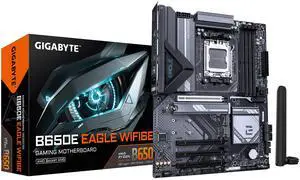
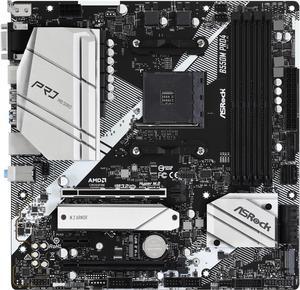
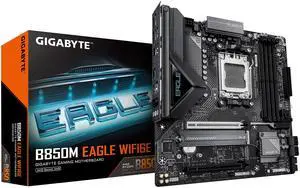
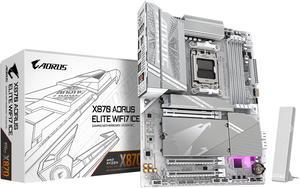
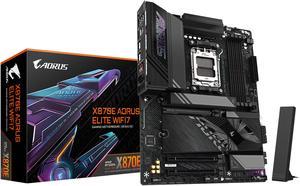
Easy to install and setup cable management. Tons of connectors for RGB, USB, Hard Drives etc. Numerical LED shows my processor temp, can check it with a glance. I've updated the firmware twice now with no problems. My CPU (7950X3D), Ram, Video card, 1 M2, 2 SATA, and 5 USB drives are all hooked up running normally.

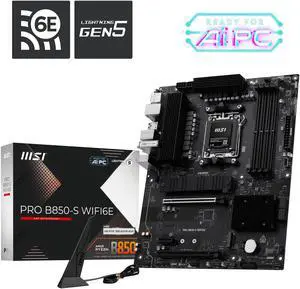
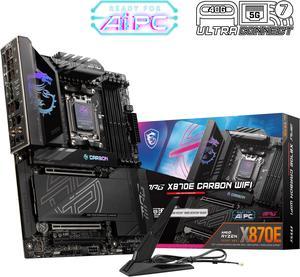
- Excellent Connectivity: Includes 5GbE and 2.5GbE network ports, WiFi 7, and Bluetooth 5.4 with an external magnetic antenna, providing robust and future-proof network options. - Modern Features: Supports USB 4.0 and PCIe 5.0, ensuring the system remains up-to-date with the latest technology standards. - Easy Installation: Clear online documentation and good labeling on the board make installation straightforward, with no issues in connecting various components. - MSI Ecosystem Integration: Integrates well with other MSI components, such as cases, ARGB lighting, fans, and graphics cards, fitting perfectly and connecting without any problems. - Subtle ARGB Lighting: Even the ARGB on the board shrouds, which I always viewed as a little kitschy, are actually a very nice subtle touch inside an otherwise very dark box.

Worked great right out of box. No issues.

Exceptional overclocking and memory timings. 9950x3d can clock to 5.9 GHz stable. Makes things smooth as butter. Having all the options to tune so many things means as time goes on we can hone in on the highest fps, lowest latency possible.

1. It looks good. 2. It works well. 3. It's very fast, and all components are cool during gaming sessions.

Good price for the features Nice looking board Easy installation Lots of headers Diagnostic LEDs

-Easy to install -Quality Product -Everything is labeled and has instructions -Great bios

Luxurious look

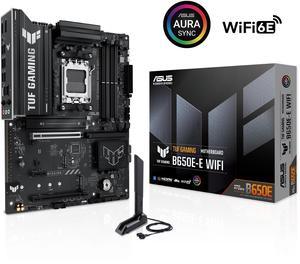
- Worked perfectly. - Looks rugged and tough... TUF* - Easy release PCIe 5 port lever. Really awesome, never had that before. You do not need a microscope attached to your phone to release the GPU.

Very sturdy motherboard, looks fantastic, easy setup, perfect amount of features, plenty of USB ports, minimal lane-sharing issues, easy to use BIOS

Easy install Easy to update

It was so new and only review I was nervous. This motherboard is top tier! I couldnt have made a better choice.

This board is extremely stable , bios is easy to understand and navigate . Really like the Asus fan settings , quick and easy to setup. I strongly suggest updating to bios 0821 took care of many issues . Played well with my gskill 5200 memory . I also liked that it auto disabled the IGP , I have a NVIDIA card so no need of a IGP Board is well made with enough tweaking options , but not so much as to be confusing . Onboard lan worked under linux , running Manjaro w/no issues .

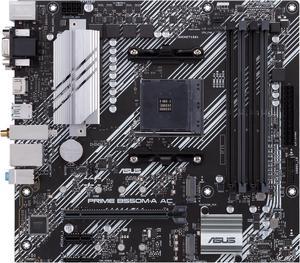
The board layout and labels are plan and simple. I paired it with Ryzen 5500 and it was Windows 11 ready, out of the box.

I need a very reliable motherboard because my other motherboard is had died.

Easy to install drives, the holes line up with the case perfectly. The Video card clip has a remote button for easy to unplug. Plenty of Fan plugs, more than you need. Has 12 v and 5 v LED strip outlets. Runs perfectly with the AMD 9950x.

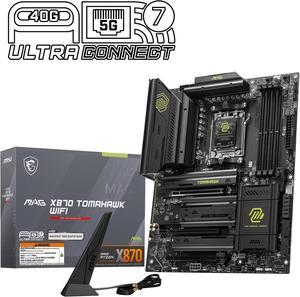
I would like to say that the motherboard is atx and can fit into any case. The layout of the board is simple, elegant and quality made. I like how MSI has a thick layered board to be able to be solid when handling. The extra 8 pin connector for the pcie slots for more power if needed for a large video card (5090). The M.2 slot covers to just remove by pressing on the latch for easy removal along with not having screws to seat the ssd's. I like having the thick heatsink pads along with the large heatsinks covering the ssd's. The heatsinks for the vrm's are large and will help with the temps for the components. The reinforced pcie for the 1st slot helps with protecting the motherboard from the weight of the video card and for the button to secure the video card in place or for easy uninstall as well. There are plenty of usb ports, connectors and for the availability to have 4 M.2 slots. I have not used the wifi, audio outputs or the usb type c ports yet. I have 2 of these motherboards with basically the same setup for both of them. My system is: MAG X870E Tomahawk wifi AMD Ryzen 9-9900X cpu Gskill DDR5 Trident Z5 Neo 64gb 6000 Samsung 9100 pro 4tb ssd for main computer and I have a Samsung 9100 pro 2tb and a Samsung 990 pro 2tb for my 2nd computer Windows 11 pro software for both computers Thermaltake core p8 full tower case for main computer and a Thermaltake view 71 full tower for my 2nd computer MSI meg ai 1300P pcie 5 power supply for main computer and MSI mag a1250al pcie 5 power supply for my 2nd computer MSI shadow geforce rtx 5070 12 gb video card temporarily for my main computer and I have an EVGA rtx geforce 2080 video card temporarily for my 2nd computer I have an Arctic liquid freezer III pro 420mm cooler for my main computer and an MSI mag coreliquid A15 360mm cooler for my 2nd computer I use graphics card holders for all of my video cards I use the same monitor, sound bar, keyboards from corsair and same mice for both computers with the same printers I have my computers hooked up to a UPS power backup in case of a power outage

Beautiful mobo, everything has been thought of to make building east and beautiful at the same time

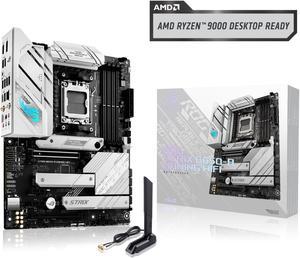
Works well in a white build Easy to install Lots of ports for all your USB and aRGB needs Competitive pricing vs other boards on the market and getting that ASUS quality

Easy install, directions were great, had no problems getting everything connected. One week in and no problems at all paired with a 9800X3D and G.Skill EXPO 30cas 32GB RAM, Gigabyte 4070 ti, NZXT 9 flow case, Corsair 850w power supply, Thermalright phantom spirit 120 heat sink. Booted up on first attempt. I'm used to the MSI bios but the Asus bios was easy to get used to. Found every setting I needed especially on the AI tweaker menu for PBO and undervolting the CPU slightly for both core voltage and SOC. Changed RAM to EXPO and it detected the correct voltage for the RAM instantly. (1.35v) Had to manually set this on my MSI boards in the past so this was a plus. Played Helldivers 2, Robocop Rogue City, Crysis Remastered so far. Each ran flawlessly with max settings on 1440p monitor. I was able to get a decent boost in FPS over my previous 7600X, but now my GPU is a bottleneck.