

Your Browsing History
BEST SELLERS


BEST SELLERS
In Laptop Accessories
Our most popular products, based on sales and updated frequently.Shop Department
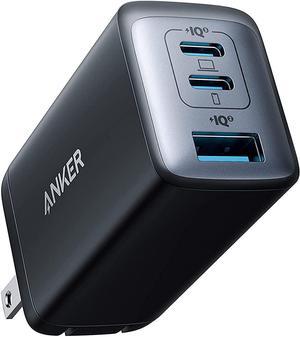
Anker USB C Charger, 735 Charger (Nano II 65W), PPS 3-Port Fast Compact Foldable Wall Charger for MacBook Pro/Air, iPad Pro, Galaxy S20/S10, Dell XPS 13, Note 20/10+, iPhone 13/Pro, Pixel, and More
- Type: Wall Charger
- Compatible Phone Manufacturer: Apple
- Adapter: USB Type-C
- Standard USB Port: 3
- Model #: A2667111
- Item #: 9SIACCUHS42311
- Return Policy: View Return Policy
$29.99
Free Shipping
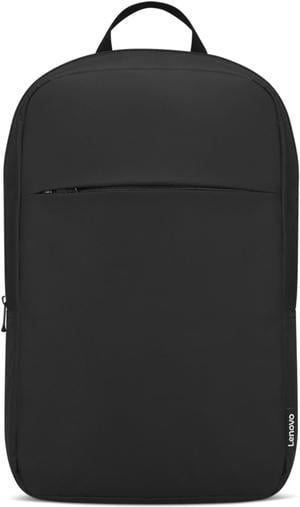
Lenovo 16" Laptop Backpack B215 (Black)
- Brand: Lenovo
- Model: GX41K08217
- Part Number: GX41K08217
- Color: Black
- Model #: GX41K08217
- Item #: 9SIAHRCJEZ0628
- Return Policy: View Return Policy
$14.39
$17.99
Free Shipping
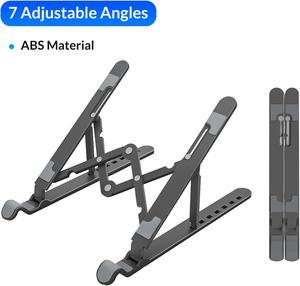
ORICO Plastic Laptop Stand Holder Riser Computer Tablet Stand, 7 Angles Adjustable Ergonomic Foldable Portable Desktop Holder Compatible with MacBook,iPad, Dell, Lenovo 10-15.6”
- Part Number: ORICO PFB-A23
- Accessory Type: Holder
- Color: Black
- Maximum support size: 15.6"
- Model #: PFB-A23-BK-BP
- Item #: 9SIA1DSG2J4377
- Return Policy: View Return Policy
$11.99
Free Shipping
Works very well
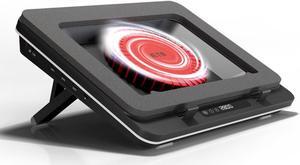
IETS GT600 Laptop Cooling Pad Equipped with Gigantic Turbo-Fan(5.5inch Diameter),Sealed Foam for Rapid Cooling Gaming Laptop,14.1-19.3 inch Laptop Cooler with 3-Port USB Hub,Dust Filter GT600V1
- Accessory Type: Cooler
- Color: Black
- Maximum support size: Support up to 19-in. Laptop
- Fan Numbers: 1
- Model #: GT600V1
- Item #: 9SIAXTXKBU1518
- Return Policy: View Return Policy
$94.99
$105.99
Free Shipping
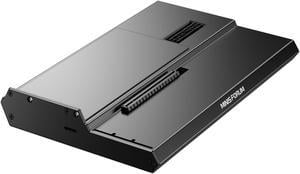
MINISFORUM DEG1 External GPU Docking Station, Mini eGPU Enclosure for RTX 4090, AMD RX 7900 XTX, Support ATX/SFX Standard Power Supplies, PCIe4.0x4 Expansion Interface Oculink Graphics Docking Station
- Model #: DEG1
- Item #: 9SIBJ6VKE78754
- Return Policy: View Return Policy
$109.00
$199.00
Free Shipping
- It's worked flawlessly for the 2 months I've had it so far. Used with an RTX 5080 and RTX 5090 for long running workloads.
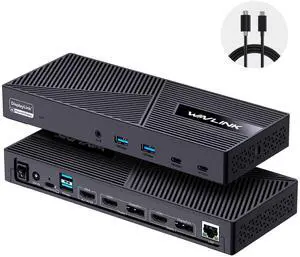
Wavlink USB C Triple Monitor Docking station With 100W Laptop Charging, 3X HDMI, 2X DisplayPort, 6X 10Gbps USB Ports, Gigabit Ethernet, Audio&Mic for New MacBook Neo,MacBook M1/M2/M3/M4, USB4, Windows
- Brand: Wavlink
- Part Number: with only one USB-C port: DC IN(130W input), USB-C(Host, 100W output), HDMI Alt Mode(4K@60Hz), Display 1/2(HDMI1/2 or DP1/2), 4xUSB-A 3.1(10Gbps), 2xUSB-C 3.1(10Gbps), RJ45 Ethernet, Audio/Mic. Note: This dock must connect the power adapter, otherwise it will not work.
- Color: Black
- Compatibility: Universal Compatibility: Universal docking station support Windows 11/10, Mac OS 11.x or later, ChromeOS 100.x or later, Ubuntu 20.04, 22.04 systems with full-featured type c port or thunderbolt 3/4 port or USB4 port. Ideal home & office partner for USB-c devices like Intel/M1/M2/M3-based Mac, Dell, Asus, Lenovo, Surface, Samsung, Huawei and more. Perfect for M1 or M2 MacBook with different external monitors. NOTE: NOT suitable for Unix systems, Linux and iPad OS.
- Model #: WL-UG63PD25-A
- Item #: 9SIC7HHM007086
- Return Policy: View Return Policy
$119.99
$159.99
Free Shipping
Compatible with my laptop; no driver is needed to install it. Lightweight and fast file transmitting speed.
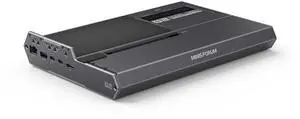
MINISFORUM DEG2 External GPU Docking Station Compatible with Oculink and Thunderbolt 5, eGPU Enclosure Graphics Card Extension Support ATX/SFX Power, with 2.5G Lan Port, M.2 Slot, USB3.2 Port
- Color: Black
- Model #: DEG2
- Item #: 9SIBJ6VKRJ5229
- Return Policy: View Return Policy
$239.00
$399.00
Free Shipping
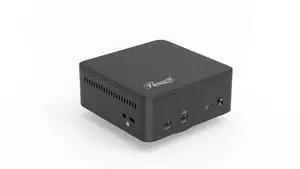
Rosewill 12-in-1 USB C Triple DisplayLink Docking Station | 135W PD, 3x HDMI (3x 1080p 60Hz), 3x USB 5Gbps Ports | Windows, macOS, ChromeOS Compatible - Enhance Productivity with Multi-Monitor Support
- Brand: Rosewill
- Ports Spec: 3 x HDMI Up to 4K@60Hz 2 x DP Up to 4K@60Hz 2 x USB 3.2 GEN 2 Type C 1 x USB 3.0 Type C 2 x USB 3.0 Type A 1 x PD 30W 1 x Audio 1 x 1000M RJ45
- Features: Triple 4K Display Support: Drive up to three external monitors simultaneously at stunning 4K Ultra HD resolution (3840 x 2160) with smooth 60Hz refresh rates for exceptional multi-tasking and visual clarity. High-Speed 10Gbps Data Transfer: Connect your peripherals effortlessly with multiple USB ports supporting blazing-fast data transfer speeds up to 10Gbps. Gigabit Ethernet Port: Achieve reliable, high-speed wired network connectivity with the integrated Gigabit Ethernet port (10/100/1000 Mbps) for stable internet and file transfers. Powerful 130W DC Adapter: Includes a robust 130W power adapter to simultaneously power the dock, charge your laptop, and sup...
- Model #: RHUB-DL12
- Item #: N82E16834965287
- Return Policy: 30-Day Return Policy
$99.99
$149.99
Free Shipping
Worked with Rog Strix G16. Charges laptop and displayed on dual monitor set-up. Uses USB-C to connect to laptop making barrel port unnecessary. Small metal box construction is nice.

Dell Premier Rechargeable Active Pen DELL-PN7522W
- Accessory Type: Stylus Pen
- Color: Black
- Specifications: Device Type: Active stylus Width: 0.4 in Depth: 0.4 in Height: 6.1 in Weight: 0.5 oz. Interface: Bluetooth 5.0 Buttons Qty: 3 Pressure Levels: 4096 Features: Pressure sensitivity, tilt sensitive, rechargeable battery, LED indicator, find my pen function Included Accessories: Nibs (2 pcs.), USB-C charging cable, puller Compliant Standards: AES 2.0, AES 1.0 Battery Capacity: 45 mAh Run Time (Up To): 40 days Software Included: Dell Peripheral Manager (Windows only) OS Required: Windows 10, Windows 11 Designed For: Inspiron 7620 2-in-1 Inspiron 7420 2-in-1 Inspiron 7425 2-in-1 Latitude 3330 2-in-1 Latitude 5300 2-in-1 Chrome* Latitude 5310 2-in-1 Latitude 5320 2-in-1 Latitude 5330 2-in-1 Latitude 7210 2-in-1 Latitude 7310 2-in-1 Latitude 7320 2-in-1 Latitude 7320 Detachable Latitude 73...
- Model #: DELL-PN7522W
- Item #: N82E16834955054
- Return Policy: 30-Day Return Policy
$82.99
Free Shipping
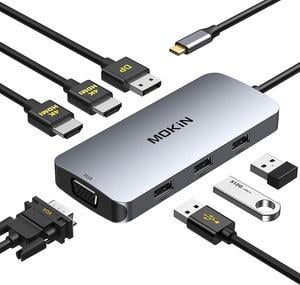
MOKiN USB C to Dual 4K HDMI Adapter,USB C Dual Monitor Docking Station,USB C Hub with 2x4K 60Hz HDMI,Displayport Port&VGA,3xUSB 2.0,Compatible for Dell/HP/Lenovo/Microsoft,etc.
- Compatibility: Dell/HP/Lenovo/Microsoft,etc.
- Ports Spec: 2 * HDMI 4K port- Support 4K@60Hz 1 * DP port 3 * USB 2.0 port 1 x VGA port
- Dimension: 5.79 x 3.15 x 0.71 inches
- Weight: 0.22LBS
- Model #: MOKIN USB-C
- Item #: 9SIBKPKJS33800
- Return Policy: View Return Policy
$26.99
$39.99
Free Shipping
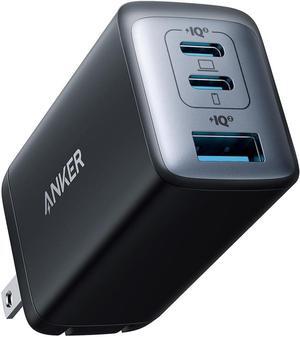
USB C Charger (Nano 65W) PPS 3-Port Fast Compact Foldable USB C Charger Block for MacBook iPad Pro Galaxy S24 iPhone 16 / 15 and more series
- Type: AC Adapters
- Model #: B09C5RG6KVYIXIN
- Item #: 9SIC4NEKUA1494
- Return Policy: View Return Policy
$17.99
Free Shipping
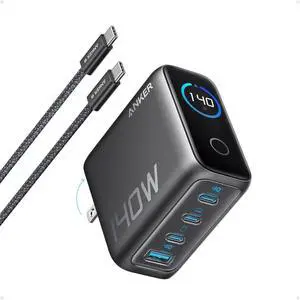
Anker Laptop Charger, 140W MAX USB C Charger, 4-Port Multi-Device Fast Charging, Advanced GaN Power Adapter, Intuitive Touch Controls, for MacBook, iPhone 16 Series, Samsung Galaxy, Pixel, and More
- Brand: Anker
- Part Number: B2697
- Color: Black
- Type: Charger
- Model #: B26971Z1
- Item #: 9SIACCUKM15259
- Return Policy: View Return Policy
$89.99
Free Shipping
Adjusts the charging according to the item connected up to 140W. I didn't think I'll need the USB A but finding myself use it probably 20-30% of the time as several items that aren't that old use USB mini with no wiring for that connection has USB C. Wire USB C to C high quality braided 240mb transfer.
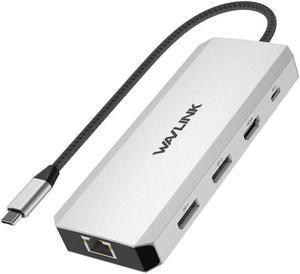
WAVLINK Triple Monitor Laptop Docking Station | 12-in-1 USB C Hub with 4K HDMI | Dual 4K DP | 100W PD Charging | USB3.0 | USB2.0 | RJ45 | SD/TF Slots | Audio/Mic - MacBook/Dell/HP/Lenovo
- Part Number: 1x USB-C(PD IN,100W), 1x HDMI (4K@60Hz), 2x DisplayPort(4K@60Hz), 1x Gigabit RJ45, 2xUSB3.0-A(5Gbps), 2 x USB2.0-A(480Mbps), 1x SD Card Slot, 1x TF Card Slot, 1 x Audio/Mic Port
- Compatibility: Systems/ Devices Compatibility Plug and play on Windows 11/10/8.1/8/7, Mac OS, Chrome OS, Linux, iPad OS, Harmony OS, Android. Works with your USB-C Desktop PCs, Laptops, Tablets/Mobile Phones(OTG function required).
- Weight: 0.27Lbs
- Parts: How to Confirm if the Type-C Port of Your Laptop Supports Video Output and Charging? Step 1: Please check the model of your laptop, it should be on the back of the label; Step 2: Search “brand + the model number of the device + manual” in Google, for example:
- Model #: WL-UMD303
- Item #: 9SIC7HHM007221
- Return Policy: View Return Policy
$29.99
$49.99
Free Shipping
This hub works great for adding devices to my laptop, which is what I want it. It allows for attaching storage, another monitor, keyboard, and mouse while still allowing the laptop to be charged. I love it.
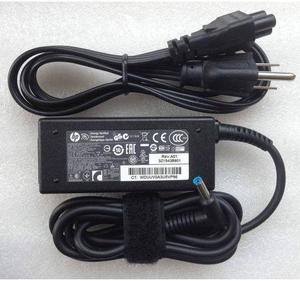
Genuine HP 45W blue tip laptop AC Adapter Power Supply Charger 19.5V 741727-001
- Battery Type: Lithium-Ion
- Model #: 741727-001-741727-001
- Item #: 9SIA4A0KCG7810
- Return Policy: View Return Policy
$23.49
Free Shipping
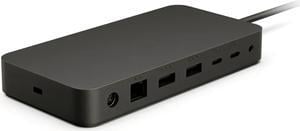
Microsoft Surface Thunderbolt 4 Docking Station, USB-C Laptop Dock, Dual 4K Monitor Support, 90W Power Delivery, Surface & Windows Compatible
- Brand: Microsoft
- Part Number: T8H-00001
- Color: Black
- Thunderbolt: Thunderbolt 4
- Model #: T8H-00001
- Item #: 9SIA24GK2J8104
- Return Policy: View Return Policy
$234.99
$239.99
Free Shipping
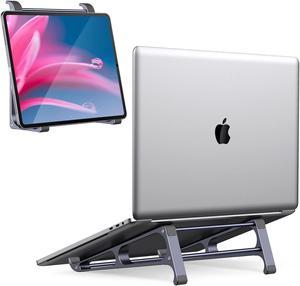
Laptop Stand for Desk ORICO 3 in 1 MacBook Vertical Holder, Aluminum Stable Computer Riser for 11-15" Laptop, Tablets, Chromebook Stand
- Accessory Type: Holder
- Color: Gray
- Maximum support size: 14"
- Fan Size: N/A
- Model #: MA13-GY-BP
- Item #: 9SIA1DSG906240
- Return Policy: View Return Policy
$14.99
Free Shipping
Easy to assemble Feels solid when fully assembled Reversible for tablets
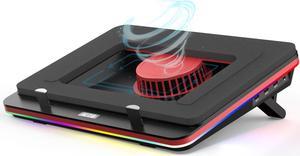
IETS GT500 Powerful Turbo-Fan (5000 RPM) RGB Laptop Cooling Pad with Infinitely Variable Speed,Seal Foam for Rapid Cooling Gaming Laptop,13-17.3inch Laptop Cooler with 3-Port USB Hub
- Part Number: GT500V2
- Accessory Type: Adapter
- Function: Notebook
- Features: supercharged
- Model #: GT500V2
- Item #: 9SIAXTXHE74791
- Return Policy: View Return Policy
$69.99
$79.99
Free Shipping
Amazing cooler Great hight adjustment options Powerful
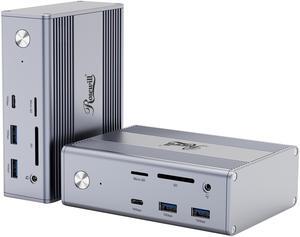
Rosewill 14-in-1 USB C Laptop Docking Station with 100W PD Charging, 4K@60Hz Display, Triple 4K Display,10Gbps Data Transfer & Kensington Lock, Windows, Mac, Android - RHUB-M14
- Brand: Rosewill
- Ports Spec: 1 x DisplayPort (4K@60Hz) 2 x HDMI (4K@30Hz) 1 x USB 3.2 GEN 2 Type C (10Gbps) 1 x USB 3.1 Type C (5Gbps) 2 x USB 3.2 GEN 2 Type A (10Gbps) 1 x USB 3.1 Type A (5Gbps) 1 x 2-in-1 Audio 1 x 1000M RJ45 1 x 100W PD SD / TF Card Reader
- Weight: 1.1kg
- Features: Versatile Connectivity: With a range of ports, including DisplayPort, HDMI, USB-C, USB-A, audio, Ethernet, and SD/TF card reader, connect to various devices. High-Resolution Display: Experience stunning visuals on a 4K display at 144Hz for smooth and immersive viewing. Fast Data Transfer: Benefit from high-speed data transfer with USB 3.2 Gen 2 Type-C and Type-A ports. Powerful Charging: Power your laptop and other devices with the 100W PD charging capability.
- Model #: RHUB-M14
- Item #: N82E16834965286
- Return Policy: 30-Day Return Policy
$79.99
$159.99
Free Shipping
Good build quality ports are well spaced and easy to access Throughput for data and power are seamless Comes with a AC to DC converter 100W
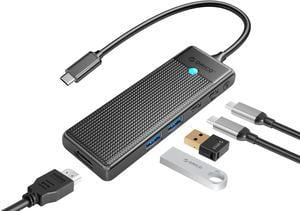
ORICO 5 IN 1 Type-C Laptop Docking Station with 4K@30HZ HDMI-Compatible, PD100W, 2 USB A Port, USB C Port HUB For Windows Mac
- Model #: PWD-5P-BK-EP
- Item #: 9SIA1DSJVG9772
- Return Policy: View Return Policy
$12.99
Free Shipping
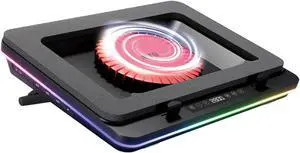
IETS GT600 RGB Laptop Cooling Pad Equipped with Gigantic Turbo-Fan(5.5inch Diameter),Sealed Foam for Rapid Cooling Gaming Laptop,14.1-19.3 inch Laptop Cooler with 3-Port USB Hub,Dust Filter
- Accessory Type: Cooler
- Color: Black
- Maximum support size: Support up to 19-in. Laptop
- Fan Numbers: 1
- Model #: GT600V2
- Item #: 9SIAXTXKBU1517
- Return Policy: View Return Policy
$115.99
Free Shipping
- This cooler fits my framework 16" with GPU addon, which is quite a large laptop. - Capacitive touch controls for fan and lights are easy to use. - Comfortable to have on my lap - Integrated 3-port USB-A hub on the left side - Good build quality - Various patterns for the lights - Extra foam insert for smaller laptops - Removable dust filter on the air intake - Sturdy, adjustable legs integrated into the cooler - Rubber grips in the right spots to prevent slippage