Your Browsing History

Any questions? Our AI beta will help you find out quickly.
Try me now
Quick View

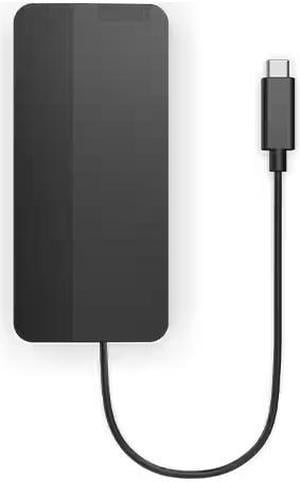
- Brand: Lenovo
- Part Number: 40B90000US
- Color: Multicolor
- Compatibility: Laptops
- Model #: 40B90000US
- $79.99
- $75.86 –
- Save: $4.13 (5%)
- More options from $58.79 - $146.83
Quick View
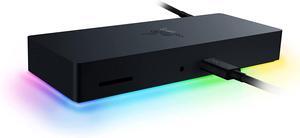
Razer Thunderbolt 4 Dock: Thunderbolt 4 Certified - 10 Ports in One - Dual 4K or Single 8K Video Output - Future-Proof & Backward-Compatible - RGB Lighting - Chroma

- Compatibility: Windows 10 PCs w/Thunderbolt 4 Port or Thunderbolt 3 Port Mac Systems w/M1 Processors* Mac Systems w/Thunderbolt 3 Port running MacOS 11.1 Big Sur or Later *For M1 MacBooks only one video output is supported
- Ports Spec: 4 x Thunderbolt 4 (USB-C) 3 x USB-A 3.2 Gen 2 1 x Gigabit Ethernet SD Card Reader, UHS-II
- Dimension: 1.06" x 7.48" x 2.93"
- Weight: 0.75 lb.
- Model #: RC21-01690100-R3U1
- $359.99
- $289.99 –
- Save: $70.00 (19%)
- Free Shipping
Quick View
#1 Best Seller



- Brand: Rosewill
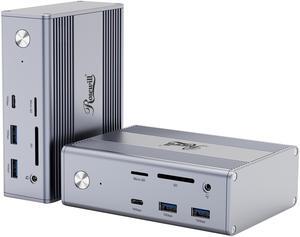
- Ports Spec: 1 x DisplayPort (4K@60Hz) 2 x HDMI (4K@30Hz) 1 x USB 3.2 GEN 2 Type C (10Gbps) 1 x USB 3.1 Type C (5Gbps) 2 x USB 3.2 GEN 2 Type A (10Gbps) 1 x USB 3.1 Type A (5Gbps) 1 x 2-in-1 Audio 1 x 1000M RJ45 1 x 100W PD SD / TF Card Reader
- Weight: 1.1kg
- Features: Versatile Connectivity: With a range of ports, including DisplayPort, HDMI, USB-C, USB-A, audio, Ethernet, and SD/TF card reader, connect to various devices. High-Resolution Display: Experience stunning visuals on a 4K display at 144Hz for smooth and immersive viewing. Fast Data Transfer: Benefit from high-speed data transfer with USB 3.2 Gen 2 Type-C and Type-A ports. Powerful Charging: Power your laptop and other devices with the 100W PD charging capability.
- Model #: RHUB-M14
- $159.99
- $79.99 –
- Save: $80.00 (50%)
- More options from $79.99 - $159.99
- Free Shipping
Quick View
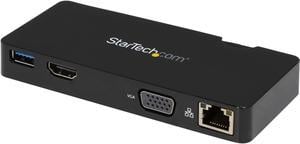
StarTech.com USB3SMDOCKHV Travel Docking Station for Laptops - HDMI or VGA - USB 3.0 - Portable Universal Laptop Mini Dock
- Ports Spec: Connector Type(s): 1 x USB 3.0 A (9 pin; SuperSpeed) Male 1 x HDMI (19 pin) Female 1 x VGA (15 pin; High Density D-Sub) Female 1 x RJ-45 Female 1 x USB 3.0 A (9 pin; SuperSpeed) Female Maximum Data Transfer Rate: 5 Gbps (USB 3.0) 2 Gbps (Ethernet; Full-Duplex) Maximum Analog Resolutions: 2048x1152 (VGA) Maximum Digital Resolutions: 2048x1152 (HDMI) Type and Rate: USB 3.0 - 5 Gbit/s UASP Support: Yes Compatible Networks: 10/100/1000 Mbps Auto MDIX: Yes Full Duplex Support: Yes
- Dimension: 0.70" x 2.20" x 4.90"
- Weight: 0.18 lb.
- Model #: USB3SMDOCKHV
- $100.15 –
- More options from $100.05 - $125.64
Quick View
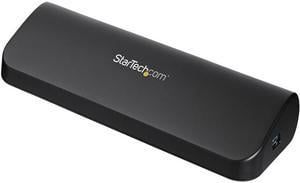
StarTech.com USB3SDOCKHDV USB 3.0 Docking Station, Compatible with Windows / macOS, Supports Dual Displays, HDMI / DVI / VGA (USB3SDOCKHDV) by StarTech.com.com
- Compatibility: Windows 8 (32/64-bit), 7 (32/64), Vista (32/64), XP SP3 (32/64), Windows Server 2008 R2, 2003 (32/64)
- Ports Spec: 1 x DVI-D (25 pin) Female 1 x HDMI (19 pin) Female 1 x RJ-45 Female 1 x USB 3.0 B (9 pin; SuperSpeed) Female 1 x VGA (15 pin; High Density D-Sub) Female 2 x 3.5 mm Mini-Jack (3 Position) Female 3 x USB 3.0 A (9 pin; SuperSpeed) Female
- Dimension: 12.00" x 7.00" x 1.70" (L x W x H)
- Weight: 0.64 lb.
- Model #: USB3SDOCKHDV
Quick View
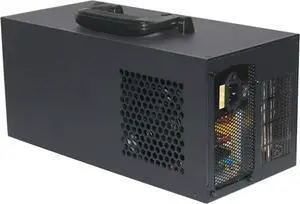
Fast Speed 4 GPU Expansion Dock Metal Enclosure 40Gbps Charging PCIe Adapters For Laptops Gaming Video Rendering USB C External GPU For Video Editing
- Model #: LIUEB0FG15T2BT
- $392.99 –
- Free Shipping
Quick View
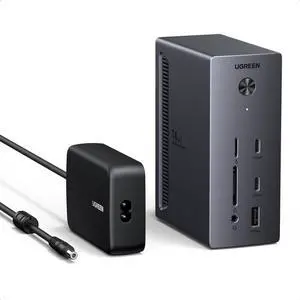
UGREEN 14 in 1 USB C Docking Station 3 Monitors Revodok Pro 314 2HDMI & DP with 8K DP/4K HDMI, 100W PD, 10Gbps USB Ports, Gigabit Ethernet, SD/TF 170MB/s, 3.5mm Audio, 90cm Cable.140W Power Adapter
- Brand: Ugreen
- Part Number: 55891
- Compatibility: USB Flash Drives, Tablets, Mouse, Keyboards, Laptops
- Ports Spec: 14
- Model #: CM843
- $399.99 –
- Free Shipping
Quick View
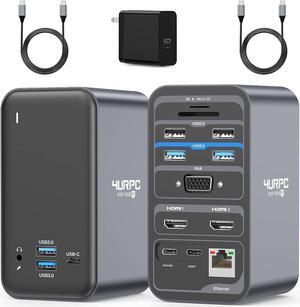
USB C Docking Station Dual Monitor, Dual HDMI USB C Dock, Laptop Docking Station with 2 HDMI Ports, VGA, 7 USB, 65W Power Adapter, Ethernet, SD/TF, Audio/Mic for Windows, and ChromeOS
- Model #: ilepo396239563516QI
- $233.98 –
- Free Shipping
Quick View

- $84.00 –
- More options from $30.15 - $217.01
- Free Shipping


Quick View
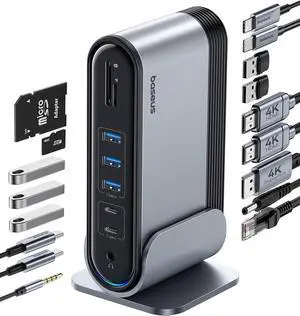
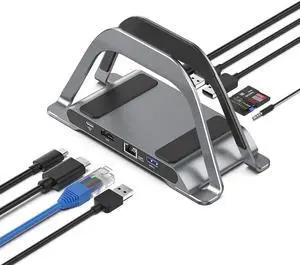
USB C Docking Station Dual Monitor for Dell XPS/HP/Lenovo/Surface, 15 in 1 USB C Hub 3 Monitor Adapter, Dock with 8K DisplayPort, 2 HDMI 4K@60Hz, 6 USB A/C, 100W PD, Ethernet, SD/MicroSD
- Brand: ABIWAZY
- Color: Grey
- Compatibility: Laptop, phone(thunderbolt 3/4 Full-featured usb c port)iPhone 15 Series/HP Envy x360; HP Elitebook 630/640/645/650/655 G9; Elitebook 840/850 G6/G7/G8/G9; Elitebook 845/Elitebook 830 G7/G8/G9/G10; EliteBook x360 830 G9/G10; EliteBook x360 1030 G2/G3/G4/G7/G8; HP EliteBook x360 1040 G5/G6/G7/G8/G9/G10; Elitebook X2; Probook 440 G8/G9; Probook 450/455 G9/G10; Probook 650 G5; ZBook Fury 15/17 G8; OMEN 16/17; Dell XPS 13/15/17; Dell Latitude 5540/5440/7340/7440/5340/3520/7280/ Latitude 5310 2-in-1/9330 2in1; New Inspiron 14/16 Plus/13/16 ; Precision 7730/ Precision 7750; Lenovo ThinkPad X1 Carbon; ThinkPad t14/t480/t490s;Thinkpad Yoga 900/920/720/730/C930/C940/C740/ C730; Surface Pro 9/8/7; Microsoft Surface Book 2/ Surface Go/ Surface Laptop 4/3; Huawei MateBook X/ MateBook X Pro/Switch Alpha 12/Chromebook Plus/Go...
- Model #: 893630872936
- $79.99 –
- Free Shipping
Quick View
in 30 days
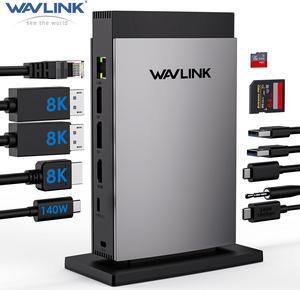
WAVLINK USB C Docking Station PD3.1 Triple Display with 140W Power, 8K Displayport*2 + 8K HDMI, RJ45, 10G USB-C, 2 USB 3.0, SD/TF Slot, Audio/Mic, for M1/M2/M3&Win
- Part Number: Ports: Front: 1x TF Card Slot, 1x SD Card Slot, 2 x USB-A 5Gbps, 1 x USB-C 10Gbps, 1 x 4-Pole Phone Jack, 1x USB-C (Host, PD125W); Rear: 1x RJ45(10/100/1000Mbps), 2 x 8K DisplayPort, 1 x 8K HDMI(Alt. Mode), 1x USB-C IN(PD140W MAX), 1 x Kensington Lock
- Compatibility: Plug and play on Windows 11/10/8.1/8/7, Mac OS 11 or later, Chrome OS, Linux, iPad OS, Harmony OS, Android, iOS. Works with your USB-C Desktop PCs, Laptops, Tablets/Mobile Phones(OTG function required).
- Features: - Three video ports(1*HDMI+2*DisplayPort)work for triple display, and the resolution is up to single 8K(7680x4320)@30Hz or 4K(3840x2160)@144Hz. - One USB-C PD 3.1 IN provides 140W power delivery for the dock, and supports 125W upstream charging for the host. - One Gigabit Ethernet port provides a stable and high-speed network, and is backward...
- Model #: WL-UMD28
Quick View
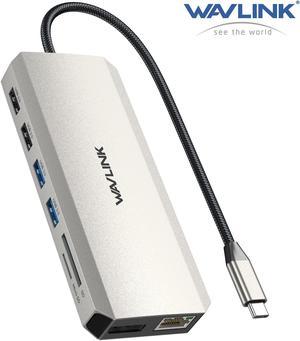
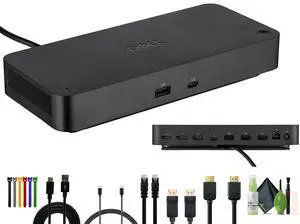
WAVLINK USB C Docking Station Triple Display USB C Hub with Dual 4K HDMI, 4K DP, 100W PD Multiport Adapter, 5Gbps USB3.0, USB2.0, RJ45, SD/TF Slots, Audio/Mic, for MacBook/Dell/HP/Lenovo
Limited time offer, ends 02/01
- Ports Spec: 1x USB-C(PD IN,100W), 1x HDMI1 (4K@30Hz), 1x HDMI2 (4K@60Hz), 1x DisplayPort(4K@60Hz), 1x Gigabit RJ45, 2xUSB3.0-A(5Gbps), 2 x USB2.0-A(480Mbps), 1x SD Card Slot, 1x TF Card Slot, 1 x Audio/Mic Port
- Features: USB-C PD 85W Charging Triple Display Gigabit Ethernet Port USB 3.0 5Gbps SD/Micro SD V3.0 Card Reader Combo Audio/Mic port
- Model #: WL-UMD502
Quick View
- $230.99 –
- More options from $149.54 - $230.99
- Free Shipping
Quick View
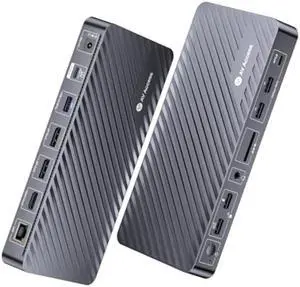
AV Access Docking Station 3 Monitors, 8K@30Hz Single Display, Triple 4K Display (2DP/1HDMI), USB-C Dock with 100W Laptop Charging, 10Gbps USB-C/A, Ethernet, Audio, SD, for MacBook/Chrome/Dell/HP
Limited time offer, ends 02/24
- Brand: v AV Access
- Color: Grey
- Compatibility: Dell XPs 9380/XPS 13 9365/XPs 15 2018: Dell Latitude E7370/E7470/E7480/ Dell Latitude 13 7000/E7370L/ New XPs 15 i7 Lenovo Yoga 720-13lKB/Yoga 910; Yoga15 Thinkpad Ultrabook Pro; Thinkpad E590/ Thinkpad P72/ Lenovo C930; Microsoft Surface Book 2/ Surface Laptop 3; Surface Pro 7/ Surface Pro 8/ Surface Go; Galaxy Book flex Alpha 2-in-1 13.3" QLED Touch-Screen Laptop; Galaxy Tab S5e/ Galaxy Tab S4; HP Spectre Laptop 13-af001TU/ Spectre x360 13t; Elitebook 840 G5 series/ Elitebook x360 1030 G3: MacBook / MacBook Pro(2021/2020/2019/2018); Macbook Air 2018-2020, Mac mini 2018-2020, iPad Pro/ Air 2018/2020, iPad mini 6;Envy Geforce mx250/z book 15u G3 ASUS Zenbook UX330UA/Zenbook flip ux370u; Acer Aspire 5 2019; D17w3 Aspire c24-865; iPhone 15 Series /Samsung Galaxy S10+/510/59+/59/ 58+/58 Plus; Note 10/ 9/ 8;AS...
- Model #: KD-S03
Quick View
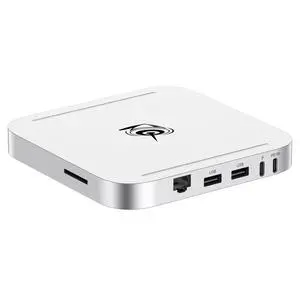
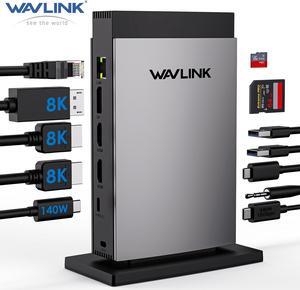
WAVLINK USB C Docking Station PD3.1 Triple Monitor with 140W Power, 8K HDMI*2 + 8K Displayport, RJ45, 10G USB-C, 125W Charging for Laptop, 2 USB 3.0, SD/TF Slot, Audio/Mic for M1/M2/M3 Mac&Windows
- Part Number: 1x TF Card Slot, 1x SD Card Slot, 2 x USB-A 5Gbps, 1 x USB-C 10Gbps, 1 x 4-Pole Phone Jack, 1x USB-C (Host, PD125W); Rear: 1x RJ45(10/100/1000Mbps), 1 x 8K DisplayPort, 2 x 8K HDMI(Alt. Mode), 1x USB-C IN(PD140W MAX), 1 x Kensington Lock
- Compatibility: Simply Plug & Play, no external drivers required. 🍎MacOS-based computers do not support MST, only extend to one different screen (ABBB). 💻Some Windows laptops may only support 3 monitors(including the host screen) due to their graphic card limitations. 📱Your USB-C phones/tablets should support the OTG function. 📹The type-C port of
- Ports Spec: 1x TF Card Slot, 1x SD Card Slot, 2 x USB-A 5Gbps, 1 x USB-C 10Gbps, 1 x 4-Pole Phone Jack, 1x USB-C (Host, PD125W); Rear: 1x RJ45(10/100/1000Mbps), 1 x 8K DisplayPort, 2 x 8K HDMI(Alt. Mode), 1x USB-C IN(PD140W MAX), 1 x Kensington Lock...
- Model #: WL-UMD26
Quick View
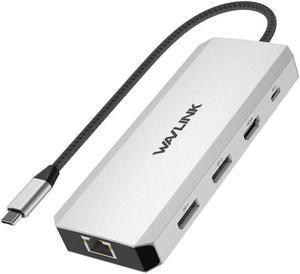
WAVLINK Triple Monitor Laptop Docking Station | 12-in-1 USB C Hub with 4K HDMI | Dual 4K DP | 100W PD Charging | USB3.0 | USB2.0 | RJ45 | SD/TF Slots | Audio/Mic - MacBook/Dell/HP/Lenovo
- Part Number: 1x USB-C(PD IN,100W), 1x HDMI (4K@60Hz), 2x DisplayPort(4K@60Hz), 1x Gigabit RJ45, 2xUSB3.0-A(5Gbps), 2 x USB2.0-A(480Mbps), 1x SD Card Slot, 1x TF Card Slot, 1 x Audio/Mic Port
- Compatibility: Systems/ Devices Compatibility Plug and play on Windows 11/10/8.1/8/7, Mac OS, Chrome OS, Linux, iPad OS, Harmony OS, Android. Works with your USB-C Desktop PCs, Laptops, Tablets/Mobile Phones(OTG function required).
- Weight: 0.27Lbs
- Parts: How to Confirm if the Type-C Port of Your Laptop Supports Video Output and Charging? Step 1: Please check the model of your laptop, it should be on the back of the label; Step 2: Search “brand + the model number of the device + manual” in Google, for example:
- Model #: WL-UMD303

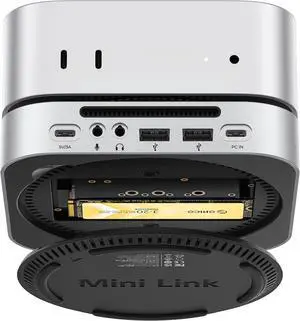
Quick View

Limited time offer, ends 01/31
- Brand: ORICO
- Series: M45P
- Standards: USB 2.0
- Transfer Rate: Up to 40 Gbps
- Model #: M45P-SV-BP
Quick View
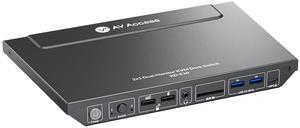
AV Access KVM Switch Docking Station for 2 Monitors 2 Computers, 4K KVM Switch Dual Monitor for Laptop & Desktop, EDID, 1G Ethernet, 100W USB-C Charging, 3X USB 3.0, for Home Office & Gaming(KD-E10)
- Part Number: KD-E10
- PC Selection: Push Button
- Temperature: 0ºC to 40ºC(32ºF to 104ºF)
- Power Features: 33.12 watts
- Model #: KD-E10

Quick View
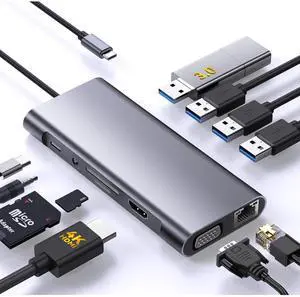
AUTYUE 11-in-1 USB C Hub Multi-port Type C Adapter, USB C Docking Station with 4K HDMI, VGA 1080P,100W PD, Ethernet, SD/TF, Audio, USB 3.0 USB 2.0 Port, Laptop Dock for MacBook Pro/Air, iPad, Windows
Limited time offer, ends 01/31
- Standards: USB 3.0/2.0
- Ports: 1×HDMI 4K@30Hz, 1×VGA 1080P, 1×USB 3.0 (5Gbps), 3×USB 2.0, 1×100W PD charging, 1×Ethernet (100Mbps), 1×SD, 1×TF, and 1×3.5mm audio jack.
- Transfer Rate: Up to 5 Gbps
- Operating System Supported: Compatible with Windows, macOS, ChromeOS, and Linux.
- Model #: Q3126_GR
Quick View
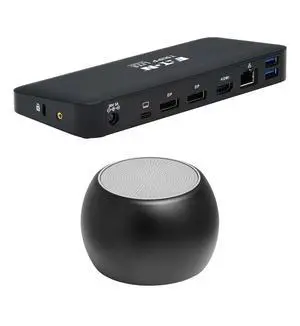
Tripp Lite USB-C Dock Supporting Triple Display, 4K, 85W, HDMI, DisplayPort and Ethernet Bundled With Bluetooth Boost U Speaker and Built-in Mic, 5 Hour Playback
- Model #: 840104341384
- $329.00 –
- Free Shipping