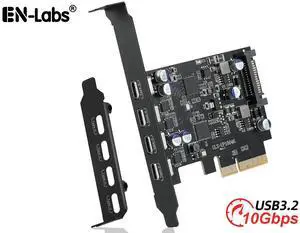
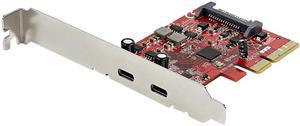
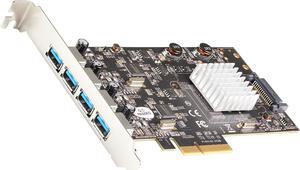
1. Performance I have both PCIe and PCI-X (it's a server board) on this machine, and I have another USB 3.0 card that uses the same Renesas chip on the PCIe bus, so I did a performance comparison using the same SATA drive (WD Blue 2.5-inch 500GB - WD5000BPVT, reformatted) on a USB 3.0 to SATA cable (StarTech USB3S2SAT3CB USB 3.0 to 2.5" SATA III Hard Drive Adapter Cable w/ UASP) using DskSpeed from roadkil-dot-net Interestingly enough, on my system the PCI 3.0 card matched the performance of the PCIe USB 3.0 card. Note: This is a PURELY COMPARATIVE test, NOT a performance benchmark. It answers the question of "How does it compare to a PCIe USB 3.0 card?" Startech PCIUSB3S4 on PCI bus: Max Read: 95.79 MB/sec (512KB blocks) VANTEC UGT-PCE430-4C on PCIe bus: 94.15 MB/sec (256KB blocks) a. Is it faster than USB 2.0? DEFINITELY YES. 90 MB/sec is 720 Mbps, which is well beyond USB 2.0's 480 Mbps bandwidth. b. Is it as fast as a PCIe USB 3.0 card? On MY system, yes, *but* I have PCI-X slots and I switched my PCIUSB3S4 to 33/66 MHz mode, so it's probably running faster than it would on a standard PCI bus. On the other hand, my PCIe is only v1.0, so I'm pretty sure a _modern_ system's PCIe or native USB 3.0 would be faster than the results I'm getting (in which case the answer would be "No, it's not faster than PCIe") Still, if you're on an older PCI bus system, I think this is a reasonable addition to the system, as it's definitely faster than USB 2.0 2. Warranty I've had this card for over a year and it recently had an issue. I contacted Startech, explained the symptoms and what I had tried, and they quickly issued an RMA replacement. Got what appears to be a brand new card (full retail box) back and I'm running normally again. Excellent support, justifies the premium. 3. 33/66 MHz operation It isn't mentioned in the instructions, but there's a jumper on the card for 33 MHz and 33/66 MHz. The default is 33 MHz, but I have PCI-X slots so they can run at 66 MHz, so I set my card for 33/66 MHz. Not sure if there's a performance difference, but at least the card can run at 66 MHz and not slow down other cards on the same bus to 33 MHz. 4. Both power connectors Having both the traditional SP4 floppy drive style power connectors and SATA power connector eliminates the need for adapters or finding the right plug. Less extra cabling means better airflow.


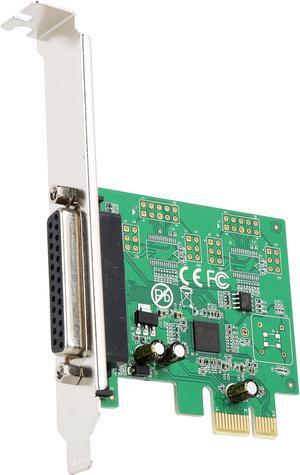
An update to rkb's review on 6/17/10, the supplied CD install disc now includes the current driver for Win 7 Pro 64 bit. It installed perfectly and works fine. The driver on the disc is the current Ver 2.0.3.0. I checked the asix.com.tw/download page for the MCS9901 driver and their file Windows 8.1/8.0/7/Vista/XP 64-bit Driver is also Ver 2.0.3.0. Use this website to check for future versions.


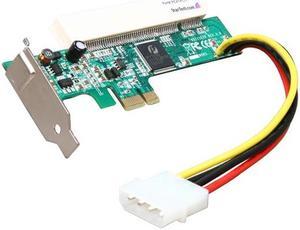
Tested using a Promise TX4300 SATA card. The Promise card asserted it self with no problems on a P6T Motherboard while plugged in to this adapter. As expected, data transfer rates did not appear to be hampered by this adapter as the PCI slot is slower than a PCI Express 1x slot (just Google pci vs pcie x1)

Straight forward install Great results

Newegg.com never fails to impress Great quality card Easy install and drivers auto installed under Windows 8 Pro x64


plug and play, came with everything you need, no drivers

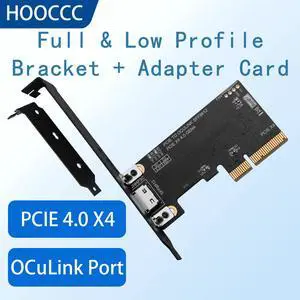
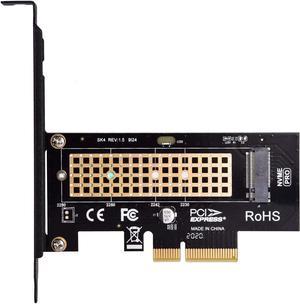
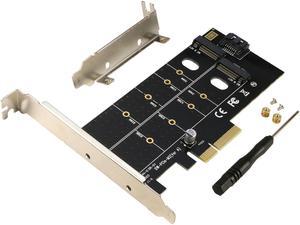
Supports my Optane 905p flawlessly! I was concerned it would be able to supply power, as the optane has a split plug. One is for data, the other for power. This board supports the drive with no other connectors. This removes to longish cables from my case. The Optane m.2 data cable was very stiff, and the way the tiny card mounts in the slot required it to be bent 180 degrees backwords.