

Your Browsing History
BEST SELLERS


BEST SELLERS
In Gaming Laptop
Our most popular products, based on sales and updated frequently.Shop Department
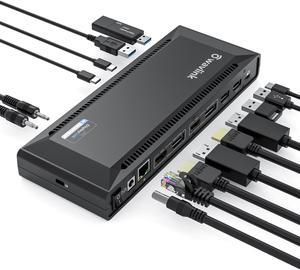
WAVLINK DisplayLink Laptop Docking Station with 100W Charging, Single 5K/Dual 4K@60Hz Display for Windows/New MacBook Neo/MacOS/ChromeOS/Ubuntu ( 2xDP 1.2, 2xHDMI, LAN, 6 USB Ports, Audio/Mic)
- Brand: Wavlink
- Model: WL-UG69PD2 Pro
- Color: Black
- Compatibility: System Compatible This item has DL-6950 chipset which made by Displaylink. Supported Operating Systems Attention: It's worth noting that displaylink driver installation is required For Windows: Windows 11, Windows 10, Windows 7, Windows 8.1, Windows 8 For macOS: Ventura 13, Monterey 12, Big Sur 11, Catalina 10.15, Mojave 10.14 For
- Model #: WL-UG69PD2 Pro
- Item #: 9SIC7HHM007223
- Return Policy: View Return Policy
$145.99
$149.99
Free Shipping
Clear instructions for setup
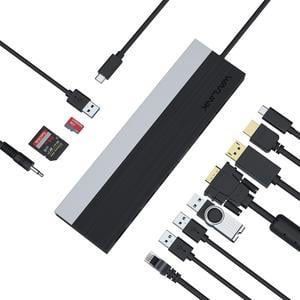
Wavlink USB C Docking Station 4K Triple Display USB C Hub With DP& HDMI& VGA, 85W PC Charging, SD TF Card Reader, Gigabit Ethernet, 4 USB Ports, Audio for Dell XPS 13/15,Lenovo Yoga, MacBook Pro
- Compatibility: Support OS Windows 7 / 8 / 10; Max OSX 10; Linux or the latest version
- Ports Spec: 1 x USB-C 2 x USB 3.0 2 x USB 2.0 1 x DisplayPort 1 x HDMI 1 x VGA 1 x RJ45 Gigabit Ethernet 4-Pole phone Jack SD/TF CardReader
- Features: Compatible with Type-C USB3.1 Gen2 full specification PC Computer. USB-C power port support PD3.0 for upstream power charging to PC computer maximum up to 100Watt. DisplayPort support V1.2a; HDMI port support HDMI V1.4b. Support single display, DP or HDMI up to 3840x2160@30, VGA up to 2048x1152@60. Support dual display, up to 2048x1152@60. Support triple display,
- Content: 1 x UMD03 USB-C Triple Display MST Docking Station 1 x Quick Installation Guide...
- Model #: WL-UMD03
- Item #: 9SIC7HHM007267
- Return Policy: View Return Policy
$39.99
Free Shipping
Allows me to extend my display onto 2 extra screens. I can view different pages on each screen.
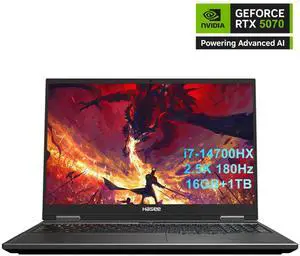
Hasee T8 Pro-16'' GeForce RTX 5070 Laptop GPU, Intel i7-14700HX-5.5GHz, AI Ready Gaming Laptop, 16GB DDR5 RAM, 1TB SSD, 16'' 180Hz QHD 100%sRGB IPS, RGB KB, WiFi7,BT5.4,Win11 Home
- GPU/VPU: GeForce RTX 5070 Laptop GPU
- Processor Name: Intel Core i7-14700HX
- Memory: 16GB
- SSD: 1TB
- Model #: T8Pro-T9 74618QX
- Item #: 9SIC11UKGE3529
- Return Policy: View Return Policy
$1,459.99
$1,999.99
Free Shipping
So far so good! Runs everything great, does not come with any bloatware, just the software for the performance. Laptop monitor pretty good as well. The plastic doesn't feel great but for this price, i would definitely recommend . Specially if you're someone who uses it docked to monitor and keyboard/mouse
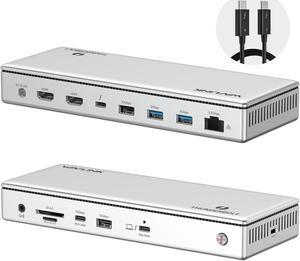
WAVLINK Thunderbolt 4 Docking Station, Single 8K, Triple 4K Display, 13 In 1 Laptop Dock for TBT 4/3 Mac & TBT 4 Windows PC, 40 Gbps with Max 96W Charging for Laptop with 2.5G RJ45
- Brand: Wavlink
- Part Number: Front Panel: 1x 4-Pole Phone Jack; SD/TF Card Slots(312MB/s), 1x USB-C(10Gbps, PD 30W), 1x USB-A 10Gbps, 1x Thunderbolt 4 Host(40Gbps, 96W); Rear Panel: 1x DC IN (20V/8A, 160W); 2x 8K HDMI; 1x Thunderbolt 4 Downstream(8K, 40Gbps, 15W); 1x USB-A 10Gbps; 2x USB-A 5Gbps; 1x RJ45(2500Mbps)
- Color: Silver
- Compatibility: Compatible Systems -Thunderbolt 4 PC running Windows 10/11. -Thunderbolt 3/4 Mac running Mac OS 11 or later. -Compatible with Other USB4 and MFDP Hosts (Full-functional USB-C, supports DisplayPort+USB3.1+Power Delivery)
- Model #: WL-UTD45
- Item #: 9SIC7HHM006946
- Return Policy: View Return Policy
$169.99
Free Shipping
I have been using this product for about ten days. The overall experience is very good. Before I bought this product, when my MacBook was connected to the monitor, I would feel that some of it would not run smoothly. But now the speed of the computer has increased significantly. It has many interfaces, usb type-C DP and so on. It is very convenient to use.
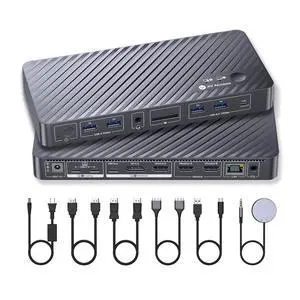
AV Access KVM Switch Docking Station for MacBook, USB C KVM Switch 2 Monitors 2 Computers, 4K Dual HDMI Displays, 1 Laptop+1 Desktop Switching, Ethernet, 100W Power Delivery, EDID Emulation(iDock M10)
- Brand: v AV Access
- Model: iDock M10
- Ports Spec: 2 × HDMI video outputs; 2 × USB 3.2 Gen 2 (10Gbps) Type-A ports; 1 × USB 3.2 Gen 2 (10Gbps) Type-C port; 2 × USB 3.2 Gen 1 (5Gbps) Type-A ports; 1 × SD card slot; 1 × Gigabit Ethernet port; 1 × 3.5mm headset jack.
- Model #: iDock M10
- Item #: 9SIBVD9KPR6805
- Return Policy: View Return Policy
$249.99
$289.99
Free Shipping
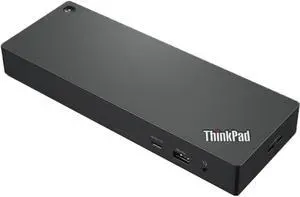
Lenovo ThinkPad Universal Thunderbolt 4 Dock
- Brand: Lenovo
- Part Number: 40B00135US
- Color: Black
- Compatibility: MacBook Pro
- Model #: 40B00135US
- Item #: 9SIA3ERFY26220
- Return Policy: View Return Policy
$224.89
$9.99 Shipping
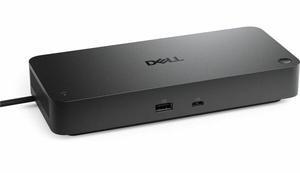
Dell Pro Thunderbolt 4 Smart Dock SD25TB4 - Thunderbolt 4 - 4 Displays Supported - 6x USB Ports - 4x USB Type-A Ports - USB Type-A - 2x USB Type-C Ports - Gigabit Ethernet
- Brand: Dell
- Model: SD25TB4
- Part Number: SD25TB4
- Color: Black
- Model #: Dell-SD25TB4
- Item #: 9SIAKVUM4U8587
- Return Policy: View Return Policy
$219.99
Free Shipping
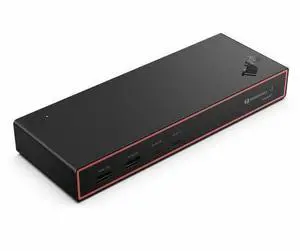
Lenovo ThinkPad Thunderbolt 4 Smart Dock Gen2 7500 - US - for Notebook, Display Screen, Monitor - Charging Capability - 135 W - Thunderbolt 4 - 4 Displays Supported (40BE0135US)
- Brand: Lenovo
- Part Number: 40BE0135US
- Color: Multicolor
- Compatibility: Notebook, Display Screen, Monitor
- Model #: 40BE0135US
- Item #: 9SIAHRCM389040
- Return Policy: View Return Policy
$244.99
$359.99
Free Shipping
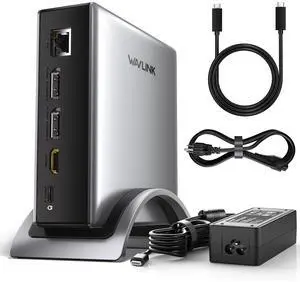
WAVLINK PD3.1 Triple Display USB C Docking Station with 140W Power, 8K Displayport*2 + 8K HDMI Triple Display Dock, RJ45, 10G USB-C, 2 USB-A 3.0,3.5mm Audio/Mic, for M1/M2/M3&Win
- Compatibility: Windows 11/10/8.1/8/7, macOS 11 or later (Can extend a different display ONLY), Chrome OS, Linux, iPadOS, Harmony OS, Android, iOS Works with your USB-C desktop PCs, laptops, tablets, and mobile phones (OTG function required).Computer at least has one full-functional USB-C port
- Ports Spec: with 2 DisplayPort and 1 HDMI port, supporting up to 8K@30Hz or 4K@144Hz on a single display. Charge your laptop at 125W via the PD 3.1 port, transfer data quickly with 2 USB-A (5Gbps) and 1 USB-C (10Gbps) ports, and connect to wired networks with the Gigabit Ethernet port. A...
- Model #: WL-UMD29 Pro
- Item #: 9SIC7HHM006541
- Return Policy: View Return Policy
$105.99
Free Shipping
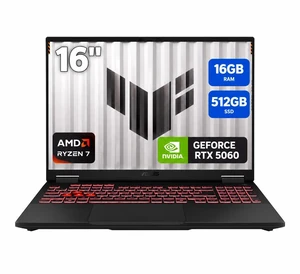
ASUS TUF Gaming - 16.0" WUXGA 144 Hz - AMD Ryzen 7 260 - GeForce RTX 5060 Laptop GPU - 16GB Memory DDR5 5600 - 512GB PCIe SSD - Windows 11 Home (FA608UMI-NB73)
- GPU/VPU: GeForce RTX 5060 Laptop GPU
- Processor Name: AMD Ryzen 7 260
- Memory: 16GB
- SSD: 512GB PCIe
- Model #: FA608UMI-NB73
- Item #: N82E16834236758
- Return Policy: 15-Day Return Policy
$1,799.99
Free Shipping
Upgraded from a 3050 to the 5060 and oh my lord does it perform as intended. Same thing from and intel i5 to a Ryzen 7, the performance is out of this world. Released 3 days after my birthday, so thats just brownie points
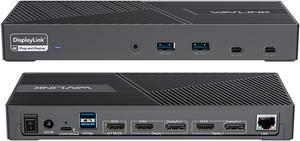
Wavlink DisplayLink Laptop Docking Station Triple Monitor 4K@60Hz, 100W Charging For Thunderbolt 3/4, New MacBook Neo, M1 M2 M3 Mac/Windows/Chrome, 3 HDMI, 2 DP, 6 USB Ports, 160W Power, LAN,Audio
- Compatibility: Perfect for laptops with USB 3.1 full-function type c port or thunderbolt 3/4 port. Support Windows 11/10/8.1/8/7; Mac OS 10.14-13.x and latest, Chrome OS, Ubuntu 20.04, 22.04, Android and Harmony OS. Unsupported with Unix systems, Linux and iPad OS. (Follow the instructions to download the latest DisplayLink drivers before use.)
- Ports Spec: 3 x HDMI (HDMI2.0) + 2 x DP (DP1.2), supports up to triple 4K@60Hz resolution display Supports USB Power delivery(PD3.0) up to 100W upstream Charging to a connected laptop Four USB3.1 Type-A (10G) and Two USB-C Gen2 (10G) ports to extend more connectivity to USB devices LAN port supports up to 1Gbps (10/100/1000Mbps),providing
- Dimension: Unit Size: 22.3x9.1x2.9cm/8.7x3.6x1.1in( L x W x H ) USB-C to C Cable Length: 100cm/39.4in...
- Model #: WL-UG69PD25 Pro
- Item #: 9SIC7HHM007118
- Return Policy: View Return Policy
$175.99
Free Shipping
I am a Windows user but recently had to take up support for Apple MacBook's. I use three monitors to do my work\support and my new MacBook would not let me use the three monitors, just the MacBook screen and one external monitor. I tried just about everything and nothing worked. Someone told me about this Wavlink docking station, so I tried it and WOW, I was able to use all three monitors with little effort to get the dock to work with my MacBook and it also works with my Window's laptop, so now all I do is unplug one machine and plug in the other and I just get to work!! What a great dock, highly recommend!!
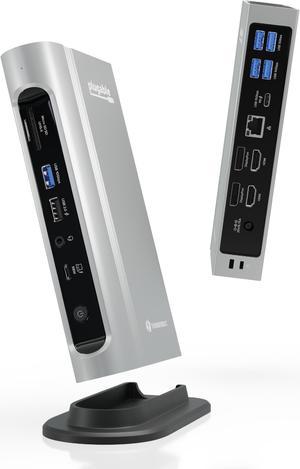
Plugable Thunderbolt 4 Dock with 100W PD, 4K Quad Monitor Setup for Thunderbolt 4 Windows Laptops, 16-in-1 Docking Station with 2x HDMI, 2x DisplayPort, 2.5G Ethernet, 7x USB, SD
- Brand: Plugable Technologies
- Part Number: TBT4-UDZ
- Compatibility: Windows 11 Thunderbolt 4 hosts (Dell XPS, Lenovo Thinkpad, HP ProBook), macOS Thunderbolt 3 and Thunderbolt 4 hosts with macOS 11+
- Thunderbolt: Yes
- Model #: TBT4-UDZ
- Item #: 9SIA2XBJRN9618
- Return Policy: View Return Policy
$289.99
Free Shipping
I'm an IT Security Professional. The Plugable Thunderbolt 4 docking station resolved my disconnection issues. My previous docking station was HP Thunderbolt Dock 1203 G2 was causing random connectivity issues where I would lose ethernet connectivity.
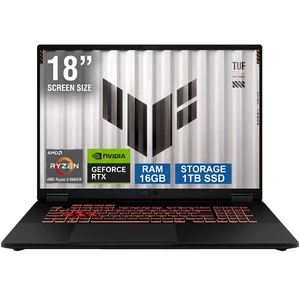
ASUS TUF Gaming - 18.0" WUXGA 144 Hz - AMD Ryzen 9 8940HX - GeForce RTX 5070 Laptop GPU - 16GB Memory DDR5 5600 - 1TB PCIe SSD - Windows 11 Home (FA808PP-NB94)
- GPU/VPU: GeForce RTX 5070 Laptop GPU
- Processor Name: AMD Ryzen 9 8940HX
- Memory: 16GB
- SSD: 1TB PCIe
- Model #: FA808PP-NB94
- Item #: N82E16834236759
- Return Policy: 15-Day Return Policy
$2,149.99
Free Shipping
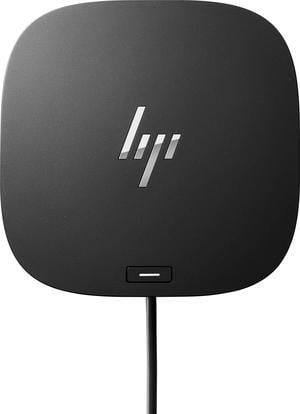
HP USB-C Dock G5 Docking Station (5TW10AA#ABA) – Dual 4K, USB-C, Power Delivery, Universal Business Laptop Dock
- Brand: HP
- Part Number: 5TW10AA#ABA
- Color: Black
- Compatibility: HP
- Model #: 5TW10AA#ABA
- Item #: 9SIA0SXKWB8977
- Return Policy: View Return Policy
$99.99
$107.89
Free Shipping
Dell WD22TB4 Thunderbolt 4 Docking Stations Black
- Ports Spec: 1 x USB-C 3.2 Gen 2 1 x USB-A 3.2 Gen 1 with PowerShare 2 x DisplayPort 1.4 1 x HDMI 2.0 1 x USB-C Multifunction DisplayPort 2 x USB-A 3.2 Gen 1 port 1 x Gigabit Ethernet RJ45 1 x Power In 2 x Thunderbolt 4
- Model #: DELL WD22TB4
- Item #: 9SIA4A0M0G5495
- Return Policy: View Return Policy
$178.56
$179.99
Free Shipping
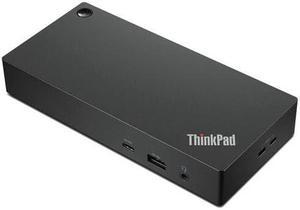
Lenovo Thinkpad Universal USB-C Dock (40AY0090US)
- Weight: 5.0000
- Model #: 40AY0090US-
- Item #: 9SIA4A0KBA5166
- Return Policy: View Return Policy
$148.99
Free Shipping
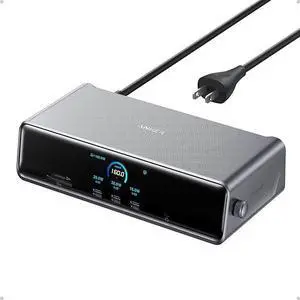
Anker Prime Docking Station (DL7400), 14-Port Triple Display with DisplayLink, 140W Max, Smart Display, Triple 4K 60Hz, Cooling Fan, for macOS and Windows (The Latest DisplayLink Driver Required)
- Brand: Anker
- Model: A83B3
- Color: Black
- Weight: 1.83
- Model #: A83B31A1
- Item #: 9SIACCUKSR1279
- Return Policy: View Return Policy
$299.99
Free Shipping
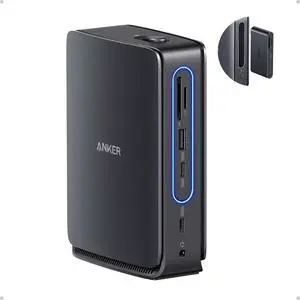
Anker Nano Laptop Docking Station with Detachable Hub, 13-in-1 USB-C Triple Display Docking with 2 HDMI+1 DP, 10 Gbps USB-C, 3 USB-A, Audio, SD/TF, Ethernet, 100W Max PD for Dell, Lenovo, HP, and More
- Brand: Anker
- Part Number: A83C3
- Color: Black/Gray
- Ports Spec: 3 x USB 3.0
- Model #: A83C3111
- Item #: 9SIACCUKVT3207
- Return Policy: View Return Policy
$149.99
Free Shipping
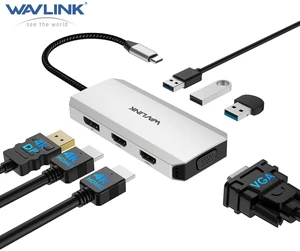
USB C Docking Station, Docking Station Quad Monitors with Dual HDMI,DP,VGA,3* USB-A2.0 for Wireless Device,Compatible with Lenovo, HP, Dell, Windows System Computer
- Brand: Minthouz
- Color: Silver
- Model #: MT-UMD304
- Item #: 9SIAUUMM6C3276
- Return Policy: View Return Policy
$9.99
Free Shipping
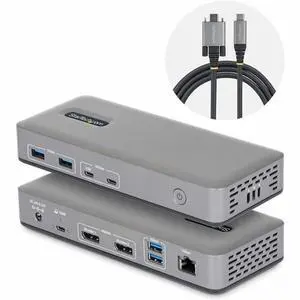
StarTech Dual-Monitor USB-C Docking Station DisplayPort 4K 60Hz 100W Laptop Charging 1GbE Driverless Multi-Monitor Dock 201NUSBCDOCK
- Brand: StarTech
- Model #:
- Item #: 9SIA6ZPKSY6378
- Return Policy: View Return Policy
$121.94