• In Stock
  • Sold by Newegg
  • Make an Offer
  • New
  • Combo Deals Only
Brands
Show More
Price
Show More
Size
Show More
AC Adapter
Material
Show More
Thunderbolt
Internal Interface
Show More
External Interface
Show More
Number of Bay
Show More
Maximum Capacity (per Bay)
Show More
Sold by
Fan
All Top Brands
Availability
Condition
Current Promotion
Discount
Useful Links
Customer Ratings
  • ASUS ProArt SSD Enclosure
  • Featured Brands

    See Deals from RosewillSee Deals from OricoSee Deals from Thermaltake
Sort By:
View:
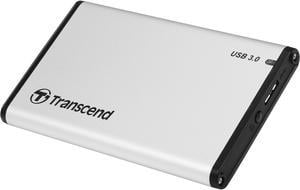
Transcend TS0GSJ25S3 2.5" Silver SATA III 6Gb/s USB 3.1 Gen 1 (backward compatible with USB 2.0) External Enclosure
Quick View
Transcend TS0GSJ25S3 2.5" Silver SATA III 6Gb/s USB 3.1 Gen 1 (backward compatible with USB 2.0) External Enclosure
  • Dimensions: 5.08" x 3.15" x 0.51" (H x W x D)
  • Type: Enclosure
  • Number of Bay: 1
  • Power: Operating Voltage: USB DC 5V
  • Model #: TS0GSJ25S3
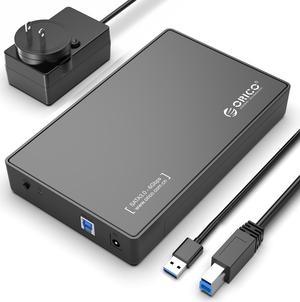
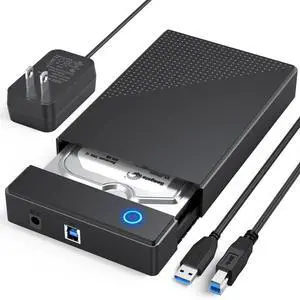
ORICO USB 3.0 External Hard Drive Enclosure for 3.5/2.5 Inch SATA Hard Drives/SSD Up to 20 TB, 3.5'' Tool-Free HDD Enclosure with 12V/2A Power Supply and UASP Acceleration (3588US3)
Quick View
  • $29.99
  •  
  • $22.99 –
  • Save: 23%
  • Free Shipping
MAIWO M.2 NVMe SSD Enclosure, USB 3.1 GEN2 10Gbps Support UASP Trim, 4TB Capacity, Tool Free M.2 NVMe PCIe SSD to USB-C Adapter Reader Case, Supports 2230/2242/2260/2280 PCIe M-Key SSDs
Quick View
  •  
  • $35.99 –
  • Free Shipping
  • $13.00 - $35.99
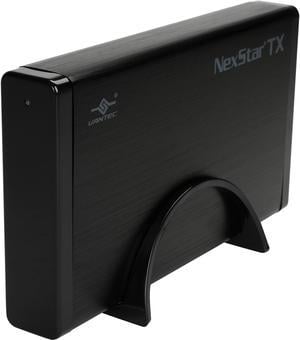
VANTEC NexStar TX NST-328S3-BK 3.5" Black SATA USB Type B External Enclosure
Quick View
VANTEC NexStar TX NST-328S3-BK 3.5" Black SATA USB Type B External Enclosure
  • Material: Aluminum / Plastic
  • Dimensions: 4.50" x 8.00" x 1.20"
  • Specifications: Device Support: SATA I/II/III SSD or Hard Drive Interface Cable: USB Type A to Type B USB Cable Length: 800mm
  • Type: Enclosure
  • Model #: NST-328S3-BK
  • $29.27 - $43.46
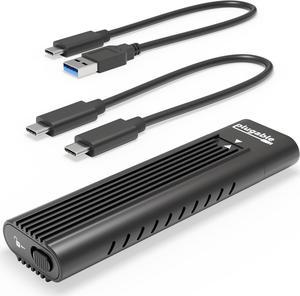
Plugable USB C to M.2 NVMe Tool-free Driverless Enclosure, USB C and Thunderbolt 3, Up to USB 3.1 Gen 2 Speeds (10Gbps). Includes USB-C and USB 3.0 Cables (Supports M.2 NVMe SSDs 2280 2260 2242)
Quick View
  •  
  • $22.95 –
  • Free Shipping
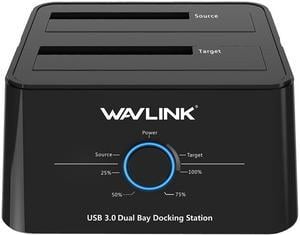
Wavlink USB 3.0 to SATA I/II/II Dual Bay External Hard Drive Docking Station for 2.5" 3.5" SATA HDD/SSD Enclosure 2x 16TB Hard Drive Enclosure With UASP, Support Offline Clone Duplicator, Auto Sleep
Quick View
  • $34.99
  •  
  • $27.99 –
  • Save: 20%
  • Free Shipping
ORICO 3.5 Inch Hard Drive Enclosure with Removable Case, External USB 3.1 Gen 1 to SATA 3.0 Adapter for SATA 3.5 Inch HDD with 12 V 2A Power Supply (20 TB Max)
Quick View
  • $35.99
  •  
  • $26.99 –
  • Save: 25%
  • Free Shipping
Wavlink USB 3.0 To USB C SATA Dual Bay External Hard Drive Enclosure for 2.5" & 3.5" HDD with UASP (6Gbps) SSD Enclosure 12V 3A Power Adapter [Support 2x 8TB]  Duplicator/Clone and One Button Backup
Quick View
  •  
  • $34.99 –
  • Free Shipping
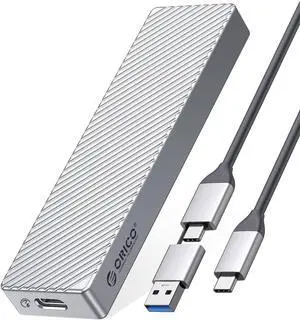
SABRENT USB 3.2 4-Bay 3.5" SATA Hard Drive Tray-Less Docking Station (DS-SC4B)
Quick View
SABRENT USB 3.2 4-Bay 3.5" SATA Hard Drive Tray-Less Docking Station (DS-SC4B)
  • Material: Plastic
  • Type: Dock
  • Number of Bay: 4 Bay
  • Model #: DS-SC4B
  •  
  • $229.99 –
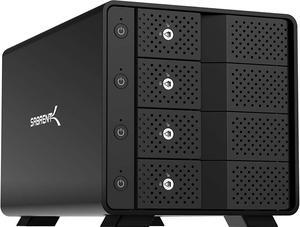
ORICO M.2 SATA SSD Enclosure Adapter Aluminum 6Gbps USB 3.2 Gen2 with USB-C/USB-A 2-in-1 Data Cable Supports B-Key or B&M Key, Support Size 2230/2242/2260/2280 SSDs - Silver
Quick View
ORICO M.2 SATA SSD Enclosure Adapter Aluminum 6Gbps USB 3.2 Gen2 with USB-C/USB-A 2-in-1 Data Cable Supports B-Key or B&M Key, Support Size 2230/2242/2260/2280 SSDs - Silver

Limited time offer, ends 12/01
  • Type: Enclosure
  • Material: Aluminum
  • HDD Count Supported: Single SSD
  • Number of Bay: 1 Bay
  • Model #: M211C3-SV-BP
  •  
  • $24.29 –
  • Free Shipping
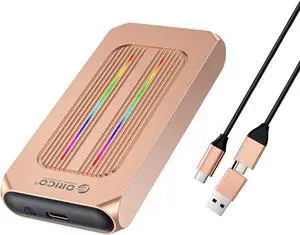
ORICO  M.2 NVMe SSD Enclosure Aluminum RGB Reader USB 3.1 Gen2 Type-C 10Gbps Support UASP for NVMe SSD Size 2230/2242/2260/2280 - Rose Gold
Quick View
ORICO M.2 NVMe SSD Enclosure Aluminum RGB Reader USB 3.1 Gen2 Type-C 10Gbps Support UASP for NVMe SSD Size 2230/2242/2260/2280 - Rose Gold

Limited time offer, ends 12/01
  • Material: Aluminum
  • Type: Enclosure
  • HDD Count Supported: Single SSD
  • Number of Bay: 1 Bay
  • Model #: M2R1-G2-RG-BP
  •  
  • $35.99 –
  • Free Shipping
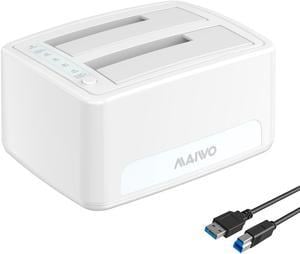
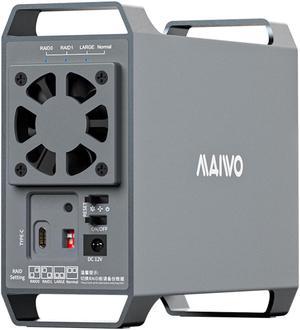
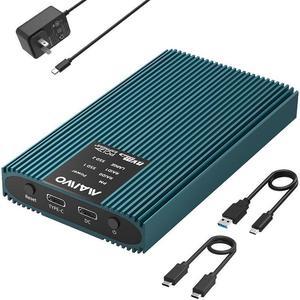
MAIWO Dual Bay 3.5'' SATA HDD Docking Station with Cooling Fan, 10Gbps Type C SATA I II III External Hard Drive Raid Enclosure, 36TB Capacity, with RAID 0/1/Normal/Large Raid Modes
Quick View
MAIWO Dual Bay 3.5'' SATA HDD Docking Station with Cooling Fan, 10Gbps Type C SATA I II III External Hard Drive Raid Enclosure, 36TB Capacity, with RAID 0/1/Normal/Large Raid Modes
  • Type: USB Docking Station
  • Material: Aluminum
  • HDD Count Supported: Dual bay 3.5" HDD Docking Station USB3.1 to SATA w
  • Number of Bay: 2 Bay
  • Model #: K35262C
  • $68.98
  •  
  • $55.99 –
  • Save: 18%
  • Free Shipping
ICY DOCK ICYNano MB809U3-1M2B M.2 Black 1 x M.2 SATA SSD (2230/2242/2260/2280) 1 x USB 3.2 Gen 1 Portable M.2 SATA SSD to USB 3.2 Gen 1 (5Gbps) External Enclosure
Quick View
  •  
  • $67.89 –
  • Free Shipping
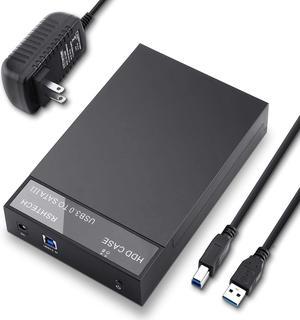
RSHTECH Hard Drive Enclosure, USB 3.0 to SATA External Hard Drive Docking Station for 3.5 inch SATA I/II/III HDD SSD Up to 12TB Support UASP (Black)
Quick View
  •  
  • $25.99 –
  • Free Shipping
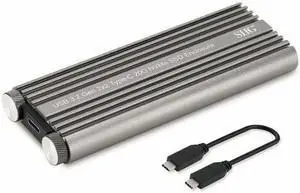
SIIG JU-SA0X11-S1 Silver USB 3.2 Gen 2 x 2 Type-C 20G NVMe SSD Enclosure
Quick View
SIIG JU-SA0X11-S1 Silver USB 3.2 Gen 2 x 2 Type-C 20G NVMe SSD Enclosure
  • Material: Aluminum
  • Dimensions: 0.59" x 4.84" x 1.81"
  • Specifications: Chipset: ASMedia 2364 Compliant with USB 3.2 Gen 2x2 specification revision 1.0 Compatible with PCIe 3.0 x 4 specification USB data transfer rate: Up to 20Gbps SSD type (not included): M.2 PCIe NVMe SSD (M Key). Note: Not compatible with M.2 SATA SSDs SSD size: 2230 / 2242 / 2260 / 2280mm Power source: USB-C Bus-powered (5V) UASP: Yes Hot plug: Yes
  • Type: Enclosure
  • Model #: JU-SA0X11-S1
MAIWO NVMe RAID Enclosure 20Gbps USB3.2 GEN2x2, RAID 0/RAID 1/PM/Large, 8TB Capacity Tool Free Aluminum, Dual Bay RAID Enclosure for M.2 NVMe PCIe M-Key 2230/2242/2260/2280mm SSD
Quick View
  • $139.99
  •  
  • $84.99 –
  • Save: 39%
  • Free Shipping
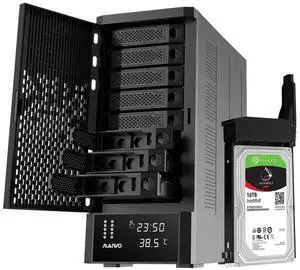
MAIWO 8 Bay Hard Drive RAID Enclosure for 2.5/3.5 inch SAS/SATA SSD/HDD, 8 Raid Modes, 128TB Capacity,  External Hard Disk Docking Station DAS with Build-in Fan&Smart Temperature System
Quick View
MAIWO 8 Bay Hard Drive RAID Enclosure for 2.5/3.5 inch SAS/SATA SSD/HDD, 8 Raid Modes, 128TB Capacity, External Hard Disk Docking Station DAS with Build-in Fan&Smart Temperature System
  • External Interface: Mini sas
  • Material: Aluminum / Plastic
  • Dimensions: 13.7*13.6*5.9inch
  • Internal Interface: SAS / SATA
  • Model #: K8AC
  •  
  • $799.99 –
  • Free Shipping
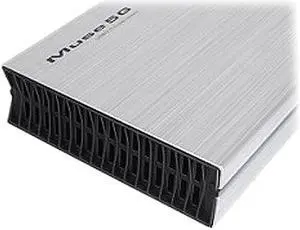
Thermaltake Muse 5G Drive Enclosure - External - Silver
Quick View
Thermaltake Muse 5G Drive Enclosure - External - Silver
  • Dimensions: Height:2.2" x Width:4.6" x Depth:8.0"
  • Type: Office Products
  • Weight: 12.35 oz
  • Package Contents: Muse 5G 3.5" USB3.0 External Hard Drive Enclosure USB 3.0 Cable Power Adapter User Manual Warranty Card
  • Model #: ST0042U
  •  
  • $19.99 –
  • Free Shipping
Bailink 3.5 Hard Drive Enclosure, USB 3.0 Internal/External Hard Drive Case Lay-Flat Dock Station for 3.5/2.5 inch SATA HDD Up to 20TB Data Recovery Kit Support UASP with 12V 24W Power Adapter
Quick View
in 30 days
Bailink 3.5 Hard Drive Enclosure, USB 3.0 Internal/External Hard Drive Case Lay-Flat Dock Station for 3.5/2.5 inch SATA HDD Up to 20TB Data Recovery Kit Support UASP with 12V 24W Power Adapter

Limited time offer, ends 12/01
  • Brand: Bailink
  • Series: 3.5 Hard Drive Enclosure
  • Model: BL-35HDD2026
  • Size: 2.5" & 3.5"
  • Model #: BL-35HDD2026
  • $33.58
  •  
  • $25.99 –
  • Save: 22%
  • Free Shipping
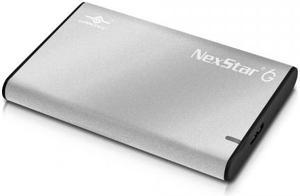
Vantec NexStar 6G 2.5” SATA III to USB 3.2 Gen1 External SSD/HDD Enclosure - Silver NST-268S3-SV
Quick View
Vantec NexStar 6G 2.5” SATA III to USB 3.2 Gen1 External SSD/HDD Enclosure - Silver NST-268S3-SV
  • Material: Lightweight Aluminum Casing with Tough ABS Tray
  • Dimensions: 4.8 x 3.2 x 0.5 inches / 121.7 x 77.7 x 13.3 mm
  • Part Number: NST-268S3-SV
  • Type: Enclosure
  • Model #: NST-268S3-SV
  •  
  • $36.89 –
  • Free Shipping
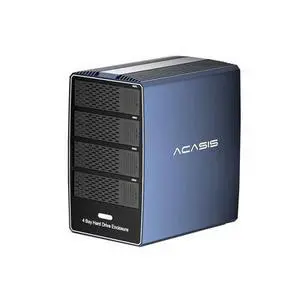
Acasis EC1003 4 Bay 2.5/3.5 Inch SAS/SATA to USB 3.0 Hard Drive Enclosure
Quick View
  •  
  • $309.00 –
  • Free Shipping
ACASIS Mac Mini Dock Dual Monitor with 6-in-1 40Gbps M.2 NVMe SSD Enclosure, for M1/M2 Compatible with USB4/3.2/3.1/3.0
Quick View
ACASIS Mac Mini Dock Dual Monitor with 6-in-1 40Gbps M.2 NVMe SSD Enclosure, for M1/M2 Compatible with USB4/3.2/3.1/3.0
  • Type: Enclosure
  • Material: Aluminum
  • Number of Bay: 1 Bay
  • Maximum Capacity (per Bay): Up to 8TB
  • Model #: TBU405Plus
  •  
  • $149.00 –
  • Free Shipping
ORICO M.2 NVMe SSD Enclosure, USB 3.1 Gen 2 (10 Gbps) PCIe External Adapter NVMe Case for 2230/2242/2260/2280 M.2 SSD up to 8TB, UASP Supported - M2PV
Quick View
  • $18.99
  •  
  • $13.28 –
  • Save: 30%
  • Free Shipping
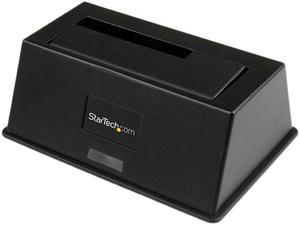
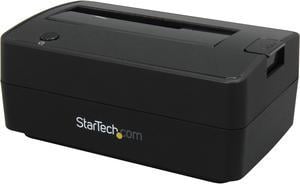
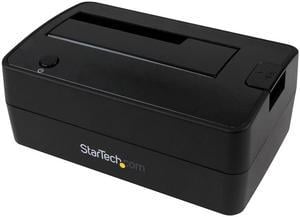
StarTech.com SATDOCKU3S 2.5" & 3.5" Black SATA Hard Drive Docking Station for 2.5/3.5 HDD
Quick View
StarTech.com SATDOCKU3S 2.5" & 3.5" Black SATA Hard Drive Docking Station for 2.5/3.5 HDD
  • AC Adapter: Yes
  • Material: Plastic
  • Specifications: Chipset ID: Lucidport OS Compatibility: Windows 2000/ XP(32/64bit)/ Server 2003(32/64bit)/ Vista(32/64bit)/ 7(32/64bit)/ Server 2008 R2, and Linux 2.6.31 and up
  • Type: Drive Dock
  • Model #: SATDOCKU3S
  •  
  • $71.99 –
  • Free Shipping
StarTech.com USB 3.1 Gen 2 (10Gbps) Single-Bay Dock for 2.5"/3.5" SATA SSD/HDDs - Supports SATA I, II, III and UASP - Top-loading design(SDOCKU313)
Quick View
StarTech.com USB 3.1 Gen 2 (10Gbps) Single-Bay Dock for 2.5"/3.5" SATA SSD/HDDs - Supports SATA I, II, III and UASP - Top-loading design(SDOCKU313)
  • Dimensions: Height:2.6" x Width:3.7" x Depth:5.7"
  • Type: Desktop
  • Number of Bay: 10
  • Weight: 14.11 oz
  • Model #: SDOCKU313
StarTech.com USB 3.0 SATA III Hard Drive Docking Station SSD / HDD with UASP - 2.5/3.5" USB 3.0 SATA I/II/III SSD / HDD Dock with UASP
Quick View
StarTech.com USB 3.0 SATA III Hard Drive Docking Station SSD / HDD with UASP - 2.5/3.5" USB 3.0 SATA I/II/III SSD / HDD Dock with UASP
  • AC Adapter: Yes
  • Material: Plastic
  • Dimensions: 2.00" x 3.60" x 5.50"
  • Type: Dock
  • Model #: SDOCKU33BV
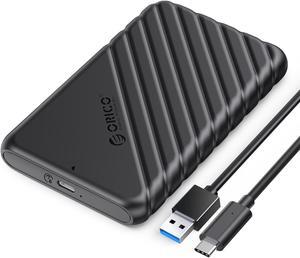
ORICO 2.5 inch External Hard Drive Enclosure USB-C to SATAIII 6Gbps HDD SSD Storage Case for 7mm 9.5mm SATA HDD SSD Max 6TB Support UASP protocols and TRIM
Quick View
ORICO 2.5 inch External Hard Drive Enclosure USB-C to SATAIII 6Gbps HDD SSD Storage Case for 7mm 9.5mm SATA HDD SSD Max 6TB Support UASP protocols and TRIM
  • Type: Enclosure
  • Material: Plastic
  • HDD Count Supported: Single HDD
  • Number of Bay: 1 Bay
  • Model #: 25PW1-C3-BK-EP
  • $10.99
  •  
  • $8.99 –
  • Save: 18%
  • Free Shipping
StarTech S251BMU313 2.5" External Hard Drive Enclosure - Supports UASP - Aluminum - USB 3.1 Enclosure - SSD/HDD Enclosure
Quick View
StarTech S251BMU313 2.5" External Hard Drive Enclosure - Supports UASP - Aluminum - USB 3.1 Enclosure - SSD/HDD Enclosure
  • Material: Aluminum
  • Dimensions: Height:0.6" x Width:3" x Depth:4.7"
  • Type: See Details
  • Weight: 4.59 oz
  • Model #: S251BMU313
StarTech S251BRU33 2.5" USB 3.0 Hard Drive Enclosure - Rugged - Supports UASP - Tool-Less - IP54 - SSD USB External HDD Enclsoure
Quick View
StarTech S251BRU33 2.5" USB 3.0 Hard Drive Enclosure - Rugged - Supports UASP - Tool-Less - IP54 - SSD USB External HDD Enclsoure
  • Material: Aluminum / Plastic
  • Dimensions: 1.10" x 4.40" x 5.60"
  • Type: Enclosure
  • HDD Count Supported: Single HDD
  • Model #: S251BRU33
  •  
  • $75.99 –
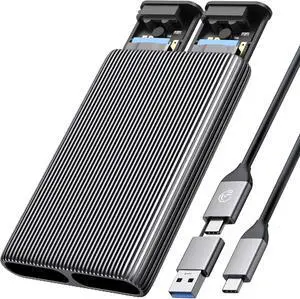
ORICO M.2 SSD Enclosure | Dual Slot (1 NVMe PCIe + 1 SATA NGFF), USB C 10Gbps Adapter for 2230/2242/2260/2280, Tool-Free Aluminum Case, Support Trim UASP, Up to 8TB Total Capacity
Quick View
ORICO M.2 SSD Enclosure | Dual Slot (1 NVMe PCIe + 1 SATA NGFF), USB C 10Gbps Adapter for 2230/2242/2260/2280, Tool-Free Aluminum Case, Support Trim UASP, Up to 8TB Total Capacity

Limited time offer, ends 12/01
  • Material: Aluminum
  • Type: Enclosure
  • HDD Count Supported: Dual SSD
  • Number of Bay: 2 Bay
  • Model #: AM2C3-2SN-GY-BP
  •  
  • $29.99 –
  • Free Shipping
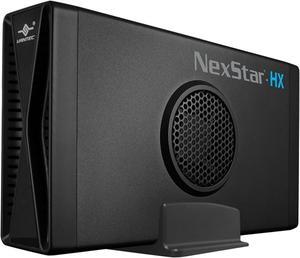
VANTEC NexStar HX NST-387S3-BK 3.5" Black SATA I/II/III USB 3.0 3.5" SATA III Hard Drive Enclosure USB 3.0 With Fan
Quick View
VANTEC NexStar HX NST-387S3-BK 3.5" Black SATA I/II/III USB 3.0 3.5" SATA III Hard Drive Enclosure USB 3.0 With Fan
  • AC Adapter: Yes
  • Material: Aluminum / ABS Plastic
  • Dimensions: 8.50" x 4.80" x 2.00" w/o stand 8.50" x 5.10" x 2.80" w/ stand
  • Fan: 1 x 60mm fan
  • Model #: NST-387S3-BK
Yottamaster 2 Bay Hard Drive Enclosure for 3.5/2.5 Inch SATA HDD/SSD USB 3.0 to SATA III, Up to 32TB with Bulit-in Fan and UASP 12V Power Adapter for Personal Data Backup and NAS Exapnsion [PS200U3]
Quick View
  •  
  • $88.99 –
  • $19.15 Shipping
ORICO Aluminum M.2 NVMe SSD Enclosure , Tool-Free 10Gbps USB C Adapter, USB 3.2 M.2 NVMe Reader, External SSD Case Thunderbolt 3 Compatible, Supports 4TB 2230/2242/2260/2280 PCIe M-Key SSDs-PWM2-BK
Quick View
  • $19.99
  •  
  • $11.39 –
  • Save: 43%
  • Free Shipping

Hard Drive Enclosures for Expanding and Protecting Your Storage

For users looking to convert internal hard drives or SSDs into portable external storage, this page offers a range of enclosures designed to safeguard your data, simplify upgrades, and minimize hardware costs. Browse options including SATA SSD enclosures and HDD external caddies compatible with USB 3.0 and more.

How to Choose Hard Drive / SSD Enclosures

Key Features to Consider When Choosing Hard Drive / SSD Enclosures

Selecting the right hard drive or SSD enclosure depends on several important factors that affect compatibility, speed, and durability. Keep these key features in mind when shopping:

  • Drive Compatibility: Confirm whether the enclosure supports 2.5" or 3.5" HDDs and whether it is designed for SATA or NVMe drives.
  • Interface Type: Look closely at the USB or Thunderbolt interfaces offered, as they determine data transfer speeds and device compatibility.
  • Data Transfer Speeds: Enclosures with USB 3.0 or newer standards can dramatically reduce file transfer times.
  • Build Quality and Cooling: Durable casing with built-in heat dissipation helps protect your drive and maintain performance.
  • Plug-and-Play Support: Ease of installation without additional drivers makes for a hassle-free experience.
  • Portability: Consider size and weight if you plan to carry your enclosure often.

Understanding USB Interface Standards for Optimal Speed

The interface type is often the single most critical aspect when choosing a hard drive enclosure, as it governs how quickly data moves between your external drive and computer. Newer USB standards significantly boost transfer rates and convenience.

For general use, USB 3.0 Type-C provides a dependable 5Gbps connection suitable for everyday tasks.

When handling large multimedia files or active editing workflows, stepping up to USB 3.1 Gen 2 Type-C or USB 3.2 Gen 2 Type-C enclosures can cut down large transfers and backups massively.

For professional-grade throughput, especially with NVMe drives, USB 4.0 (40Gbps) (USB-C) brings blazing-fast PCIe support, perfect for maximizing SSD performance without bottlenecks.

Advanced Applications for External Drive Enclosures

For developers, system integrators, and storage professionals, hard drive and SSD enclosures unlock powerful capabilities beyond basic external storage. Using multiple enclosures allows for flexible RAID setups, external disk cloning, or rapid troubleshooting of SATA and NVMe drives outside traditional desktops.

Leading-edge enclosures combining USB 3.2 Gen 2 10Gbps Type C support empower mobile developers and creative professionals to edit large video files or databases directly from the enclosure with negligible lag.

Integrating with other components from Components & Storage can further tailor custom enclosure setups for superior thermal management, cable routing, and power delivery in demanding environments.

Performance and Setup Tips

  • Always verify the enclosure is compatible with your drive’s form factor and interface (SATA or NVMe).
  • Use the highest USB standard supported by your device and computer for maximum transfer speeds.
  • Ensure your computer’s ports match the enclosure’s connector type (Type-C or Type-A) to avoid adapters that may reduce speeds.
  • Keep enclosure firmware and your computer’s USB drivers up to date to maintain stability and speed.
  • For 3.5” HDD enclosures, connect to a power source if the enclosure requires external power.
  • Consider enclosures with built-in cooling or add external fans if you plan large or prolonged data transfers.
  • Handle your drives and enclosures carefully to prevent physical shocks that could damage sensitive components.
  • When moving large datasets, split transfers into smaller batches to reduce file system errors or disconnections.
  • For professional workflows, test your enclosure’s performance with benchmarking tools to confirm expected transfer rates.

Newegg shopping tip: Before picking a hard drive enclosure, check what connection type it supports—USB 3.0, USB-C, or Thunderbolt—to match your device for the best transfer speeds. Also, confirm it fits your drive’s size and interface, like 2.5” SATA or M.2 SSD, to avoid compatibility hiccups.

Explore Hard Drive / SSD Enclosures & Related Categories

USB 3.0 Type-C

Connect any SATA SSD or HDD with USB 3.0 Type-C for up to 5Gbps speeds—perfect for budget builds needing reliable, plug-and-play external storage.

USB 3.1 Type-C

Speed up your data transfers with USB 3.1 Type-C enclosures offering 10Gbps throughput—great for handling large files without bottlenecks.

USB 3.1 Gen 2 Type-C

Get cutting-edge 10Gbps bandwidth with USB 3.1 Gen 2 Type-C, ideal for NVMe SSDs demanding fast, efficient data pipelines.

Getting Started with Hard Drive Enclosures

If you’re new to hard drive enclosures, think of them as a protective case that turns an internal HDD or SSD into a portable external drive. This allows you to expand your storage, back up important files, or even retrieve data from an old laptop drive. Many enclosures support both 2.5” and 3.5” SATA drives, making them versatile for backup or DIY projects. To begin, identify your drive’s size and interface, then match it to the appropriate enclosure that fits your needs. For a straightforward, budget-friendly option, consider models featuring USB 3.0 Type-C connectivity, which offers easy plug-and-play setup on most computers.

For Content Creators and Video Editors

Hard drive enclosures serve as vital tools for content creators who need fast, portable storage solutions to handle large video files and project libraries. Look for enclosures designed to house high-performance NVMe SSDs with interfaces like USB 3.2 Gen 2 Type-C or USB 3.1 Gen 2 Type-C to provide blistering read/write speeds and seamless editing on the go. These enclosures allow you to efficiently offload, archive, or share footage without bottlenecks, ensuring your workflow stays smooth under tight deadlines.

For Upgrading Legacy Systems and Data Recovery

If you have older SATA hard drives piling up or want to salvage data from a desktop or notebook drive, a hard drive enclosure is a straightforward solution. Many Hard Drive enclosures support standard SATA connections, making it possible to reuse your legacy drives as external backups or cloning targets without opening your PC again. These models are ideal for tech DIYers looking for cost-effective storage extensions or a simple way to transfer data during system upgrades.

Before You Buy

  • Confirm your drive size: 2.5” (laptop) or 3.5” (desktop) drives require different enclosure sizes.
  • Check interface compatibility: SATA or NVMe SSDs will need enclosures supporting those standards.
  • Decide on connection speed: USB 3.0 Type-C is good for basic use, but USB 3.2 or USB 4.0 provide far faster transfers.
  • Verify your computer’s port type—using the right USB-C or USB-A port ensures full speed potential without adapters.
  • Look for additional features like tool-free installation, durable casing, and cooling to match your environment and handling needs.
  • Consider your budget and whether you want premium options featuring the latest standards or a solid mid-range solution.
  • If you need accessories like cables, adapters, or thermal pads, check out Components & Storage for complementary parts that enhance your setup.

Research more: Choosing the right hard drive enclosure depends on your drive type, connection needs, and portability preferences. For detailed comparisons and installation tips, check out the Newegg Insider buying guides to make a well-informed choice.

Last Updated: October 2026 | Newegg Hard Drive / SSD Enclosures Buying Guide


Hard Drive / SSD Enclosures FAQs:

How does a USB 3.1 SSD enclosure compare to a USB 2.0 model in terms of speed?

USB 3.1 enclosures offer much faster data transfer speeds, up to 10 Gbps, while USB 2.0 tops out at 480 Mbps. If you’re moving large files or using an SSD, USB 3.1 will save you a lot of time.

Are enclosures for 2.5-inch drives different from those for 3.5-inch drives?

Yes, 2.5-inch drive enclosures are smaller and usually designed for SSDs or laptop HDDs, while 3.5-inch enclosures are bigger and meant for desktop hard drives. Make sure you pick the right size for your drive.

Can I use an SSD enclosure for both SATA and NVMe drives?

Most enclosures are made for either SATA or NVMe drives, so you'll need to check the specs carefully. They’re not usually interchangeable because the connectors and protocols differ.

How fast can data transfer be with a typical hard drive enclosure?

Transfer speeds mainly depend on the enclosure’s interface, like USB 3.0 or Thunderbolt, and the drive inside. For example, a USB 3.1 enclosure with an SSD can hit speeds up to 10 Gbps, but a mechanical HDD will be slower overall.

How do I know what size enclosure I need for my hard drive or SSD?

Check the form factor of your drive—most common are 2.5-inch for laptops or 3.5-inch for desktops. Matching the enclosure size ensures a proper fit and good connectivity.

Is it worth spending more on a USB-C enclosure over USB-A?

If your computer supports USB-C, it’s usually a better choice because it offers faster data transfer and future compatibility. USB-A can still work fine, but it might bottle neck your drive’s speed.

How reliable are hard drive enclosures for protecting data during frequent travel?

Most good enclosures offer solid physical protection and steady connections, but frequent shocks or drops can still risk data loss. Look for reviews that mention durability and drive retention when used on the go.

What common issues do people usually report about SSD enclosures in user reviews?

Buyers often mention problems like overheating, slow transfer speeds, or compatibility glitches. Checking reviews for real-world testing of temperature and drive compatibility is key before picking one.

How do I get started with installing my hard drive into an enclosure?

First, open the enclosure carefully, insert your hard drive or SSD into the right slot, and connect it securely. Then, close the case and plug the enclosure into your computer via USB or another interface to access the drive.

Can I use a hard drive enclosure with different computers without reformatting the drive each time?

Yes, as long as the drive is formatted with a file system both computers can read, like exFAT for Windows and Mac compatibility, you can use the enclosure with multiple devices without needing to reformat.

Bestselling Hard Drive / SSD Enclosures Reviews:

Anonymous
9/26/2026 3:47:16 PM
No issues

“ Have 2 different models of enclosures and have never had an issue with any of them from this brand. ”

ORICO M.2 NVMe SSD Enclosure, USB 3.1 Gen 2 (10 Gbps) PCIe External Adapter NVMe Case for 2230/2242/2260/2280 M.2 SSD up to 8TB, UASP Supported - M2PV
KnightNem
8/27/2026 4:18:05 AM
Simple to use and setup

“ if your hunting for an inexpensive external hard drive enclosure this is the one to get ”

ORICO 2.5'' External Hard Drive Enclosure USB 3.0 to SATA III Tool-Free Clear Hard Disk Case for 2.5 inch 7mm 9.5mm SATA HDD SSD Max 6TB Support UASP(2139U3)
Anonymous
4/3/2026 8:25:42 AM
Works but a little room for improvement

“ I've bought several Orico enclosures over the years, have received pretty good service from them. ”

ORICO 3.5 Inch Hard Drive Enclosure with Removable Case, External USB 3.1 Gen 1 to SATA 3.0 Adapter for SATA 3.5 Inch HDD with 12 V 2A Power Supply (20 TB Max)
BRUCE L.
1/18/2026 6:07:21 PM
Finally! A USB-to-SAS adapter that WORKS!

“ I was a little leery about buying this, having been burned in times past, but I'm happy to report it does exactly what it says: Makes a true SAS hard drive visible via USB. ”

ACASIS SAS/SATA to USB 3.0 Adapter, 2.5/3.5 inch External SAS Enclosure with USB-C to USB-A/C Cable, Tool-Free External Hard Drive Reader,Support up to 18TB,EC-5351
Dennis C.
1/8/2025 7:37:36 PM
eSATA has advantages and this is the best eSATA enclosure

“ Of the eSATA enclosures I've used -- including Fantec, Delock, Conrad, Raidsonic, Orico, AKiTio -- the NexStar has the best build quality and the best compatibility with a variety of HDDs, along with maximum performance. ”

Vantec NexStar JX USB 3.2 Gen1x1, 3.5" or 2.5” SATA III HDD/SSD Drive Enclosure with eSATA - Aluminum casing, ABS Plastic - Black NST-358SU3-BK
Brian M.
5/22/2024 3:53:33 PM
Good enclosure

“ Other than cosmetic issues, I don't have any issues with these inexpensive enclosures. ”

VANTEC NexStar HX NST-387S3-BK Aluminum / ABS Plastic 3.5" Black SATA I/II/III USB 3.0 3.5" SATA III Hard Drive Enclosure USB 3.0 With Fan