here!
here!
I’m your shopping assistant for PC builds, upgrades, and everything tech.
Got questions? Ask away!
Start a conversation
here!
I’m your shopping assistant for PC builds, upgrades, and everything tech.
Got questions? Ask away!
Start a conversation
Limited time offer, ends 10/26

Limited time offer, ends 11/19
Limited time offer, ends 11/01
Limited time offer, ends 10/31
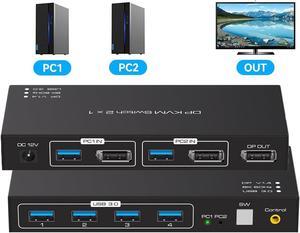
![J-Tech Digital 8K DisplayPort 1.4 KVM Switch 2 Computers 1 Monitor, 8K@60Hz / 4K@240Hz Dual PC DP KVM Switcher with 4 USB 3.0 Ports (3 USB-A + 1 USB-C), Includes DP & USB Cables [JTECH-DKM21-8K]](https://c1.neweggimages.com/productimage/nb300/AAFFS26030514NAM07C.jpg "J-Tech Digital 8K DisplayPort 1.4 KVM Switch 2 Computers 1 Monitor, 8K@60Hz / 4K@240Hz Dual PC DP KVM Switcher with 4 USB 3.0 Ports (3 USB-A + 1 USB-C), Includes DP & USB Cables [JTECH-DKM21-8K]")
Limited time offer, ends 11/19
Limited time offer, ends 11/19
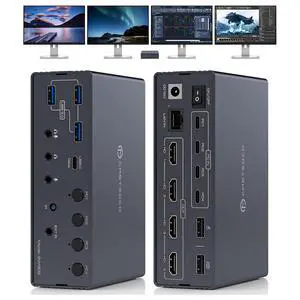
![SABRENT Thunderbolt 4 KVM Switch with 8K Display and 60W Charging [SB-TB4K]](https://c1.neweggimages.com/productimage/nb300/BK19D2401310YALJL7F.jpg "SABRENT Thunderbolt 4 KVM Switch with 8K Display and 60W Charging [SB-TB4K]")
Limited time offer, ends 11/19
Limited time offer, ends 10/31
Limited time offer, ends 10/31
Limited time offer, ends 11/19
Limited time offer, ends 10/31
Limited time offer, ends 11/19
Limited time offer, ends 10/31
Limited time offer, ends 10/31
Limited time offer, ends 10/31
Limited time offer, ends 10/31
Limited time offer, ends 11/19
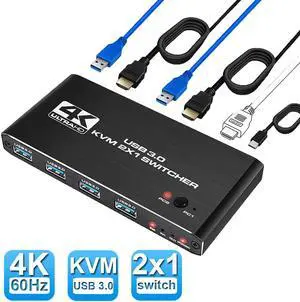
Suppose you have more than one computer in the same room but you do not have enough room for a second monitor. Or you have a laptop and want to use it with your home computer's keyboard, mouse and monitor, without changing your current setup. The answer lies in a handy device called a KVM switch.
KVM stands for keyboard, video, mouse. The keyboard, video, and mouse set collectively is called a "console." KVM switches allow you to connect a console to more than one computer. You simply connect your console cables to the output jacks of the switch and connect the switch to the connections on your computer that the keyboard mouse and monitor would normally be plugged into. It's that simple.
To switch consoles, you just push a button on the switch and it allows you to use the other console. KVM switches save you money because you won't have to purchase separate keyboards, mice, and monitors for each computer you use. It makes it very easy when one person uses more than one computer at work, for example. They are also useful for server farms with one staff person accessing each computer periodically, one at a time.
When buying KVM switches, it is important to fully understand your needs before you buy anything. Make sure the switch you choose will support your monitor refresh rates and resolution so that the signals are not degraded.
“ Fast and easy to set up, only 4 KVM cables included (similar to HDMI cables), not 5 as in the photo. ”
4K HDMI KVM Switch, 4 Port HDMI USB Switch for 4 Computer Share a 4K@30Hz Monitor and 3 USB Device Keyboard Mouse Printer, Including 4 KVM Cables“ My PC had one Display port to HDMI cable which worked fine with this setup. ”
HDMI KVM Switch Dual Screen 2 Monitors 2 Computers 2 in 2 Out,4K@60Hz USB KVM HDMI Switches with Audio HDMI2.0 Ports + 4X USB3.0,Supports 4K 60Hz,1080P 144HZ,RGB 4:4:4,3D,HDR,HDCP,Hotkey,Darkish“ It works and Im thankful to have a 4 channel KVM with dual monitor functionality as it appears this is not a common item. ”
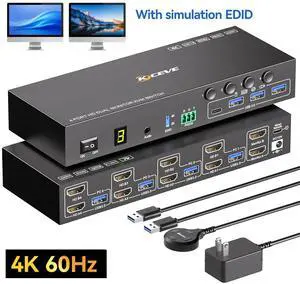
4 Port HDMI + DisplayPort KVM Switch Dual Monitor, UHD 4K@60Hz, KVM Switch 2 Monitors 4 Computers with 4 USB 2.0 Hub, Keyboard Video Mouse Peripherals Switcher for 4 PCs Dual Monitors“ I am using 3 PCs with DisplayPort, and 1 Raspberry Pi with HDMI and an active HDMI -> DisplayPort active converter (made by VisionTek). ”
4 in 1 Out DisplayPort KVM Switch 4x1, 4 Port 4K @60Hz USB and DP Switch for 4 Computers Share Keyboard Mouse Printer Monitor for Laptop,PC, with 4X USB Cable,1x Switch Button Cable,1x Power Cable“ 4 usb 3.0 ports ”
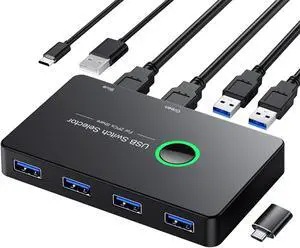
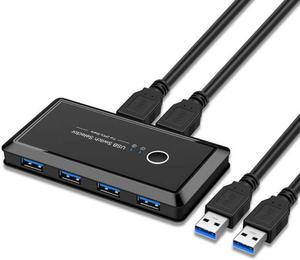
CORN USB 3.0 Sharing Switch Selector 4 Port 2 Computers Peripheral Switcher Adapter Hub for PC, Printer, Scanner, Mouse, Keyboard with One Button Swapping and 2 Pack USB Male Cable“ I have 1 DP and one HDMI monitor (TV) hooked up. ”
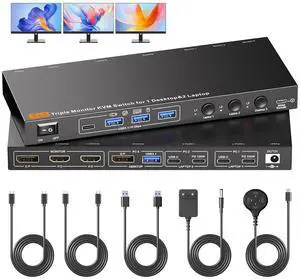
KVM Switch 3 Monitors 4 Computers 8K@60Hz 4K@144Hz, 2 HDMI +1 DisplayPort Triple Monitor KVM Switch for 4 Computer with Audio and 3 USB 3.0 Ports, USB 3.0 KVM Triple Monitor Keyboard Mouse Switcher“ Having a higher 4k refresh is perfect for my dual 34" screens and with enough power because of the powersupply this works nice ”
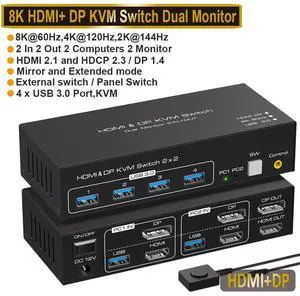
Dual Monitor HDMI KVM Switch 2 in 2 Out, 2 Port 4K@120Hz 8K@60Hz HDMI USB KVM Switcher for 2 Computers 2 Monitors with 4X USB 3.0 Ports, Support Windows, MacOS, Linux, Unix (2 Port HDMI)“ - Only uses USB & HDMI cables, unlike some KVMs I've used that have the extra green & blue 3.5mm audio & mic cables attached that flop around, take up space, looks kinda dumb, etc. ”
USB 3.0 HDMI KVM Switch 2 Monitors 3 Computers 4K@60Hz 2K@144Hz, Edid simulation, Dual Monitor HDMI KVM Switch 3 in 2 Out for 3 Computers Share 2 Displays and 4 USB3.0 Port Keyboard Mouse Printer